Participant
August 18, 2020
Answered

How to make the tips of the stroke fade smoothly?
  • August 18, 2020
  • 3 replies
  • 1666 views

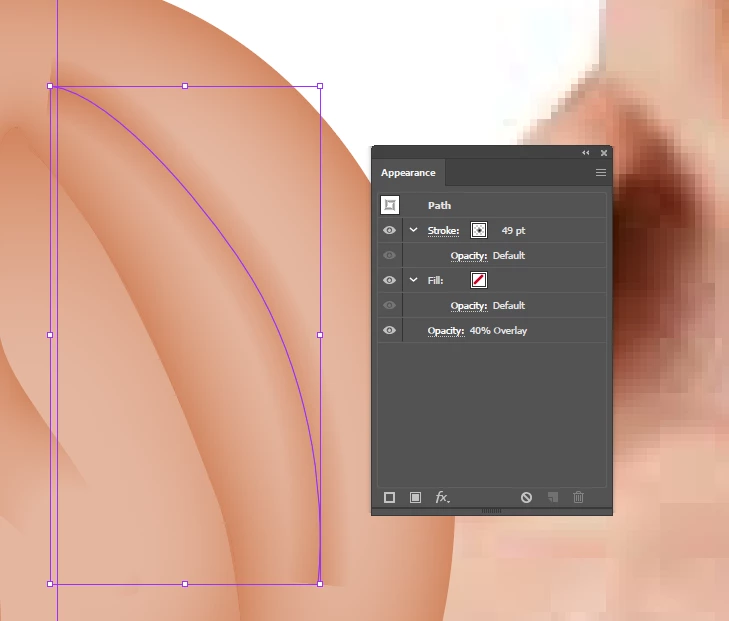
Hello. I made this stroke that fades smoothly to the sides, but I want to make the same for the tips. They just end abruptly.

How to?
Thanks.

This topic has been closed for replies.
Correct answer didiermazier

You could use the stroke width tool. Not that easy but should do the job
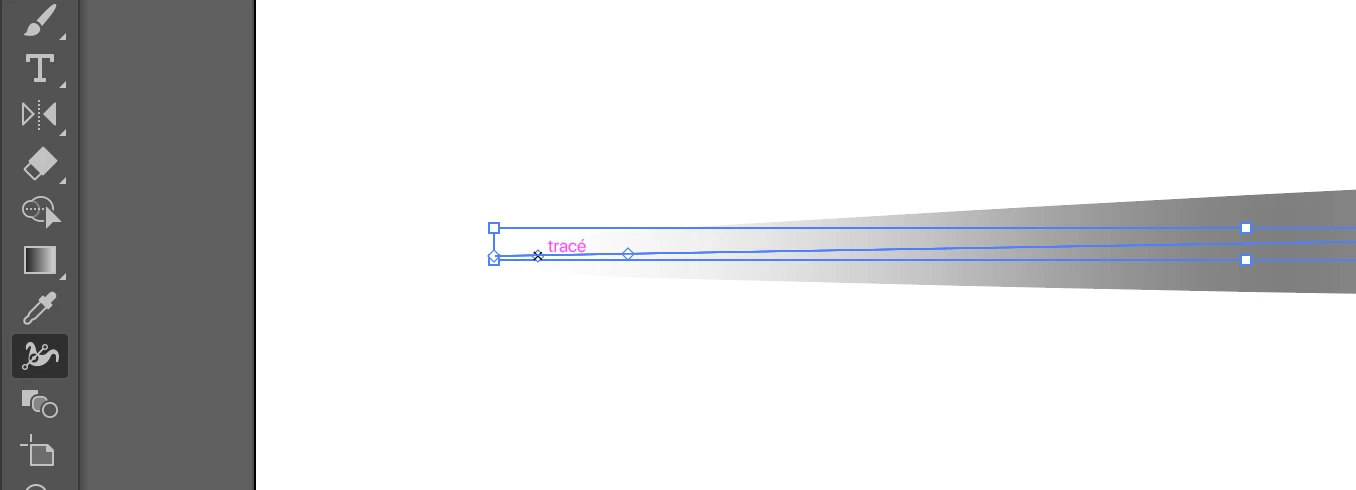
result

Once OK you can save this stroke profiile an  reapply whenever needed to any other stroke

3 replies

didiermazier
Community Expert
didiermazierCommunity ExpertCorrect answer
Community Expert
August 20, 2020

You could use the stroke width tool. Not that easy but should do the job

result

Once OK you can save this stroke profiile an  reapply whenever needed to any other stroke

キィィ─!!!
Participating Frequently
August 19, 2020

Hello.
You created it by applying a gradation to the stroke.
That way it can be hard to smooth the edges.
My preferred method is to use "Blur".
First, draw a path with rounded ends,
From the "Effect" menu, select "Stylize"> "Blur"
Alternatively, select "(Photoshop Effects) Blur" from the "Effect" menu.

Monika Gause
Community Expert
Community Expert
August 18, 2020

You could try and apply round stroke ends.

Or you could try a width profile that gets thinner towards the ends.