Participant
August 19, 2020
Answered

How to make this effect

  • August 19, 2020
  • 6 replies
  • 624 views

Hi 


Does anyone have a suggestion how to make this effect thats on the text. I dont find any filters that can make it in illustrator or photoshop. I used to have an other photoediting program that had really many filters i just nont remember the name of it..


This topic has been closed for replies.
Correct answer Monika Gause

Make the letters with gradients:

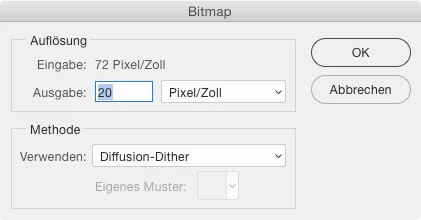
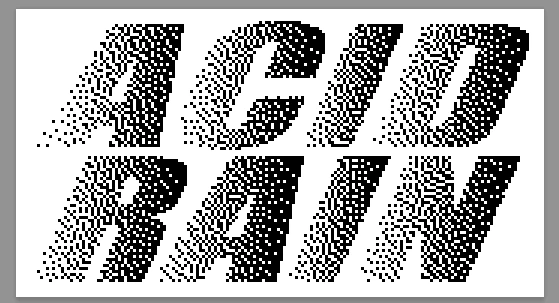
Import into Photoshop, convert to bitmap


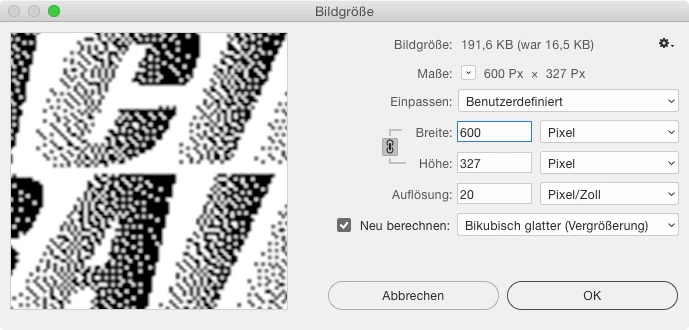
Enlarge it, smooth it when enlarging


Then use Photoshop levels to make the contrast harder. Enlarge again if needed and apply levels again.


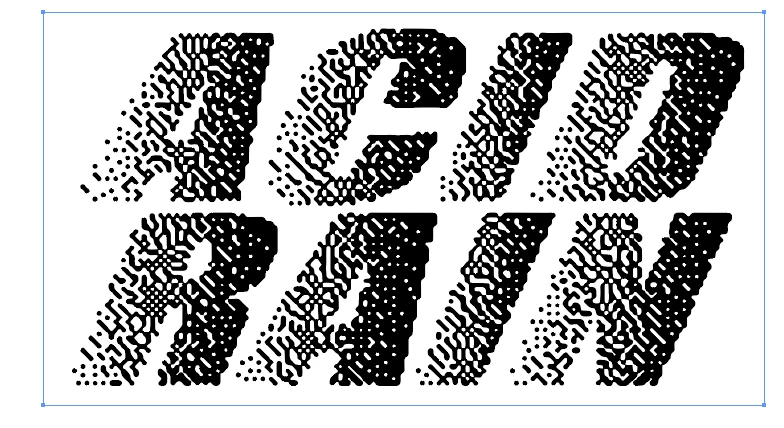
Then import back into Illustrator and use Image Trace with High Detail and Low Noise.


Et voila, no plugins.

6 replies

Monika Gause
Community Expert
Monika GauseCommunity ExpertCorrect answer
Community Expert
August 20, 2020

Make the letters with gradients:

Import into Photoshop, convert to bitmap


Enlarge it, smooth it when enlarging


Then use Photoshop levels to make the contrast harder. Enlarge again if needed and apply levels again.


Then import back into Illustrator and use Image Trace with High Detail and Low Noise.


Et voila, no plugins.

tromboniator
Community Expert
Community Expert
August 20, 2020

Yes, this is an approximation done with Stipplism. They do offer a free trial period, which I believe is for their whole arsenal, not on a per-plugin basis. They are very approachable, if you have questions.


Peter


femkeblanco
Legend
August 19, 2020

You can do that with Astute Graphics' Stipplism plug-in.  It's a paid for plug-in, but I seem to remember that they used to have a trial version.  

https://astutegraphics.com/plugins/stipplism 

didiermazier
Community Expert
Community Expert
August 19, 2020

Not the easyest way but try :

  • Type your letter

  •  Apply a gradient black to white

  • Change mode to bitmap

  • Set the halftones to what you prefer (circle, cross…) and low range (25 I.E.). sorry no snapshot;
  • Apply filter to distort

Results may vary accofrding to the settings :

There should be a way to use smart objects to optimize a process. All ideas welcome!

best

Didier

Simmer1
Community Expert
Community Expert
August 19, 2020

Hi, 


I do not know of any filters that can achieve this look.

If you want to produce this look manually you can do so by using a font like Acumin Pro ExtraCondensed Ultra Black Italic

Right click the text and select Create Outlines.

Then use the Pathfinder Minus Front fuction to subtract shapes from the text as you wish. 


Thanks,


Sim

Monika Gause
Community Expert
Community Expert
August 19, 2020

You could apply gradients to the sngle letters.

Then in Photoshop convert the image to bitmap (1-bit image at low resolution)

Then in Illustrator use autotrace (the Image Trace function)