
As first I wish you all a Merry, Peaceful Christmas:)
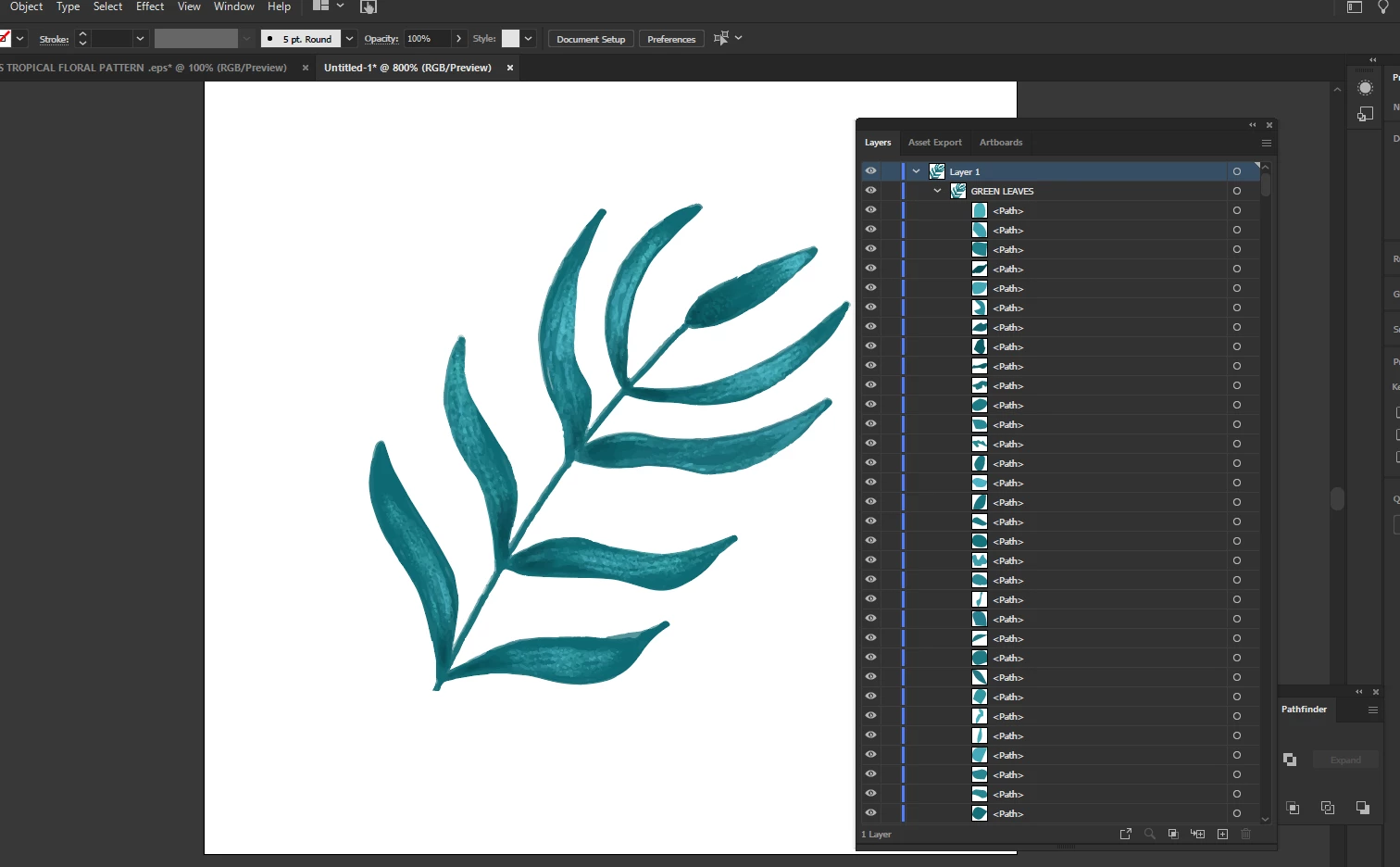
I tried to solve 1 issue, and I could not find the solution. I would like to merge the small shapes in the group to the one object. I tried a pathfinder, but it did not work. Does exist a way how to do it? Thank u.
Always keep the original artwork and work on a copy when you make irreversible changes, such as rasterizing, which will limit the artwork to a specific number of pixels, each pixel haing one colour.
in this condition it's impossible. You can either have the united shape with the same color/gradient or have many different pieces with different colors.
If you want to have fewer amount of objects and keep the texture, I could suggest this way:
1. export the current artwork as a raster image with the needed resolution;
2. unite all the shapes as Ton recommended (use Pathfinder > Unite);
3. import the image and create a clipping mask: put the united shape above the image, select both and click Ctrl(Cmd)+7.
Another way is to create a Gradient Mesh for the united shape, but it's a very long and complicated work.