Exit
  • Global community
    • Language:
      • Deutsch
      • English
      • Español
      • Français
      • Português
  • 日本語コミュニティ
  • 한국 커뮤니티
0

How to model a smooth curved 3D form and export a clean wireframe?

New Here ,
Dec 05, 2025 Dec 05, 2025

Hi, I’m trying to create a particular curved 3D form and then generate a clean wireframe from it, but I’m having trouble getting the exact shape.


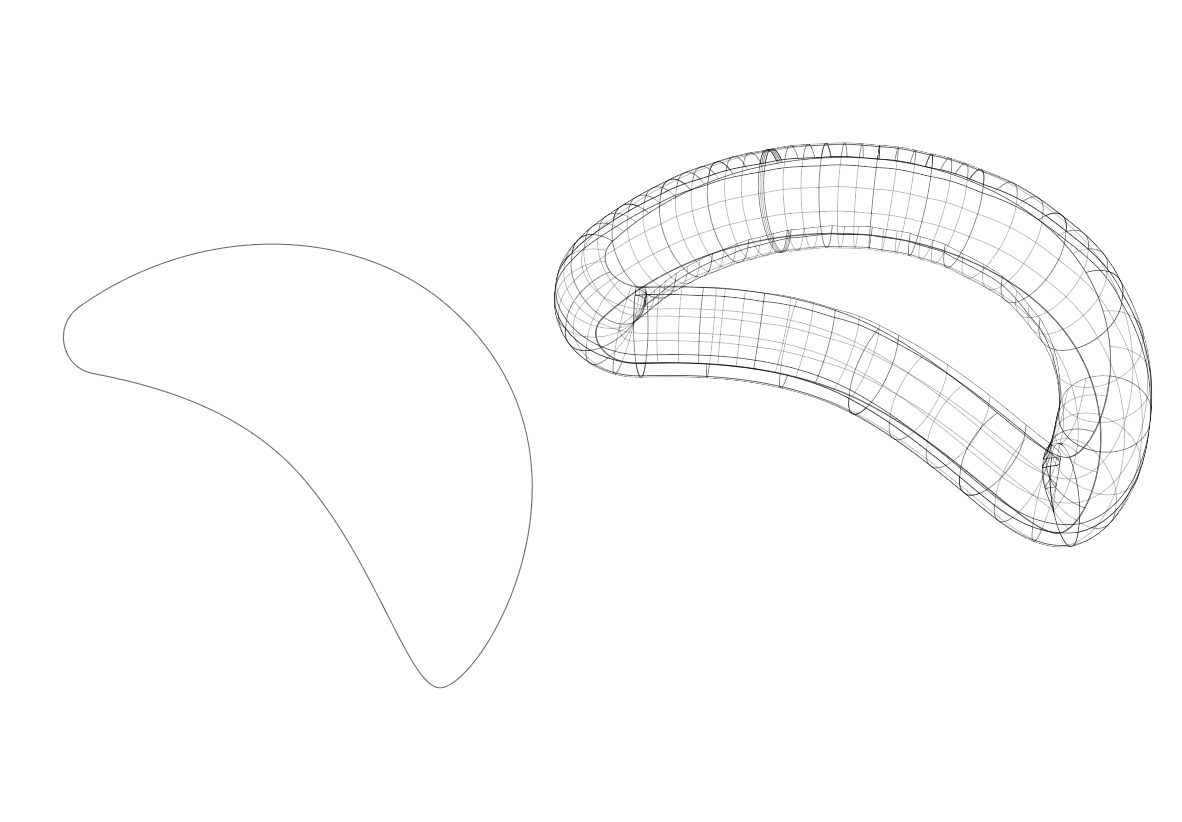
The first image (attached) is my ideal result—a smooth, volumetric arc-like structure with continuous curvature and evenly spaced wireframe subdivisions.


I tried recreating it in Illustrator by drawing the 2D curved path first (second image), then attempting a 3D extrusion and mesh/wireframe conversion (third image), but it never becomes as smooth or evenly subdivided as the example. The edges become irregular, the mesh density varies, and the topology doesn’t flow correctly around the curve.


What I need help with:

  1. How can I correctly model this kind of continuous, ribbon-like curved volume?
  2. Should I be creating this shape in Illustrator, or do I need to start in another tool (Blender, Cinema 4D, Rhino, etc.)?
  3. After creating the form, how do I export it in a clean wireframe style (vector-friendly if possible)?
  4. Is there a workflow to generate evenly spaced subdivisions along bending paths, instead of jagged or stretched segments?


My goal is a smooth 3D wireframe object that maintains even geometry along the full curve so I can later stylize it and scale it without resolution issues.

Any suggestions, detailed workflows, or recommended software would be extremely helpful. Thank you!

TOPICS
How-to
207
Translate
Report
Community guidelines
Be kind and respectful, give credit to the original source of content, and search for duplicates before posting. Learn more
community guidelines

correct answers 1 Correct answer

Community Expert , Dec 06, 2025 Dec 06, 2025

Ii think you can use Blend Tool in Adobe Illustrator and after Expanded you will get vector object. I create example with polygon. How to blend objects in Illustrator

May be you can use Object on Path also. See second image.


Screenshot 2025-12-06 191400.png

Screenshot 2025-12-06 192321.png

Translate
Adobe
Community Expert ,
Dec 06, 2025 Dec 06, 2025

You can try and optimize the mesh by placing your anchor points differently when creating the source path, but that's about it.


You probably need a different tool that can output a mesh.

Translate
Report
Community guidelines
Be kind and respectful, give credit to the original source of content, and search for duplicates before posting. Learn more
community guidelines
Community Expert ,
Dec 06, 2025 Dec 06, 2025

Ii think you can use Blend Tool in Adobe Illustrator and after Expanded you will get vector object. I create example with polygon. How to blend objects in Illustrator

May be you can use Object on Path also. See second image.


Screenshot 2025-12-06 191400.png

Screenshot 2025-12-06 192321.png

Translate
Report
Community guidelines
Be kind and respectful, give credit to the original source of content, and search for duplicates before posting. Learn more
community guidelines
New Here ,
Dec 06, 2025 Dec 06, 2025
LATEST

Thank you! This makes sense. I'll try this method and experiment with Blend + Replace Spine and see how it turns out. Appreciate the guidance!

Translate
Report
Community guidelines
Be kind and respectful, give credit to the original source of content, and search for duplicates before posting. Learn more
community guidelines