Tomas.Pokorny
Participant
September 1, 2022
Question

How to move lines along with other object?

  • September 1, 2022
  • 3 replies
  • 311 views

Hi all,

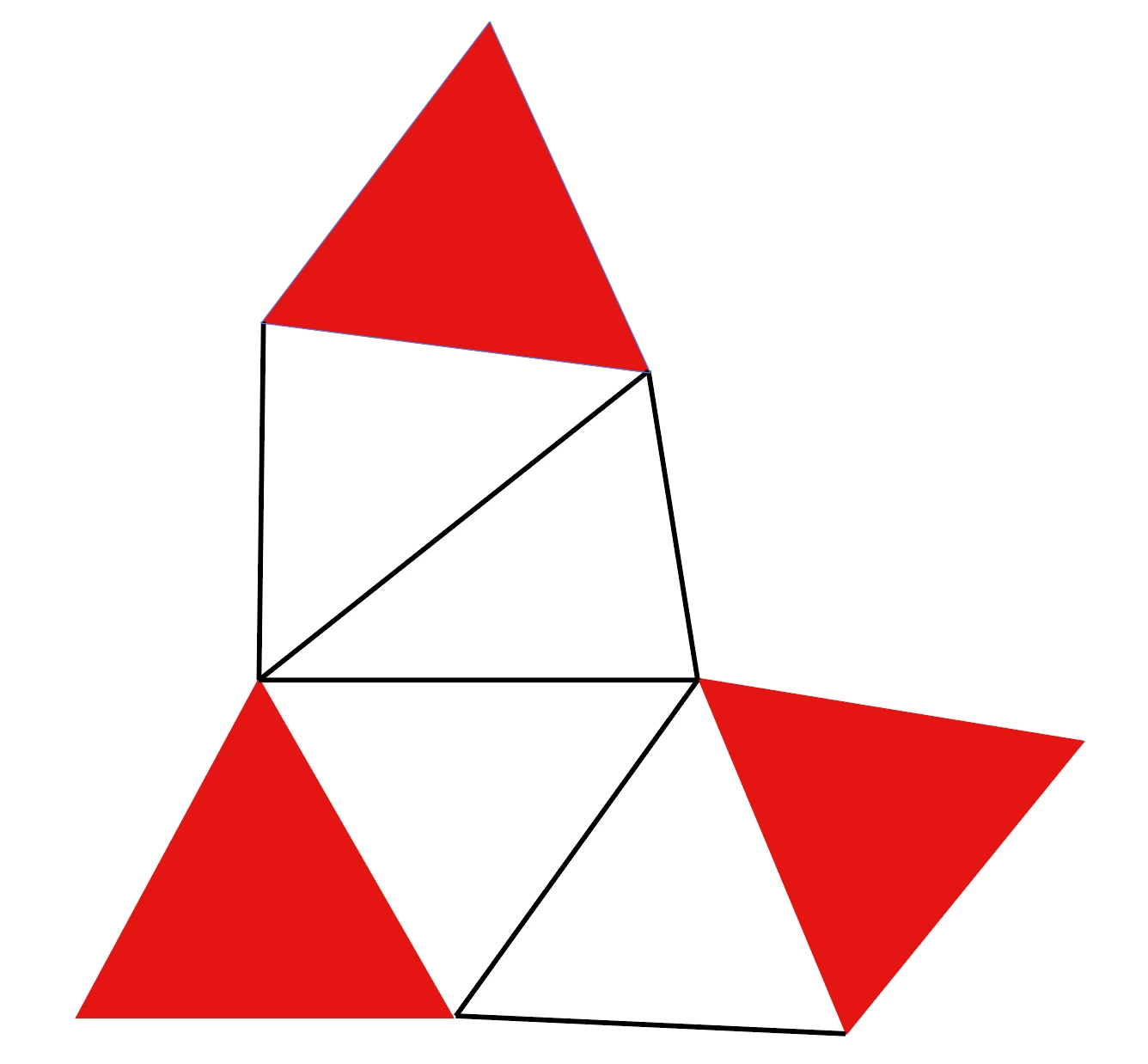
I have this graphics:


What I want to accomplish is to attach all lines to the edges of the triangles, and then if I move a triangle, the associated lines move with it - they stay anchored to the respective edge of the triangle.

For example if I move the triangle on the right, this should happen:
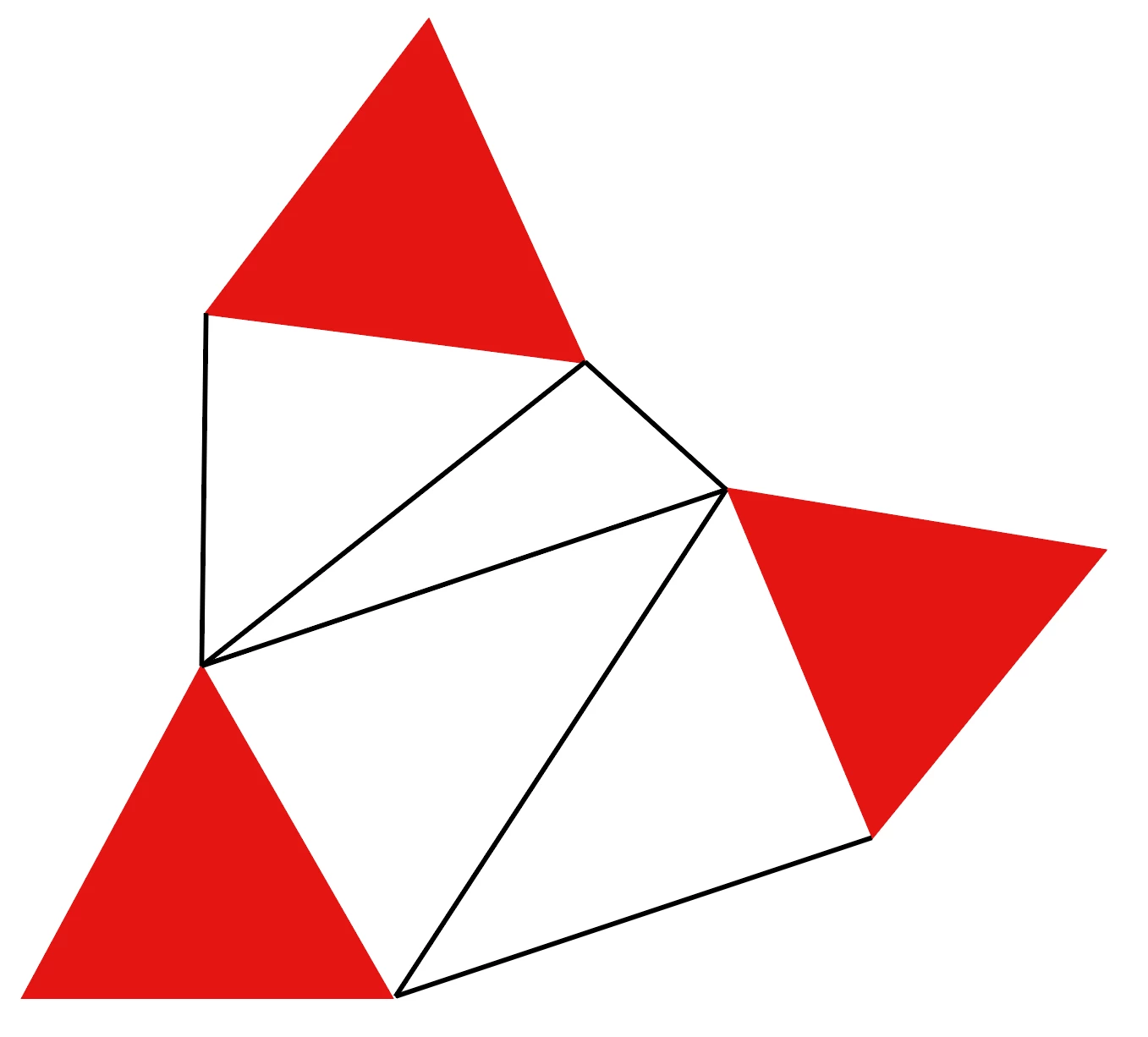
Can you please help me how to accomplish this without having to move the lines manually?

Thanks a lot!

Tomas

This topic has been closed for replies.

3 replies

michelew83603738
Community Expert
Community Expert
September 1, 2022

Essentially, it sounds like you are asking if there is a way to group anchor points in AI and I am afraid that there is not. You will have to select the points with the triangles as @Jacob Bugge has stated. 


Kurt Gold
Community Expert
Community Expert
September 1, 2022

You are obviously looking for something that is available in some other applications: Dynamic Connector Lines.


Unfortunately, that's not available in Illustrator. In some cases one can create something similar with brush objects, but it's rather a crude workaround.


Jacob Bugge
Community Expert
Community Expert
September 1, 2022

Tomas,


You can (after having everything deselected) ClickDrag with the Direct Selection Tool over the triangle in question, then let go and ClickDrag the selection to the desired position.


With this, the relevant line end Anchor Points will be selected and moved with the triangle.


It is crucial to select the triangle, the whole triangle, and nothing but the triangle (along with coinciding line ends).


In this connexion, only Anchor Points count.