
Participant
May 22, 2023
Answered

How to outline or expand stroked text?

  • May 22, 2023
  • 2 replies
  • 592 views

Hello.

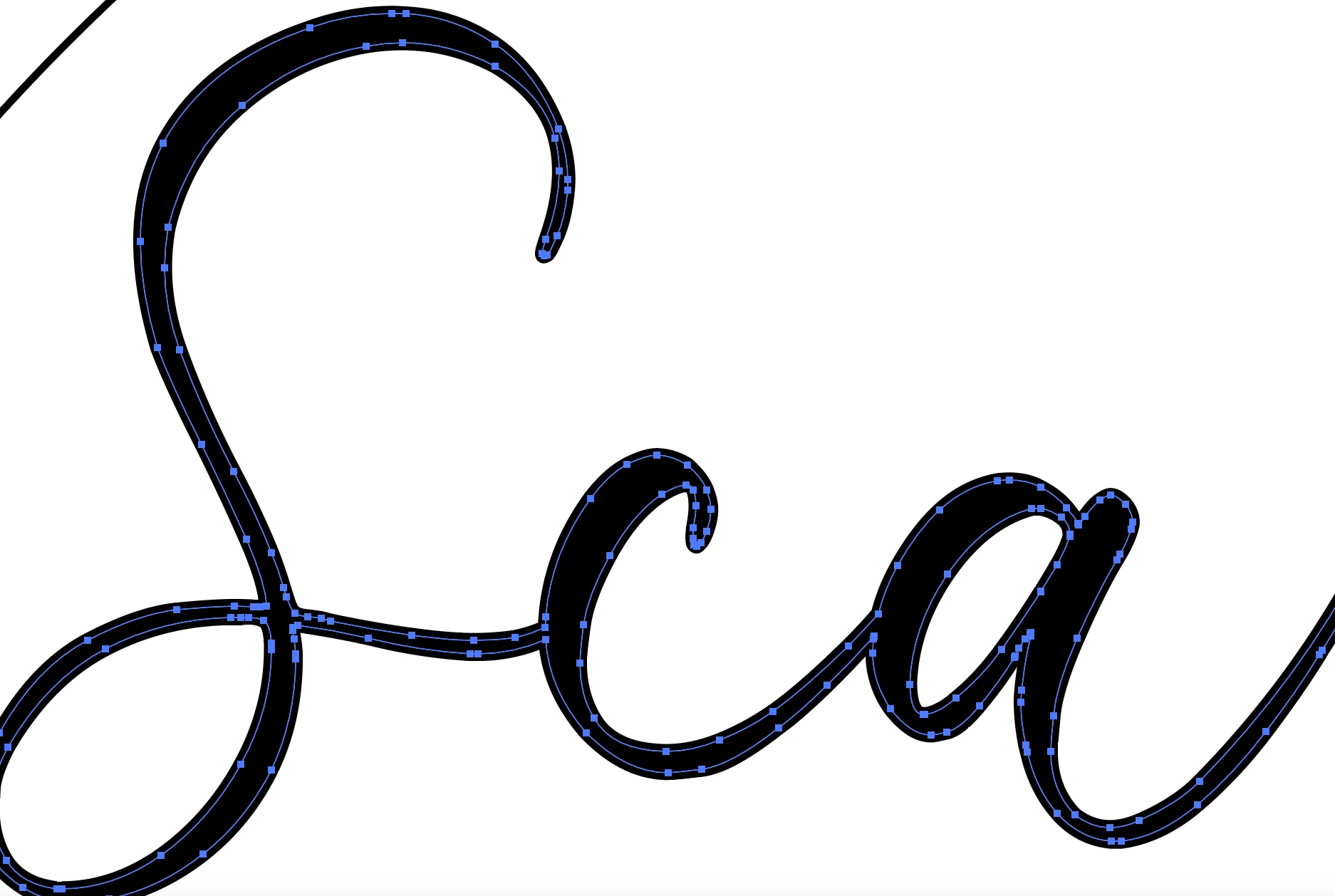
I use Ai to create cut files for my Cameo cutting machine. The font I want to use is too thin so I have applied a stroke to the text to make it thicker. However, when I expand or outine the text, it doesn't expand to the outside of the stroke but only to the original text. This is a problem considering the Cameo reads lines for cutting rather than colors, if that makes sense. I need to cut it at the edge of the stroke not the edge of the original letter. Is there a way to expand it to include the stroke?

Thanks in advance.
This topic has been closed for replies.
Correct answer Monika Gause

Expand the stroke as well and then unite the two.

Object > Path > Outline stroke

then Pathfinder panel.


Next time don't use a stroke for that, but Effect > Path > Offset path. Then Object > Expand appearance.

2 replies

Mike_Gondek10189183
Community Expert
Community Expert
May 22, 2023

After you outline the stroke use pathfinder palette >> unite to make only one path for cutting.

Monika Gause
Community Expert
Monika GauseCommunity ExpertCorrect answer
Community Expert
May 22, 2023

Expand the stroke as well and then unite the two.

Object > Path > Outline stroke

then Pathfinder panel.


Next time don't use a stroke for that, but Effect > Path > Offset path. Then Object > Expand appearance.

Participant
May 22, 2023

I knew there was a simple solution...thanks!