Inspiring
July 17, 2019
Answered

How to personalize ESTK ?

  • July 17, 2019
  • 3 replies
  • 897 views

Hello

I try to personalize ESTK but for font color, I have only black color 😕😕

Do you know reason ?

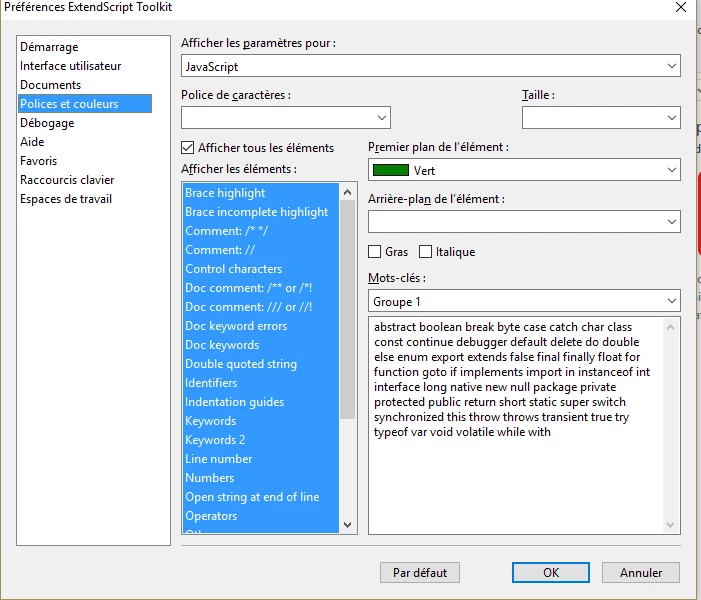
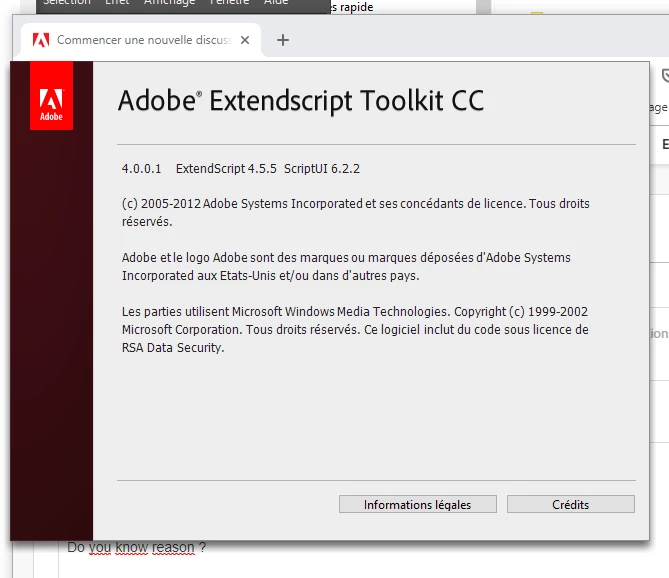
I share with you 2 images : options panel and ESTK version.
This topic has been closed for replies.
Correct answer Ten A

Probably, Your ESTK is not EN version. In this case, ESTK uses "localized X11 color name" and all colors are fallback to Black.

However, We can fix this problem ourself. You can refer below article. (Sorry, It's Japanese page.)

ESTKの「フォントと色」のバグを回避する | CS5

3 replies

Lumenn
Inspiring
July 19, 2019

Hey,

for now it's worth to give a try for ExtendScript Extension for VSCode - it's easier to customize this tool, than ESTK.

ExtendScript Debugger - Visual Studio Marketplace

ESTK is old, and thanks to Adobe we can use now better tools for writing extensions and scripts.

Ten A
Ten ACorrect answer
Brainiac
July 18, 2019

Probably, Your ESTK is not EN version. In this case, ESTK uses "localized X11 color name" and all colors are fallback to Black.

However, We can fix this problem ourself. You can refer below article. (Sorry, It's Japanese page.)

ESTKの「フォントと色」のバグを回避する | CS5

Inspiring
July 25, 2019

Thank you for your answer and sorry for late :/

CarlosCanto
Brainiac
July 17, 2019

you need to uncheck "Afficher tous les elements" then select an item in the "Afficher les elements" list to see and update each of them.

Is that what you're doing?

Inspiring
July 25, 2019

Sorry for late, all colors are black even if I select pink or blue.

When ESTK is in french, I can't select a lot of colors :/