Participant
August 6, 2018
Question

how to preview the effect of the font

  • August 6, 2018
  • 2 replies
  • 535 views

Hi,

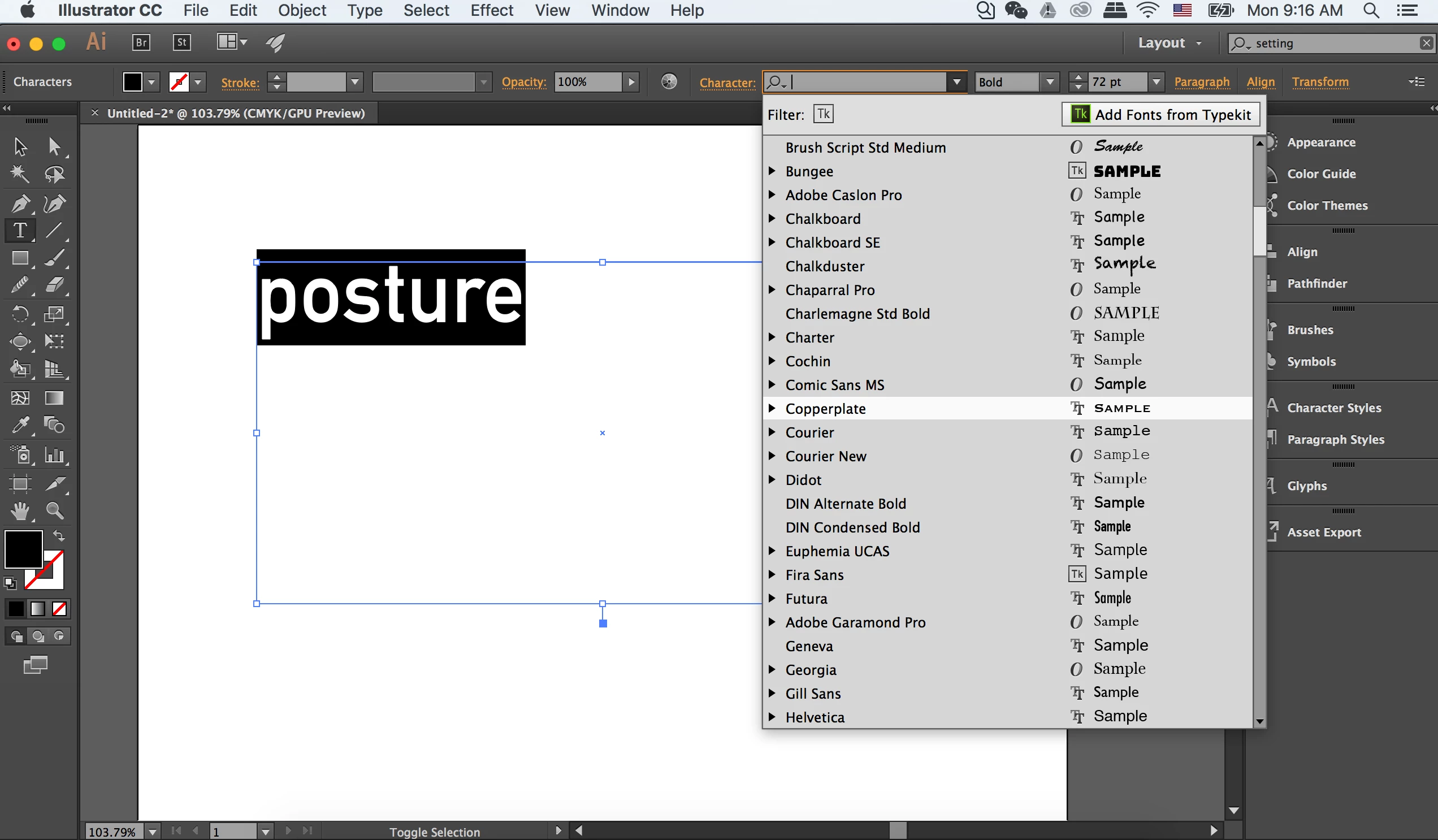
When choosing font, is it possible to preview it before clicking the font?

For example, in this picture, how to preview the effect of copperplate on "posture" before I click it?
Thanks,

Frankie

    This topic has been closed for replies.

    2 replies

    Monika Gause
    Community Expert
    Community Expert
    August 6, 2018

    You need at least Illustrator CC2017 to have that.

    Bill Silbert
    Community Expert
    Community Expert
    August 6, 2018

    https://forums.adobe.com/people/Monika+Gause  wrote

    You need at least Illustrator CC2017 to have that.

    I stand corrected as to when the feature came in.

    JETalmage
    Inspiring
    August 6, 2018

    In CS6 (and some versions earlier), you can click your cursor in the Character field of the Control panel and tap the up or down arrow keys to run up or down the list of installed fonts.

    At least on Windows.

    JET

    Bill Silbert
    Community Expert
    Community Expert
    August 6, 2018

    You should be able to simply run your cursor down the list of font names (without clicking) in the type menu while your type is selected and the highlighted text should show what each font looks like. This has worked on a Mac since, as I recall, CS6. If this is not working for you then perhaps you need to trash your preferences.

    To do so:

    The User Library folder in which Illustrator’s preferences are stored is hidden by default on most Macintoshes. To access it make sure that Illustrator is closed and click on the desktop to launch a Finder Window (Command-N).With this window in column view follow the path User>Home folder (it’s the folder with an icon that looks like a house—it may have the user’s name rather than “Home”) and click on the Home folder. With the Option Key pressed choose Library from the Finder Go Menu. “Library” will now appear within the Home folder. Within the Library folder find the folder called Preferences and within it find the folder called “Adobe Illustrator <Version #> Settings” (earlier versions of Illustrator might just say “Adobe Illustrator”) and the file called “com.adobe.Illustrator.plist” and delete both that folder and that file. When Illustrator is next launched it will create new preference files and the program will be restored to its defaults.

    The advantage of manually deleting preference files in this manner is that after you’ve reset up the program (make sure that no document window is open) to your liking, you can create copies of your personalized “mint” preference files (make sure that you quit the program before copying them—that finalizes your customization) and use them in the future to replace any corrupt versions you may need to delete.

    Participant
    August 7, 2018

    thank you very much, my version is illustrator cc 2015. It doesnt automatically show me preview of the font effect.

    I also go to my preferences in the library, but there is no this file "com.adobe.Illustrator.plist"