Participant
October 8, 2018
Answered

How to properly transform object for isometric rendering?

  • October 8, 2018
  • 4 replies
  • 7397 views

Hello all!

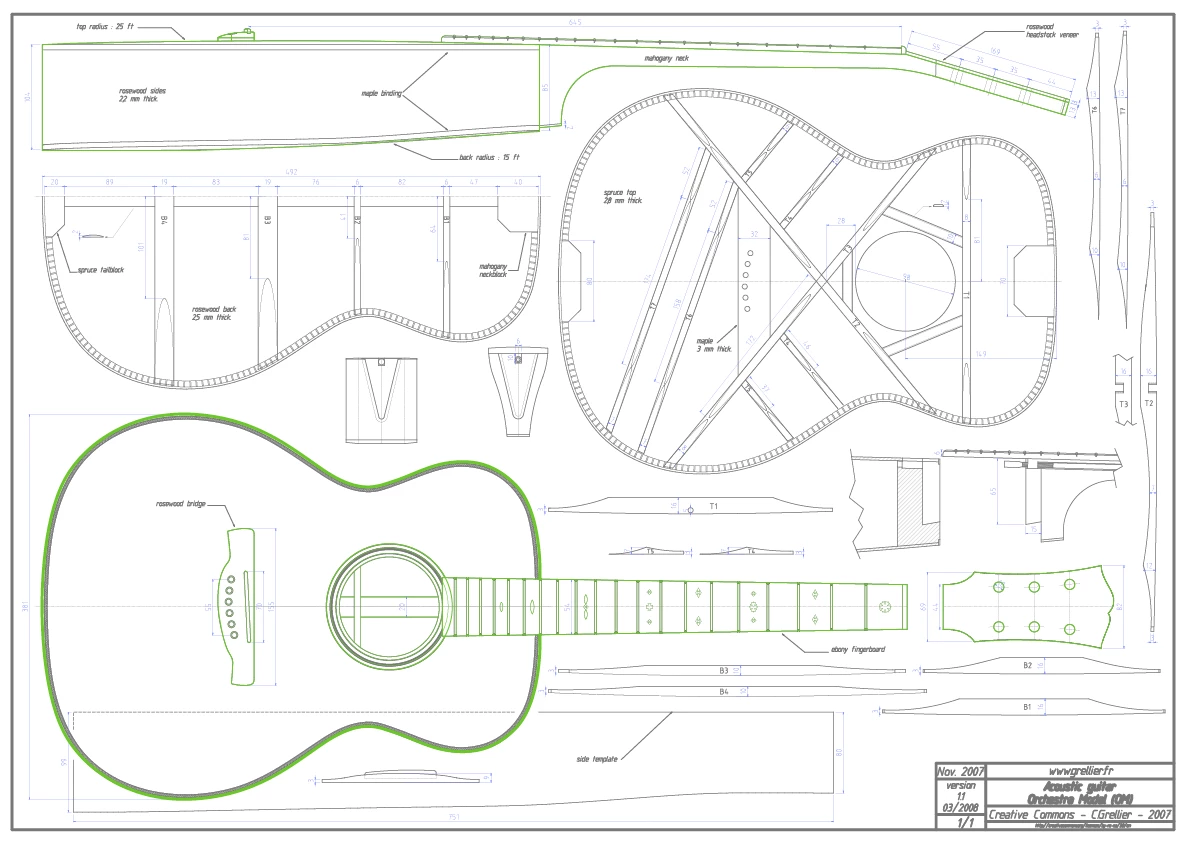
I am working on my first isometric illustration for a school project that was very poorly explained by the professor... I am working on a guitar that so far has gone smoothly, but I am now stuck on how to make the top of the neck piece appear bent downwards as shown in the side view in the blueprint below. For everything else I have been using the method that includes vertically scaling by 86% (plus a few decimal points), shearing by + or - 30 degrees and then rotating similarly. Am I missing something or am I just not thinking about it correctly?

Sorry if this isn't specifically an Illustrator question, it's my first time doing an isometric!

Thanks in advance!
This topic has been closed for replies.
Correct answer AlexanderVincent

Hi all! Thank you for all the tips, I actually think I just found an answer to my question by winging it! I was mostly wondering if there was a specific transformation or formula that I should use for objects like the guitar piece that bend downwards, placing the object on another plane by itself.
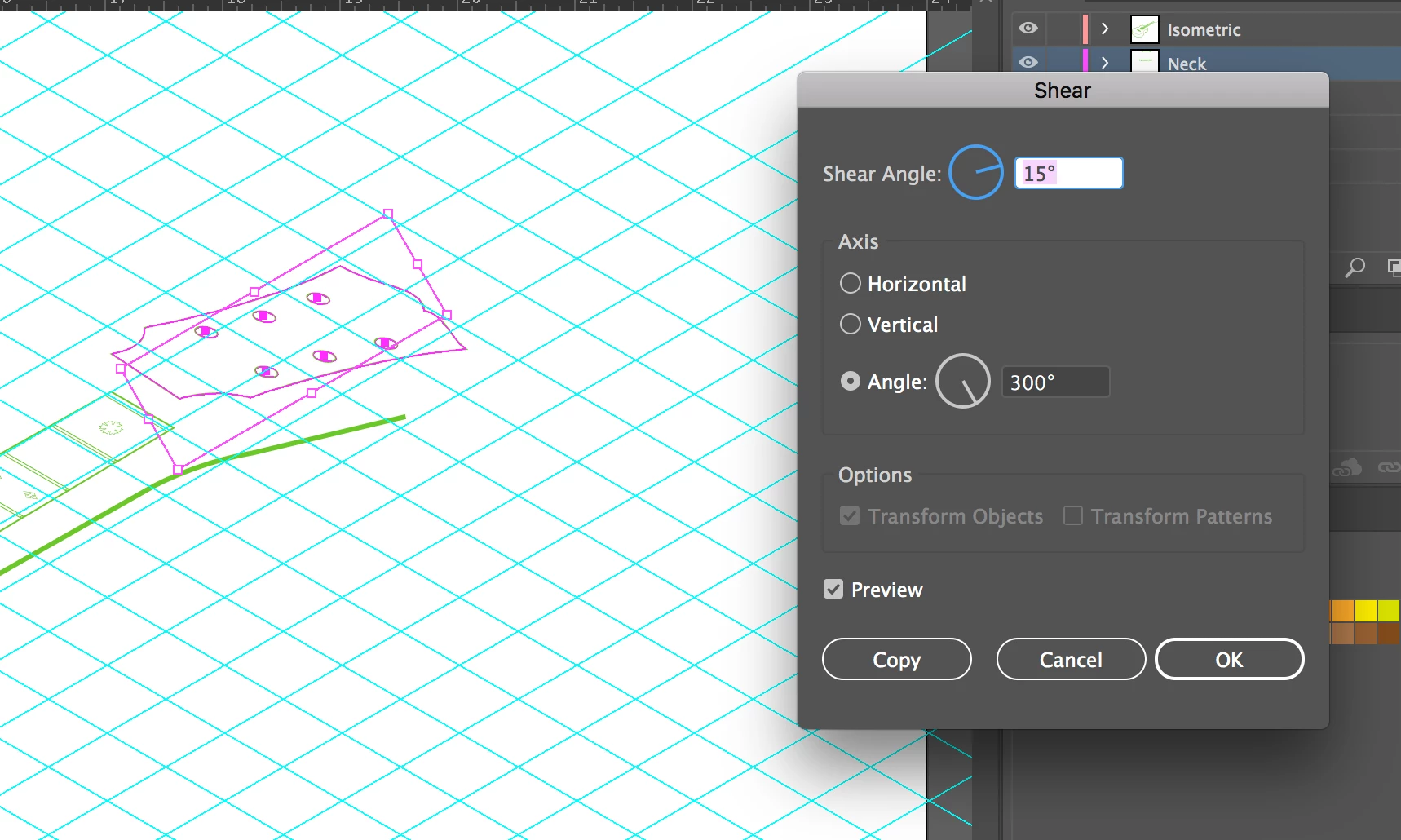
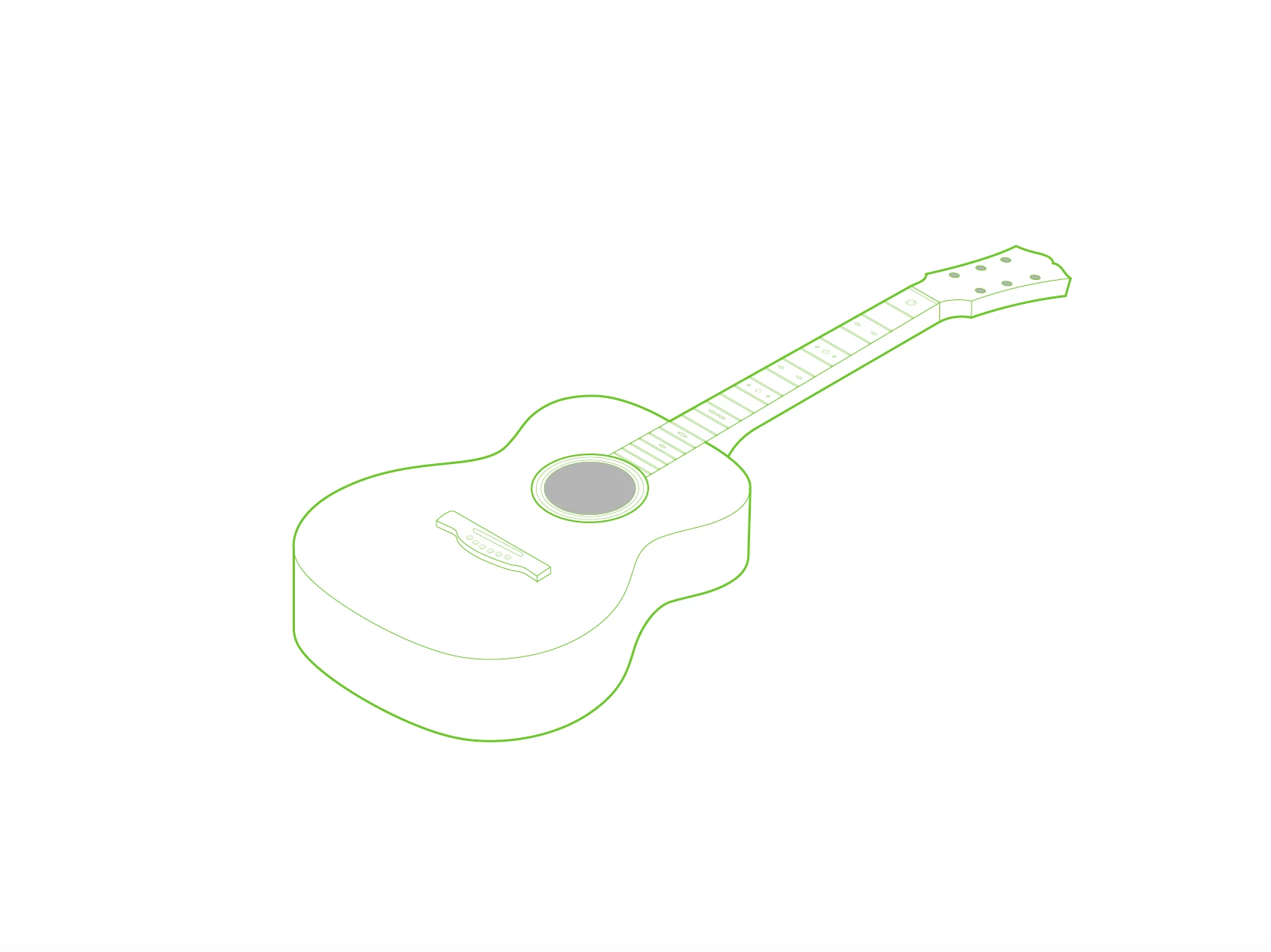
I played around with the sheer tool after I used the original method mentioned in my first post (scale, shear, rotate). Screenshots below, looks good enough to me!

Thanks guys!

4 replies

AlexanderVincentAuthorCorrect answer
Participant
October 8, 2018

Hi all! Thank you for all the tips, I actually think I just found an answer to my question by winging it! I was mostly wondering if there was a specific transformation or formula that I should use for objects like the guitar piece that bend downwards, placing the object on another plane by itself.

I played around with the sheer tool after I used the original method mentioned in my first post (scale, shear, rotate). Screenshots below, looks good enough to me!

Thanks guys!

Inspiring
October 8, 2018

Hello,

What works the best for me are the Adobe Illustrator isometric actions. You can find in the answer above or Google for it. Look for isometric transformations actions for Adobe Illustrator.

Good luck.

Patrick

Monika Gause
Community Expert
Community Expert
October 8, 2018

Those downward bent pieces you have to deduce from sideviews and the topview. You can't construct it by using the transformations.

You could try if you can get near something with a 3D effect, but this might not be too precise.

tonyharmer
Community Expert
Community Expert
October 8, 2018

There's a fab extension that makes axonometric drawing soooooooo easy—go to Nimbling SSR30 then sign in and add it (free!). You may have to quit/relaunch Illustrator after (can't remember off the top of my head) but once done, it's excellent.

To get that bend, you may have to approach this as two steps, though.

Nice drawing!

lambiloon
Community Expert
Community Expert
October 8, 2018

Hi please check following video which shows how to get started isometric drawing hope that helps....Thanks.

Ali Sajjad / Graphic Design Trainer / Freelancer / Adobe Certified Professional