
How to recolor complex artwork in Illustrator.
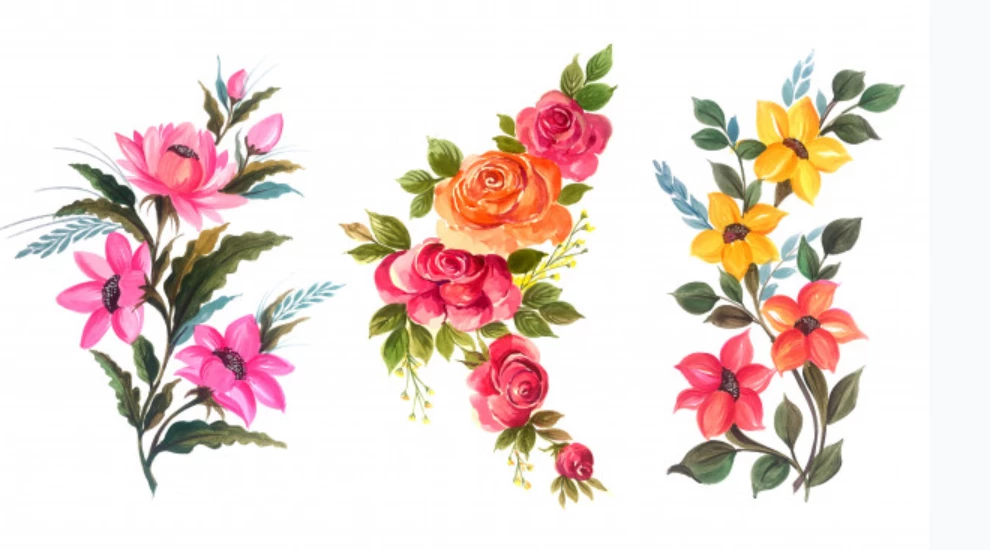
Hi, I'm having a hard time figuring out how to recolor an extremely complex vector image of watercolor flowers. (Attached below is the image). I have tried to recolor this using two ways:
1. Using the Recolor Artwork button. This tool is perfect for recoloring simple artworks, but is very time consuming to use on recoloring very complex images, such as this one, on Illustrator. I have to manually regroup similar colors before recoloring them; some images have up to 2900 colors and it takes a long of time. I have tried to first reduce the colors to (for example) 25 colors and manually regroup them, but I have to repeat the process if I want to change the colors again.
2. Using the Appearance panel and applying a Color blending mode. I have tried this method but it always results in the artwork being recolored to one, monochromatic color. I would still like to preserve the difference hues in the image.
I can't use Photoshop to recolor the image, since my client specifically requested for it to be in a vector file format. I know in Photoshop I can easily recolor using Hue/Saturation, Color Balance tools, but I'm afraid if I recolor first in Photoshop, import to Illustrator, then convert it to vector using Image Trace, the results won't be good, since the image is already in vector format in the first place and Image Trace in my experience is unreliable in tracing out complex images.
Since I'm still very new to Illustrator, I'm wondering if there is a workaround to this issue.
 AdChoices