jensj47587494
Known Participant
July 1, 2019
Answered

How to recreate this font "Rock 'n' roll"?

  • July 1, 2019
  • 6 replies
  • 1772 views

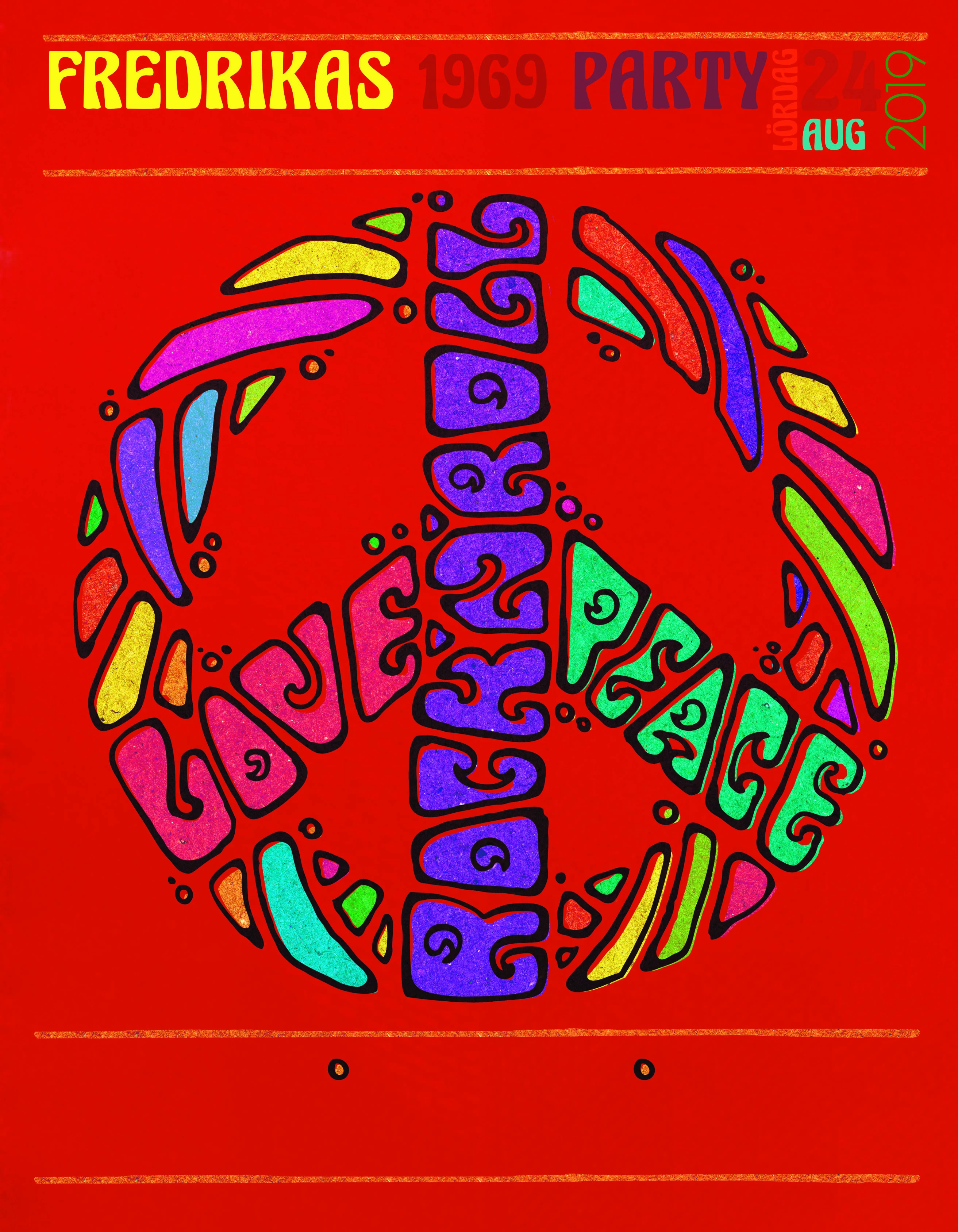
     Hello how would I be able to recreate the font "rock 'n' roll" to "understanding". I have tried all night without success, can someone help me out?

This topic has been closed for replies.
Correct answer

I took the "rock and roll" cropped area and created a high contrast image then placed in Illustrator and image traced it. Then used expand to create the inside areas. A little cleanup and it was done. Looks almost identical to the poster.

6 replies

Correct answer
July 2, 2019

I took the "rock and roll" cropped area and created a high contrast image then placed in Illustrator and image traced it. Then used expand to create the inside areas. A little cleanup and it was done. Looks almost identical to the poster.

barbara_a7746676
Community Expert
Community Expert
July 2, 2019

Thanks for letting us know. I'm glad everything worked out well for your poster.

July 2, 2019

Wouldn’t the image trace tool be of use in this situation?

barbara_a7746676
Community Expert
Community Expert
July 2, 2019

You could give image trace a try. You might be able to rescue the outlines of some of the letters that way, but you would still have touch up to do.

barbara_a7746676
Community Expert
Community Expert
July 2, 2019

As others have indicated, you would need to draw the letters by hand. You could reuse some of the existing letters or trace them with the Pen tool. Letters like "U" which aren't on the poster, you would need to visualize and draw from scratch.

If you don't want to do that, look for a decorative font on the web. There are many out there, and many that are free. You won't find the exact same font because the one you show in your screen capture was hand drawn, but you might be able to find one that you like and can use. Some font examples: Manhattan Darling, Justin Road, Leika -- there are hundreds to choose from.

mglush
Community Expert
Community Expert
July 2, 2019

What is it exactly that you need help with--the technical how to? Or how to design the type?

To create the typeface, it would probably be a good idea to start with pencil and paper (I know, old school--but it really does work best) and trace over the current letters--you have quite a few that are already designed for you and the rest you can base on other letter styles. Then Once you have the word designed, scan it into Illustrator as a template.

Then it looks like there are two layers to each letter--the color and the outline and they will need to be created separately. If you are unfamiliar with the Pen tool, visit: How to draw with the Pen, Curvature, or Pencil tool in Illustrator

Michelle

Ray Yorkshire
Participating Frequently
July 1, 2019

Mastering the Pen Tool and utilizing  that skill  along with guidelines the only  way I can think of,

Kurt Gold
Community Expert
Community Expert
July 1, 2019

Usually, you do that by drawing the characters manually. Just like the folks did it in 1969.

In Illustrator you can use brushes or some "distort effects" in order to make it look a bit more hand-made. Or just draw it carefully with the Pen tool.