Copy link to clipboard
Copied
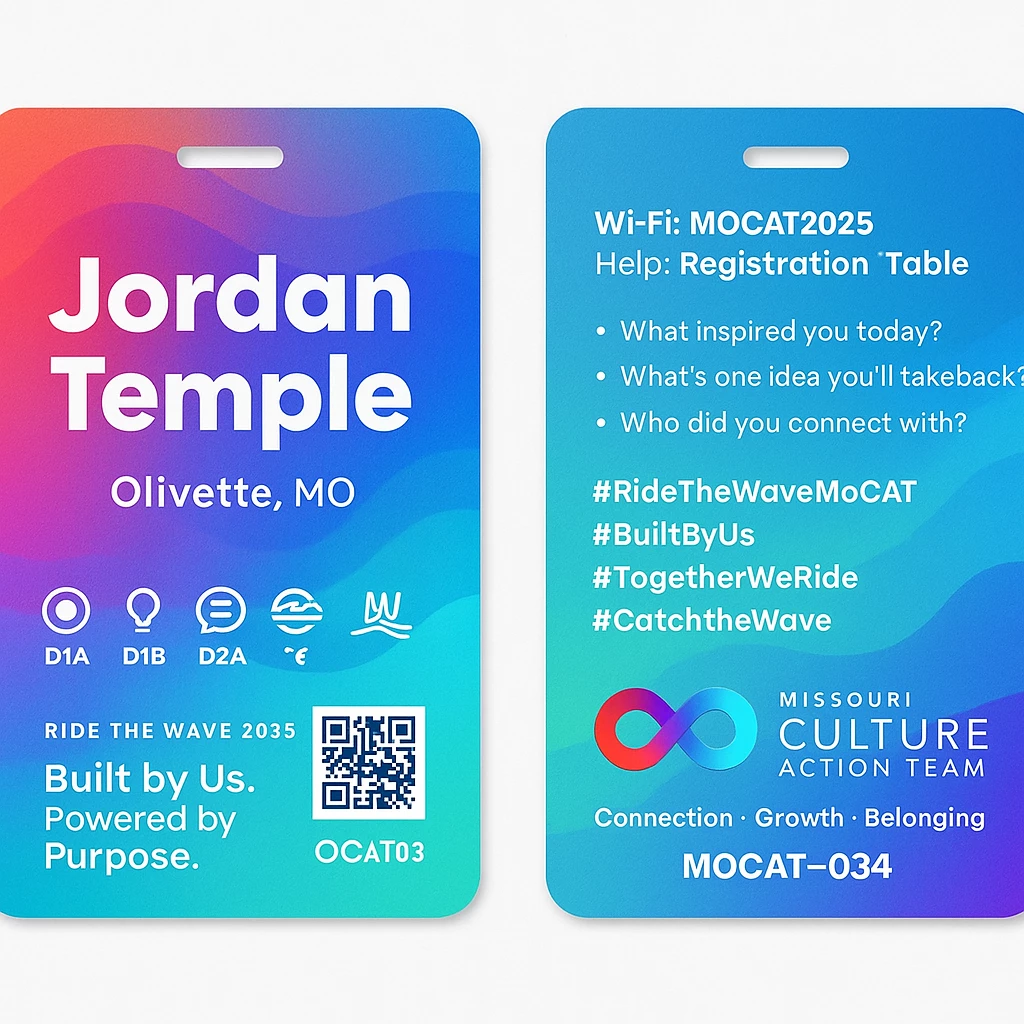
I thought that would be much easier to create this in Illustrator but I was wrong. How do you get the gradient and wave effect?
<Title renamed by moderator>

Copy link to clipboard
Copied
You can use Object > Envelope Distort > Make with Mesh to distort overlapping lineair gradient objects and move the mesh anchor points. Don't forget the Envelope Options to distort the gradients.
Copy link to clipboard
Copied
If I was going to re-create the wavy backgrounds in Illustrator I would start by creating separate shapes for the different wave elements and then fine-tune the gradients in each of those shapes.
At first glance the gradients look fairly simple, but they're more complicated than plain linear gradients. I suspect the original wavy images were created in Photoshop with the gradient colors manually brushed into the shapes. It's do-able to re-create the images as purely vector objects in Illustrator. Some will need varying levels of transparency to fade away some object edges or make the various glow effects. It also looks like some of the glow effects are stacked on top of each other.
Find more inspiration, events, and resources on the new Adobe Community
Explore Now