
Participant
March 9, 2018
Question

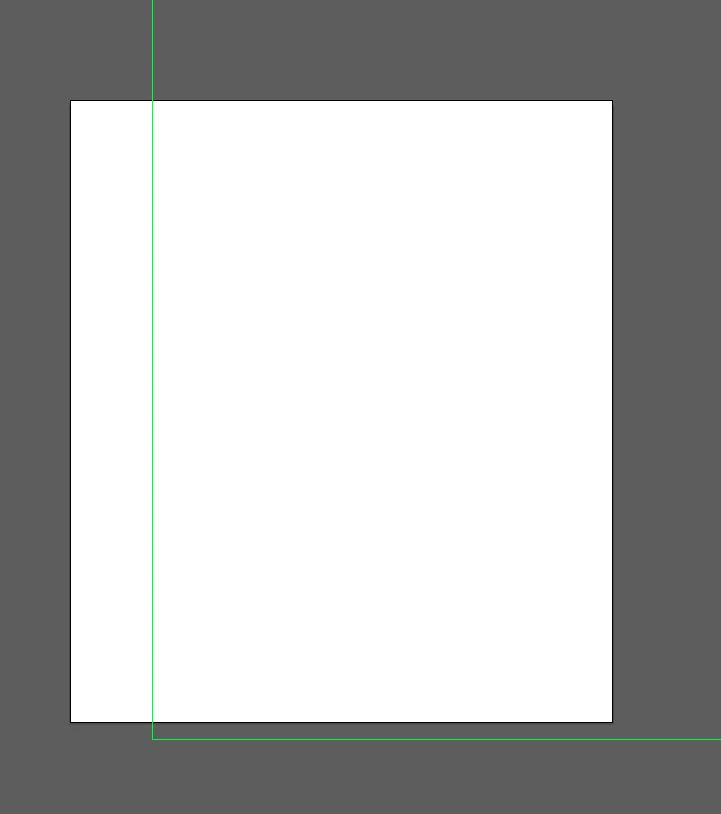
How to remove green lines (not normal guides)

  • March 9, 2018
  • 4 replies
  • 14197 views

Hi all, these green lines appeared on my artwork all of a sudden and I can't work out how to remove them. They are wrecking my head I've attached an image, I use Smart Guides and they're not them, anyone have any ideas how to get rid of them/what they are??
    This topic has been closed for replies.

    4 replies

    Participant
    July 28, 2023

    To turn off green lines  -  go to artboard dialogue box  -  artboard options under side menu

    display

    turn off  - show center marks, show cross hairs, show video safe areas

    Monika Gause
    Community Expert
    Community Expert
    July 28, 2023

    @Douglas E313584130cp5  schrieb:

    To turn off green lines  -  go to artboard dialogue box  -  artboard options under side menu

    display

    turn off  - show center marks, show cross hairs, show video safe areas


    This answer has already been given 5 years ago and it didn't help then.

    Mario Arizmendi
    Legend
    March 9, 2018

    I think it can be video safe areas or something like that

    See the preferences, or see the artboards preferences

    Window/Artboards. In the Artboard menu that opens, at the upper right corner, select Artboard Options from the submenu.

    In the dialog that opens uncheck:

    Show Center Mark

    Show Cross Hairs

    Show Video Safe Areas

    sanfsAuthor
    Participant
    March 12, 2018

    I've attached a screenshot of my workspace, it's not video safe areas either

    Monika Gause
    Community Expert
    Community Expert
    March 12, 2018

    You've got some third party prepress plugins there.

    Could it be that they create the green lines?

    Monika Gause
    Community Expert
    Community Expert
    March 9, 2018

    Please open the layers panel and open the layer so you can see the contents.

    Are they perhaps guides?

    sanfsAuthor
    Participant
    March 9, 2018

    That's a new blank document, there's nothing in layers! They're not normal guides anyway, I've cleared all guides.

    Monika Gause
    Community Expert
    Community Expert
    March 9, 2018

    Please show a screenshot of the complete workspace.

    John T Smith
    Community Expert
    Community Expert
    March 9, 2018

    Please post the name of the program you use so a Moderator may move this message

    -A program would be Photoshop or Dreamweaver or Muse or Premiere Pro or ???

    sanfsAuthor
    Participant
    March 9, 2018

    Sorry, it's Illustrator CS6.

    [Here is the list of all Adobe forums... https://forums.adobe.com/welcome]

    [Moved from generic Cloud/Setup forum to the specific Program forum... Mod]