
Answered
How to remove the area type cursor when selecting text?
I've looked into the Illustrator preferences and couldn't find anything to remove this.
After typing something out and then selecting it, the area type appears.
How can I remove this?
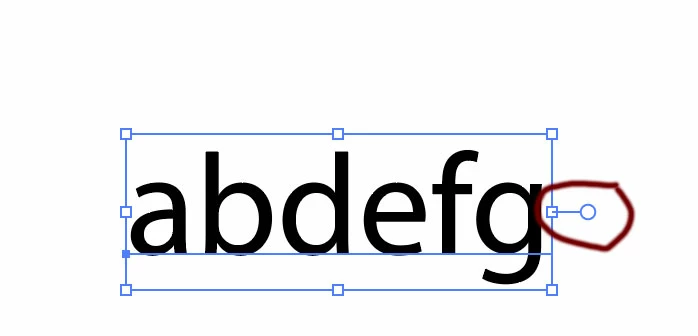

I've looked into the Illustrator preferences and couldn't find anything to remove this.
After typing something out and then selecting it, the area type appears.
How can I remove this?
That handle on the bounding box for the text is just there so that if you wish to convert the text to area text you can by double-clicking on it. Otherwise the text remains as point type. Note that there is still a point next to the first letter typed.
Already have an account? Login
Enter your E-mail address. We'll send you an e-mail with instructions to reset your password.
 AdChoices