Participant
August 2, 2023
Question

how to remove the white background?

  • August 2, 2023
  • 4 replies
  • 867 views

Hello Ilustrator wisards


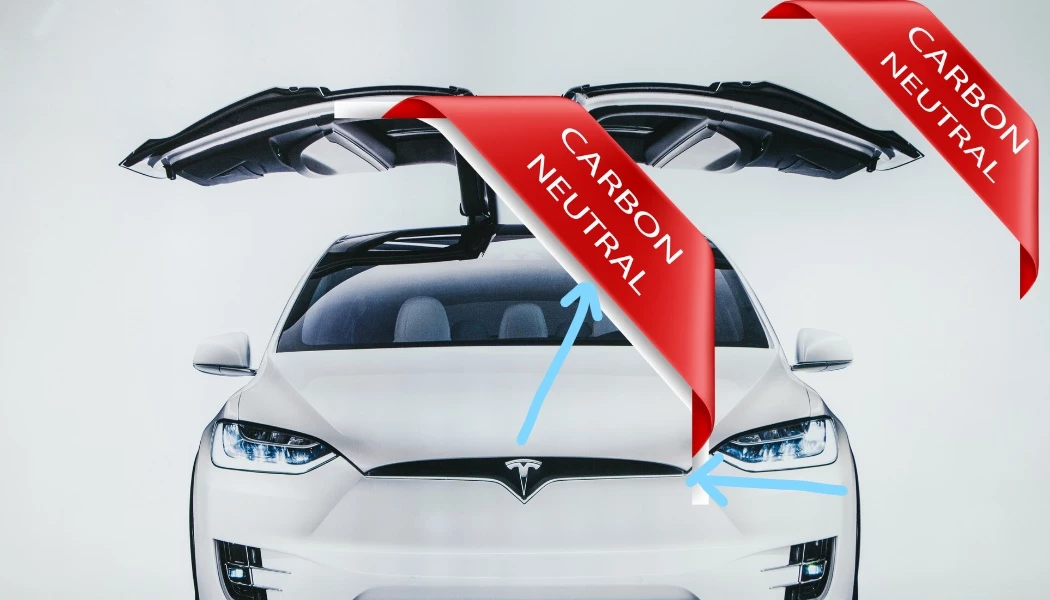
I can't figure out how to remove the white background from this image. 

Any suggestions would be highly appreciated. Please, note that the banner on the corner doesn't have the shadows that the banner in the middle has. I am using Adobe Vector Stock file - the one below. When I use the "Assets Export" from "Window" option, I inevitably get the white background as well, instead of only the shadows.
 

This topic has been closed for replies.

4 replies

Monika Gause
Community Expert
Community Expert
August 3, 2023

These files will only work inside Illustrator. 

Exporting this to other file formats and then overlaying in Photoshop will not work. 


What could work is copying and pasting the elements in Photoshop as layers. Then set the group to Passtthrough blend mode

kphotopage
Legend
August 3, 2023

Svilen, Hi.


Open up your original downloaded file.

In your Layers panel, you will notice your drop shadows are in the Multiply Mode.

If you change it to Normal Mode, then you get white.


K

michelew83603738
Community Expert
Community Expert
August 2, 2023

If you are using a pixel image on a pixel image, it would be easier to use Photoshop. If you only have Illustrator, then I would suggest creating a mask.

Monika Gause
Community Expert
Community Expert
August 2, 2023

How are you using the thing?


Opening it in Illustrator?