
How to remove the Win32 print screen dialogue after the new Windows 11 22HD Update
Hey there, has anyone found a fix for this problem after the new Windows 22HD update? I print a ton of stuff from Illustrator via usb to my Canon Pixma Pro 100. However, after the update it seems like only my Adobe programs have been affected by this issue.
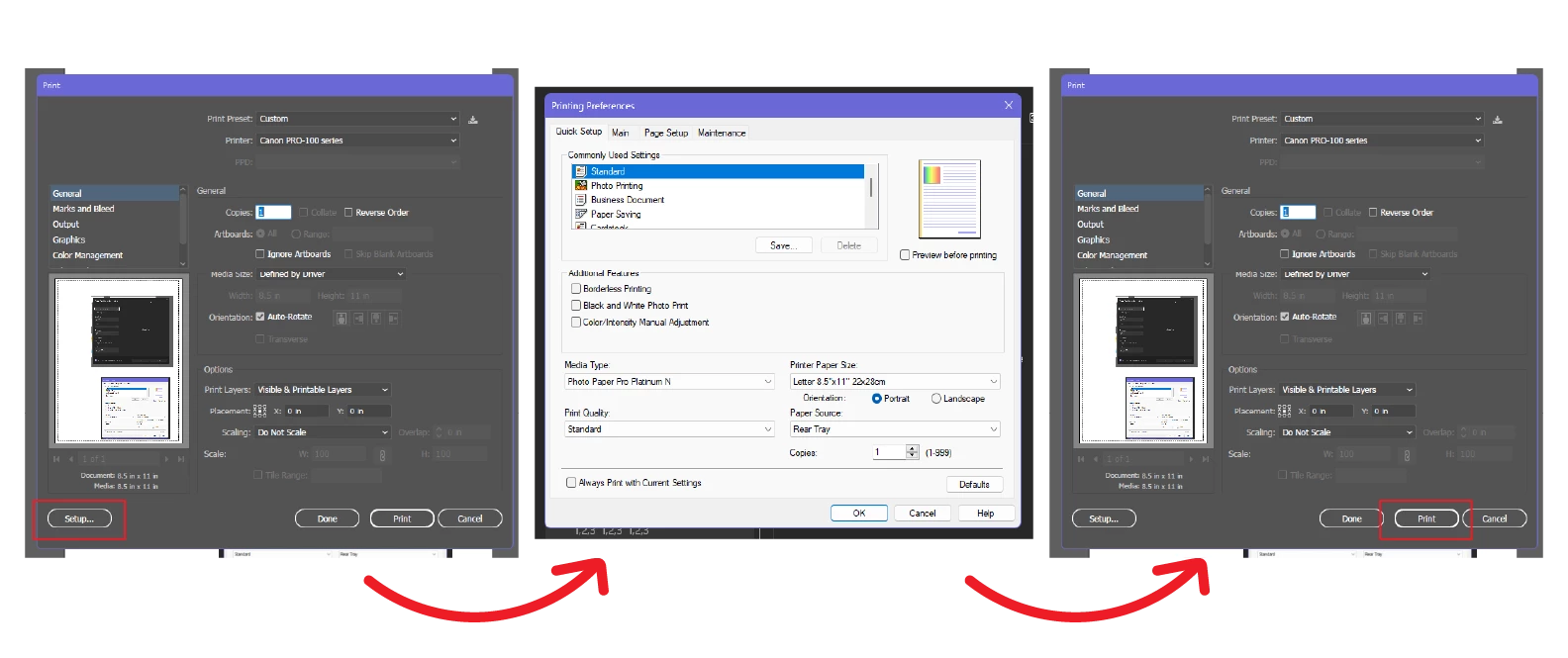
Basically, when I go to print in Illustrator the normal print dialogue still pops up (although takes much longer now). However, my issue is that when I click "Setup" to choose my printer settings, this dialogue now appears before the normal printing preferences window does, and again after, and as a result negates the paper size I just changed. Here's what my old workflow looked like:
And now it looks like this:
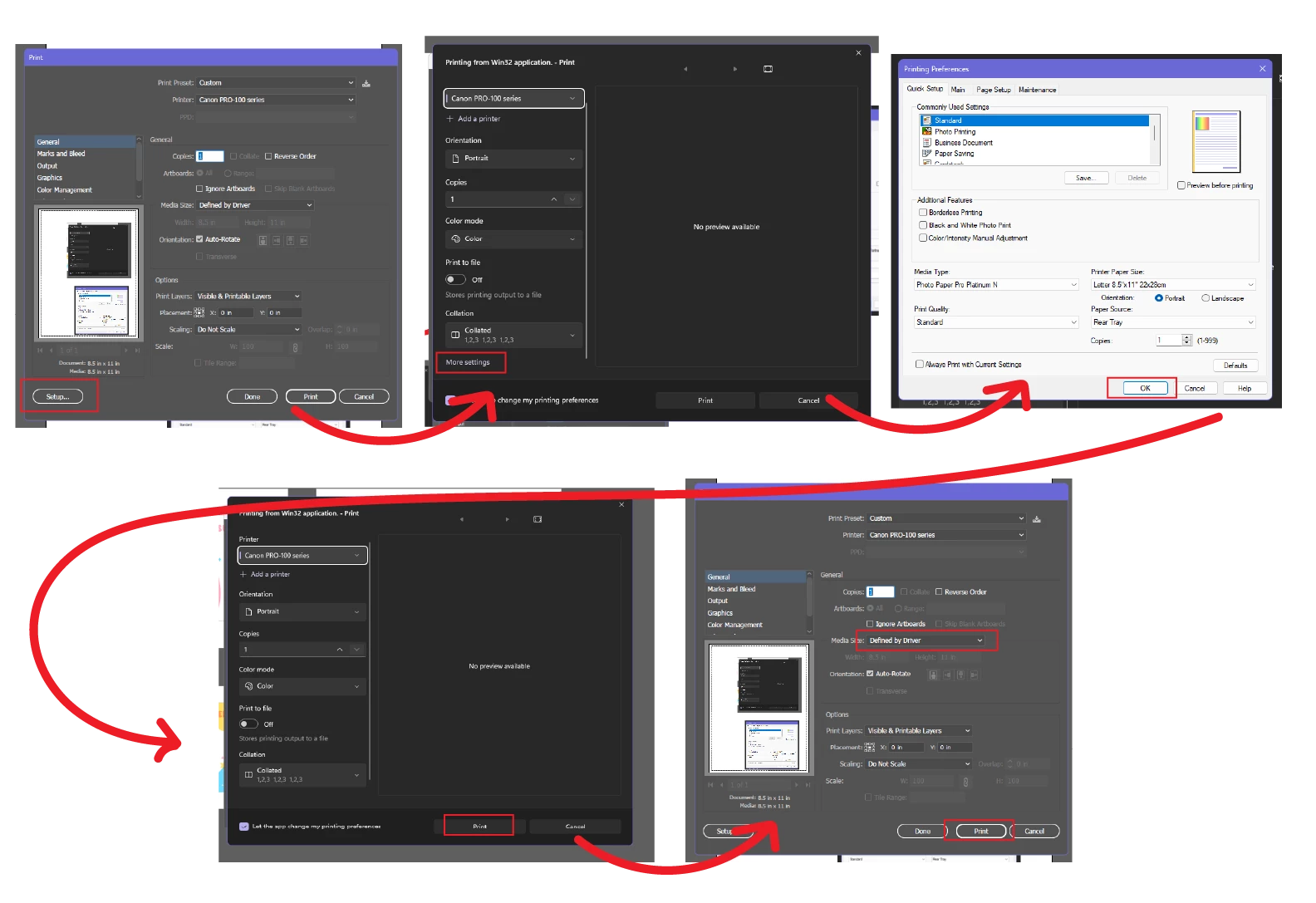
Does anyone have a fix to this? This is super frustrating and really slows down my workflow and apparently my computer. This window never shows up when printing from Chrome, just in Adobe.I also can't post on the Windows forums because they won't let me choose a display name, and every time I try to the page freezes, wahoo! Any help/fix would be GREATLY appreciated!
 AdChoices