
How to rotate a texture in different live paint groups inside one object?
Heya!
I haven't been able to find an existing answer, so here is my problem.
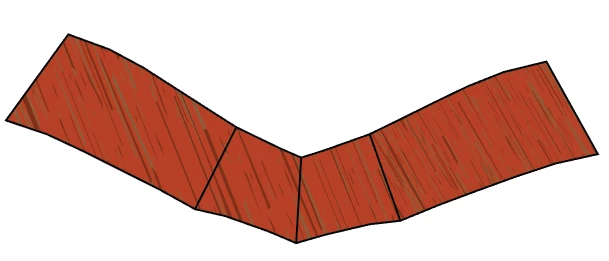
I have a series of shapes that I need filled with a pattern; I also need the pattern to be scaled and rotated to be more or less parallel to the edge (see the rightmost section of image attached); the contour of the whole shape is one object, with divider lines added. It is separated into three live paint groups (left, middle two, right). I've filled the right section first, and immediately rotated and scaled the texture (via rotate and scale menus). I then proceeded to fill the remaining two sections; however now I can't rotate or scale them individually, the pattern within the entire shape moves.
I've tried selecting the anchor points surrounding a section, using live paint select. I suppose I can break it into individual shapes, but I wonder if there is a more elegant solution. Thanks!
 AdChoices