
melbendi
Inspiring
February 21, 2022
Answered

How to scale interactively in 2022?

  • February 21, 2022
  • 3 replies
  • 616 views

I can't for the life of me find the Free Transform tool, or get any bounding box handles for selected objects.  I thought I usually get a bounding box with handles just by selecting the objects, but it's not happening.  Thanks!
This topic has been closed for replies.
Correct answer Mike_Gondek10189183

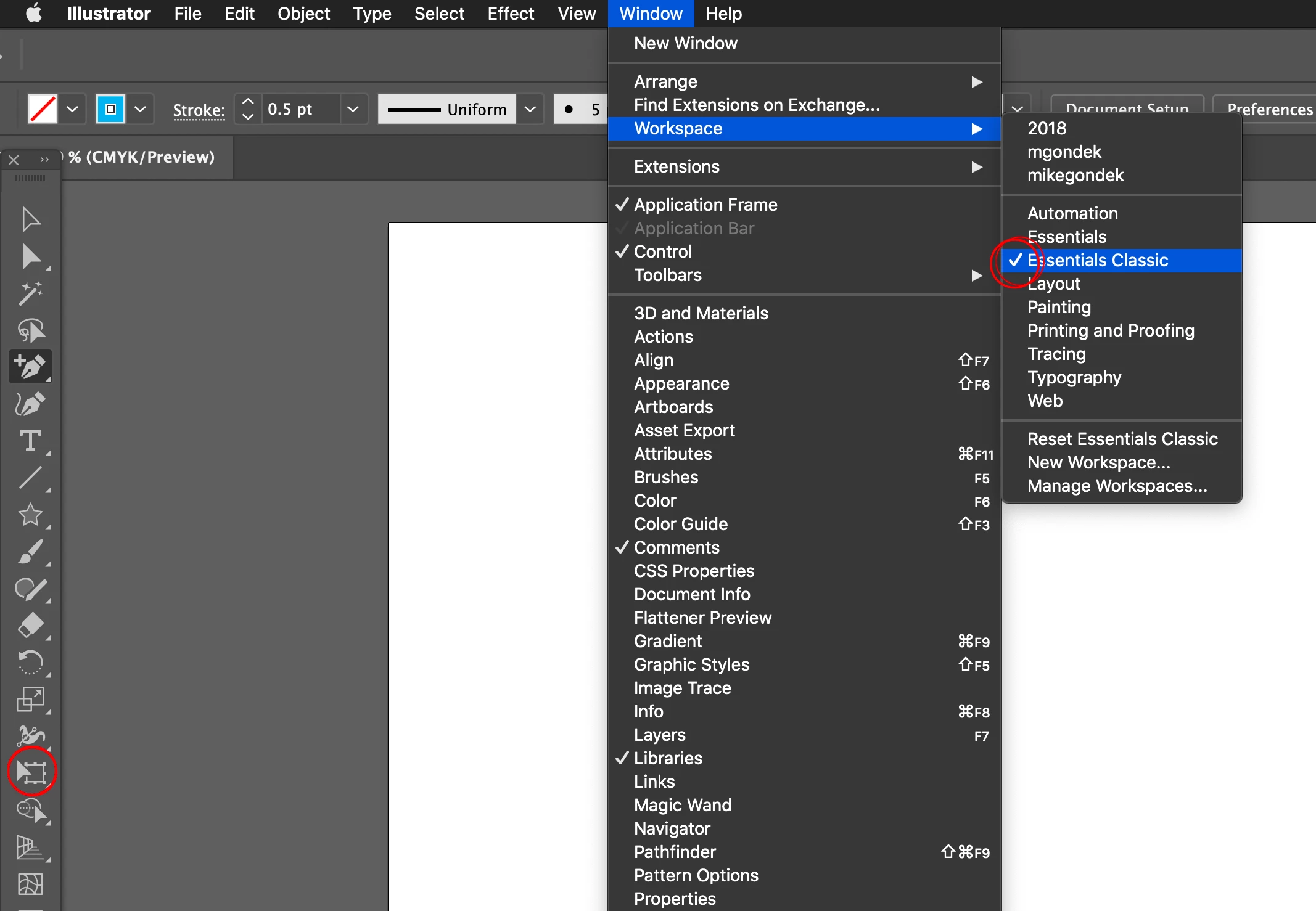
Window >> Workspace >> Essentials Classic

Free Transform will appear here


3 replies

melbendi
melbendiAuthor
Inspiring
February 21, 2022

Thank you both!  I knew it had to be somewhere...  Adobe should put it back in the tool palette by default since it's so often needed. "E" is very convenient, though, now that I know. Both great answers but since I can't pick two, seems fair to pick the first one.

Doug A Roberts
Community Expert
Community Expert
February 22, 2022

I can't be 100% sure of the accuracy of this since I haven't reinstalled in a long time, but I believe when you initially set Illustrator up it asks if you are a new user. If you tell it you are, it opens with the 'Basic' toolbar, which has a small selection of available tools.

You can switch to the Advanced toolbar (or make your own) under Window > Toolbars.

Mike_Gondek10189183
Community Expert
Mike_Gondek10189183Community ExpertCorrect answer
Community Expert
February 21, 2022

Window >> Workspace >> Essentials Classic

Free Transform will appear here


Doug A Roberts
Community Expert
Community Expert
February 21, 2022

View > Show Bounding Box (Shift + Ctrl + B)?

Can you access the free transform tool by pressing 'E'?