
Answered
how to see business card,brochure size in illustrator?
.

.
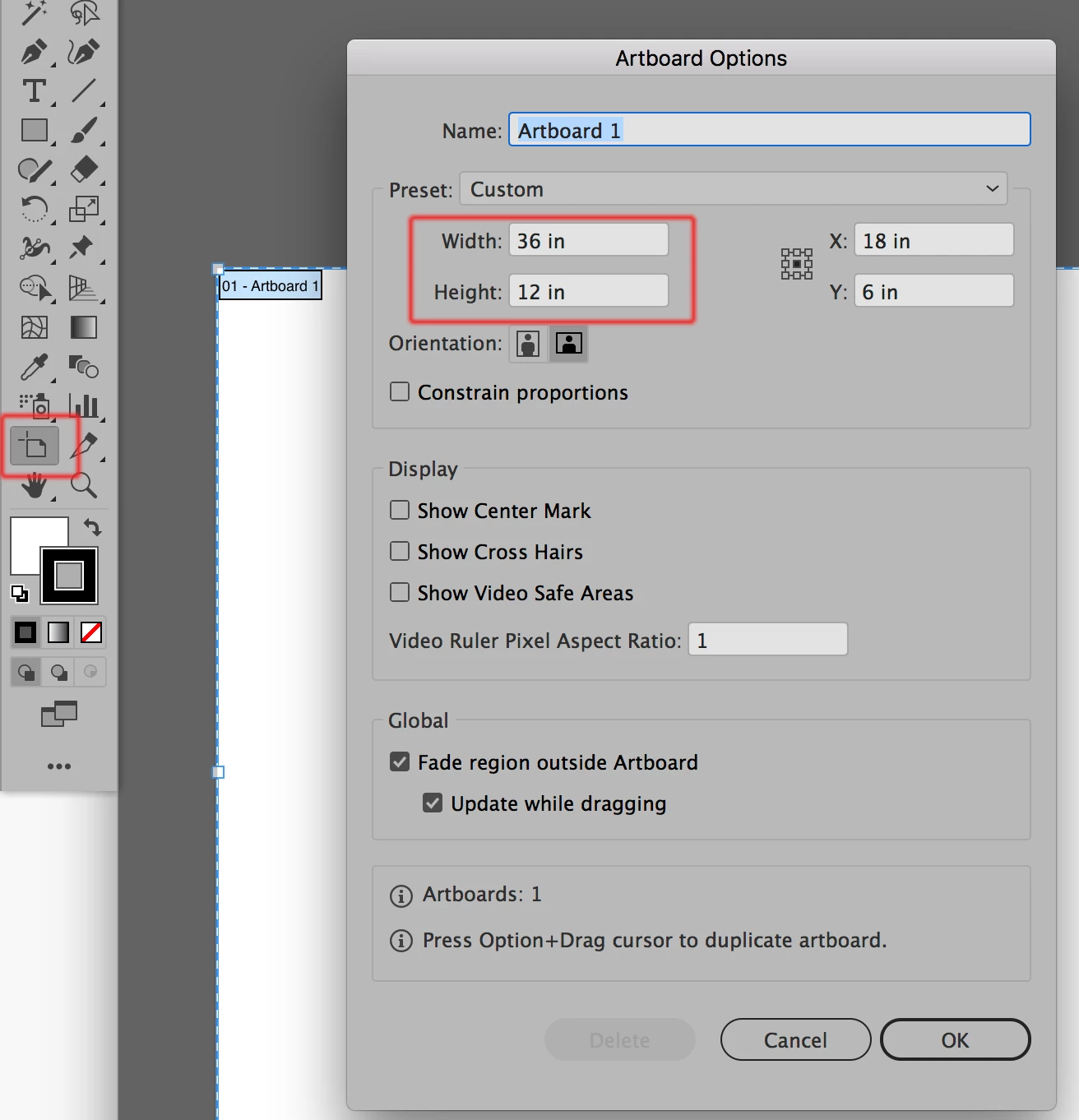
The easiest way to find the artboard size and to then be able to change it is to double-click on the artboard tool. When you do that the Artboard Options dialog will appear and you can make changes to the active artboard in the area highlighted in red in the screenshot below. When you're done simply click on any other tool to get back to the regular Preview or Outline mode.
Already have an account? Login
Enter your E-mail address. We'll send you an e-mail with instructions to reset your password.
 AdChoices