Participant
April 29, 2019
Answered

How to Stop CC Library Tips Pop-up

  • April 29, 2019
  • 4 replies
  • 7087 views

How do I stop this from showing up every time I open my CC Library?
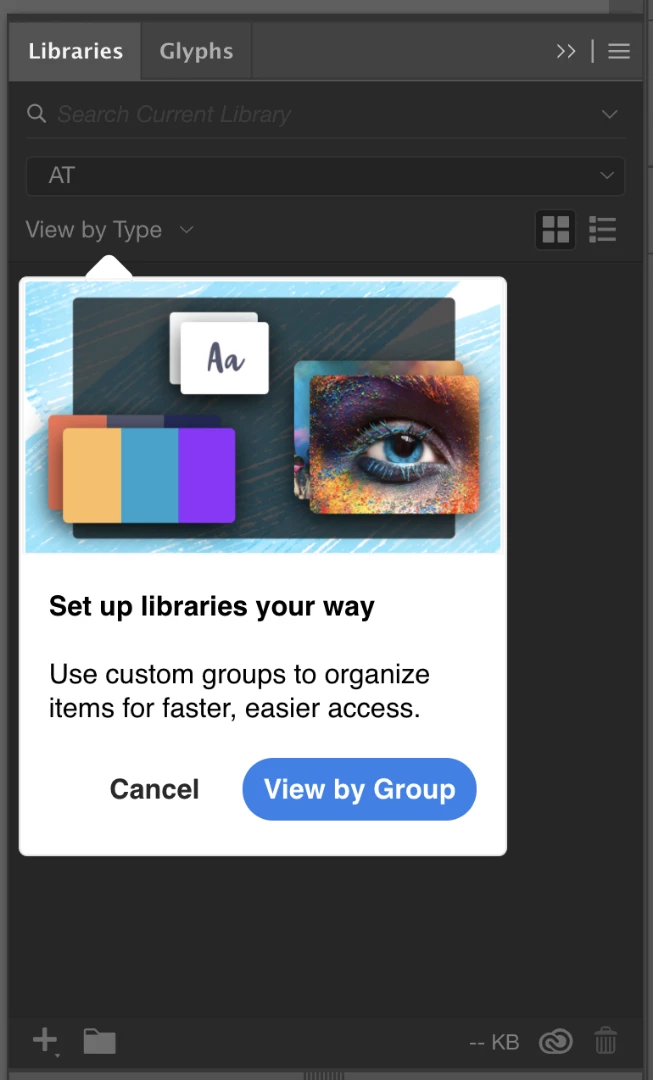
    This topic has been closed for replies.
    Correct answer chrisb13277001

    I have had the same issue for months, my system has a clean insatll of windows 11 and a fresh install of creative cloud. these popups are not application breaking but i am sick of clicking through them everytime i open photoshop.


    I finally fixed it. What worked for me was running Illustrator as administrator. Going through all the tool tips then restarting Illustrator as usual. 

    I also tried turning off tool tips in the general preferences and making the Illustrator folder and sub-folders non-read only using Explorer. Unchecking the read-only box did not appear to work. Nor did the turning off tool tips. It only stopped after running Illustrator as administrator, but I thought in case they did have an effect I'd list them too. 

    4 replies

    user4725390
    Adobe Employee
    Adobe Employee
    July 22, 2019

    Hi everyone!

    Wanted to let you know, that we found the root cause and fixed the problem with Pop-up!

    Fix will be available in our upcoming release.

    Thank you for your patience,

    Mariia,

    Quality Engineer

    CC Libraries

    Participant
    October 8, 2024

    Well, here we are 5 years later, and it still doesn't work. I get pop ups every single time I open the libraries panel, on every single app

    Anubhav M
    Community Manager
    Community Manager
    October 8, 2024

    Hello @Jules277266590izg,

    I am sorry to hear about your experience. Would you mind sharing your Adobe ID and a screen recording of the problem you're having via DM so I can check it with the team?

    Looking forward to hearing from you.


    Anubhav

    spyre
    Known Participant
    June 14, 2019

    Getting this as well every single time I open Photoshop, VERY annoying!!

    Monika Gause
    Community Expert
    Community Expert
    June 14, 2019

    spyre  schrieb

    Getting this as well every single time I open Photoshop, VERY annoying!!

    THis is the Illustrator forum.

    Photoshop may be a different thing and might have different issues. Please do always post in the corresponding forum as the details are important.

    In Illustrator this issue points to problems with the preferences file.

    Mike_Gondek10189183
    Community Expert
    Community Expert
    April 29, 2019

    Try unchecking here.

    Also check here and delete any libraries you do not need

    Participant
    April 29, 2019

    Thanks Mike,

    The checkbox was already unchecked. I also deleted all of the unused libraries and it still shows up. I tried unchecking and rechecking and that didn't work either.

    Any other ideas?

    Monika Gause
    Community Expert
    Community Expert
    April 29, 2019

    Check privileges and everything.

    You could also try and set up a new user account and run Illustrator from that one. Just to check if it's your user folder.

    Monika Gause
    Community Expert
    Community Expert
    April 29, 2019

    It should be gone after you close it once.

    If it isn't, then usually that points to a general issue with your preferences file.

    Privileges set incorrectly, the preferences gone corrupt, Windows compressing the file (that one is a new one) ...

    Participant
    April 29, 2019

    Thank you for the info. It DOES happen every time I open CC Library in Illustrator but not InDesign or Photoshop. Also, I am in MAC OS X Mojave.
