Exit
  • Global community
    • Language:
      • Deutsch
      • English
      • Español
      • Français
      • Português
  • 日本語コミュニティ
  • 한국 커뮤니티
0

How to ungroup all swatch groups?

Engaged ,
Dec 07, 2016 Dec 07, 2016

Hello!

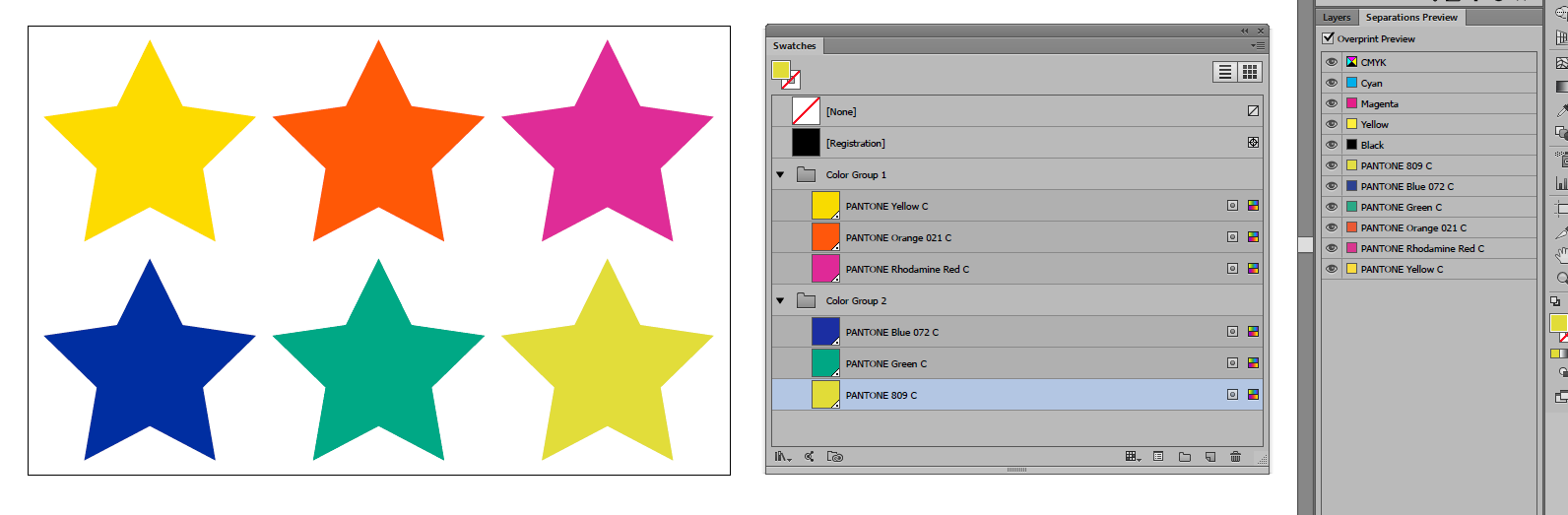
Task:

task.png

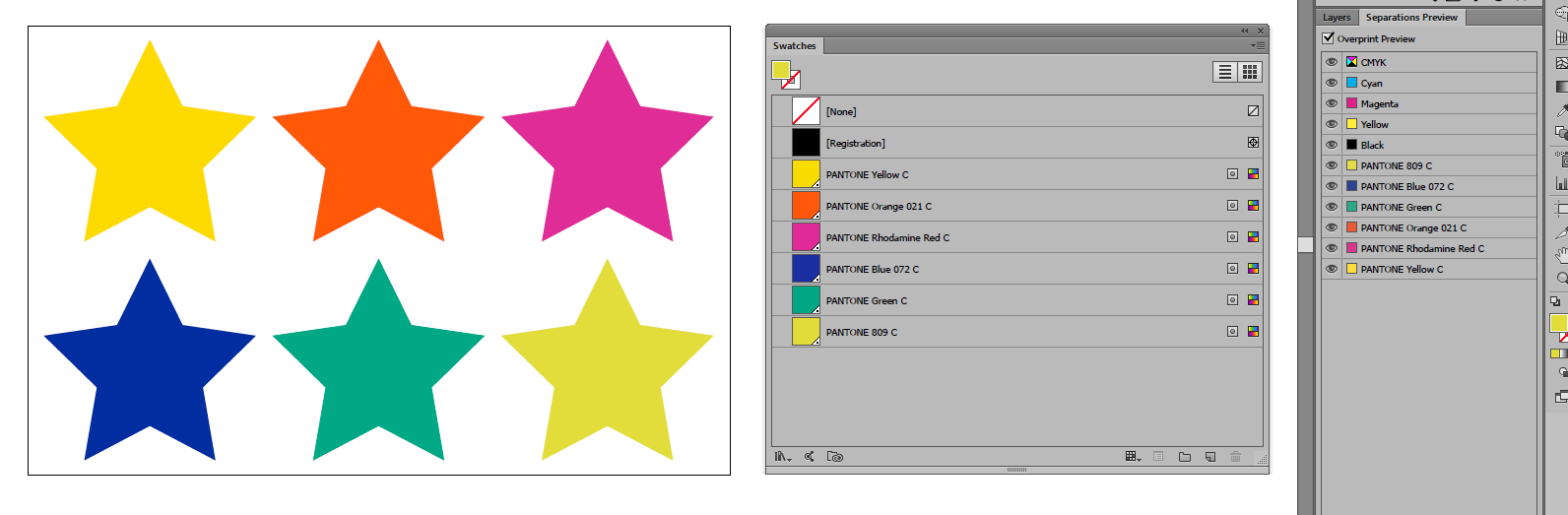
Expected result:

result.png

PS. The problem is that it does not impossible - select swatch group on palette swatches via script (to start the ungrouping through action).

PPS. Or if make duplicate swatches and remove all swatch groups then the document items loose the original colors.

Thanks!

TOPICS
Scripting
2.0K
Translate
Report
Community guidelines
Be kind and respectful, give credit to the original source of content, and search for duplicates before posting. Learn more
community guidelines

correct answers 1 Correct answer

Engaged , Dec 19, 2016 Dec 19, 2016

The problem turned out to be very simple.

/**

* ungroup all swatchGroups

* */

function ungrSw() {

  var d        = activeDocument;

  if (activeDocument.swatchGroups.length < 1) return;

  var swGrps   = d.swatchGroups;

  var mainSwGr = d.swatchGroups[0];

  for (var i = 1; i < swGrps.length; i++) { // move swatches to main group

    var swGr    = swGrps;

    var swGrSws = swGr.getAllSwatches();

    for (var j = 0; j < swGrSws.length; j++) {

      var sw = swGrSws;

      mainSwGr.addSwatch(sw);

    }

  }

  for (

...
Translate
Adobe
Enthusiast ,
Dec 07, 2016 Dec 07, 2016

If all of the swatches in group are pantone spot color, and all are used in document( if not, add some temp path to apply color), steps of the script can be:

- select all and cut

- remove all swatch groups except swatchGroups[0]

- paste in place(remember layers checked on) and swatches will be added automatically.

Translate
Report
Community guidelines
Be kind and respectful, give credit to the original source of content, and search for duplicates before posting. Learn more
community guidelines
Engaged ,
Dec 19, 2016 Dec 19, 2016

The problem turned out to be very simple.

/**

* ungroup all swatchGroups

* */

function ungrSw() {

  var d        = activeDocument;

  if (activeDocument.swatchGroups.length < 1) return;

  var swGrps   = d.swatchGroups;

  var mainSwGr = d.swatchGroups[0];

  for (var i = 1; i < swGrps.length; i++) { // move swatches to main group

    var swGr    = swGrps;

    var swGrSws = swGr.getAllSwatches();

    for (var j = 0; j < swGrSws.length; j++) {

      var sw = swGrSws;

      mainSwGr.addSwatch(sw);

    }

  }

  for (var k = swGrps.length - 1; k > 0; k--) { // remove empty groups

    var obj = swGrps;

    obj.remove();

  }

}

Translate
Report
Community guidelines
Be kind and respectful, give credit to the original source of content, and search for duplicates before posting. Learn more
community guidelines
New Here ,
Feb 03, 2023 Feb 03, 2023
LATEST

I use this 🙂


 function SwatchesUngroup() {

  // Script ID variables
  var scriptID = 'SwatchesUngroup';
  var scriptDescription = 'Ungroups all swatch groups.';

  // Bail if no open documents
  if (app.documents.length == 0) {
      alert('Oops! No open documents.',scriptID);
      return;
  } 

  // Local variables
  var aDoc = app.activeDocument;  
  var aDocSwatchGroups = aDoc.swatchGroups;
  var mainGroup = aDocSwatchGroups[0]; // 'ungrouped' swatches at top of panel

  // Run script? 
  var promptSwatches = confirm(scriptDescription + '\n\nContinue?', false, scriptID);

  // Bail if No or Cancel or X
  if (promptSwatches != true ) {
      alert('Script has been stopped.', scriptID);
      return; 
  }

  // Bail if no swatch groups
  if (aDocSwatchGroups.length < 2) {
      alert('No swatch groups to ungroup.', scriptID);
      return;   
  }

  // Move swatches to mainGroup and delete empty groups
  while (aDocSwatchGroups.length > 1) {

      var swatches = aDocSwatchGroups[1].getAllSwatches()

      for (var j = 0; j < swatches.length; j++) {
          var swatch = swatches[j];
          mainGroup.addSwatch(swatch);
      }     

      aDocSwatchGroups[1].remove()
  }

} // function


// Run this puppy :)
SwatchesUngroup();
Translate
Report
Community guidelines
Be kind and respectful, give credit to the original source of content, and search for duplicates before posting. Learn more
community guidelines