
Inspiring
February 20, 2024
Answered

How to warp/bend a multilayered object?

  • February 20, 2024
  • 1 reply
  • 873 views

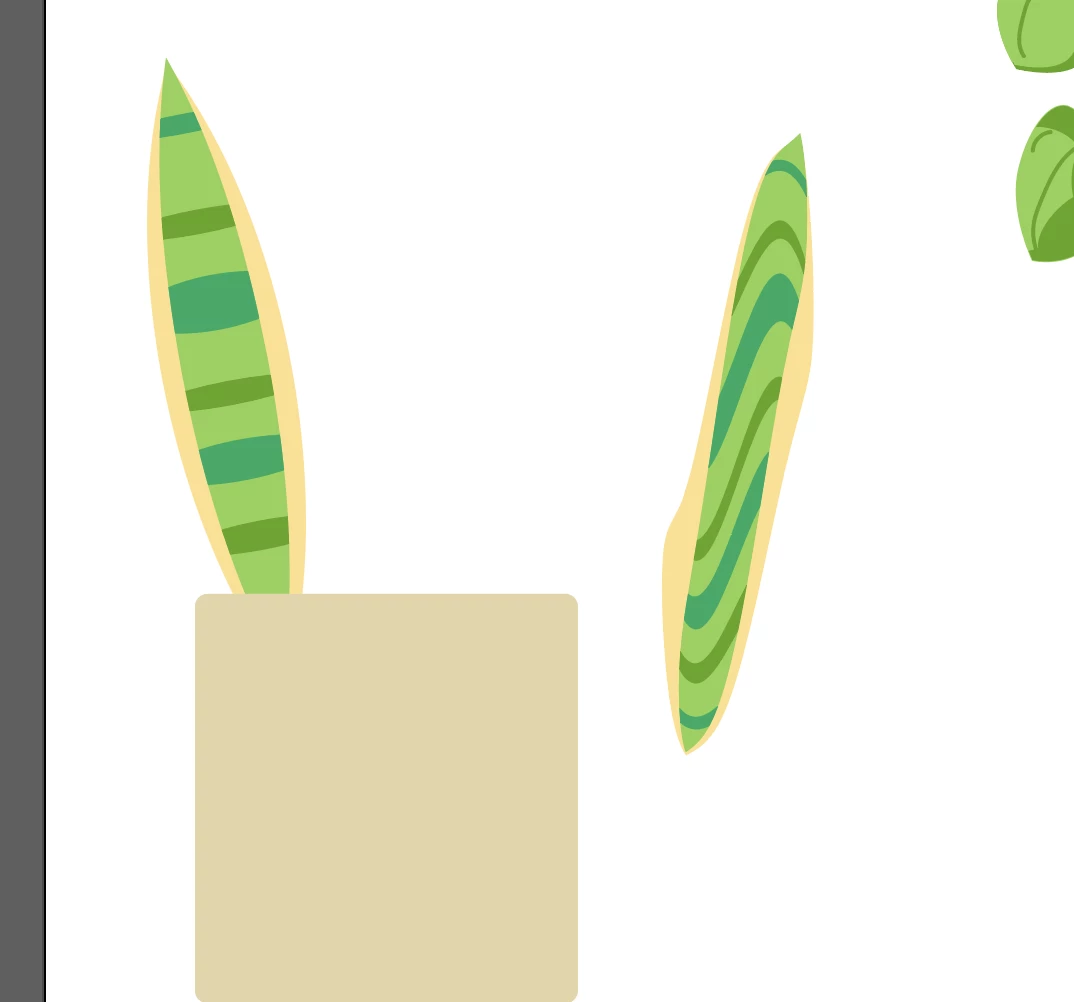
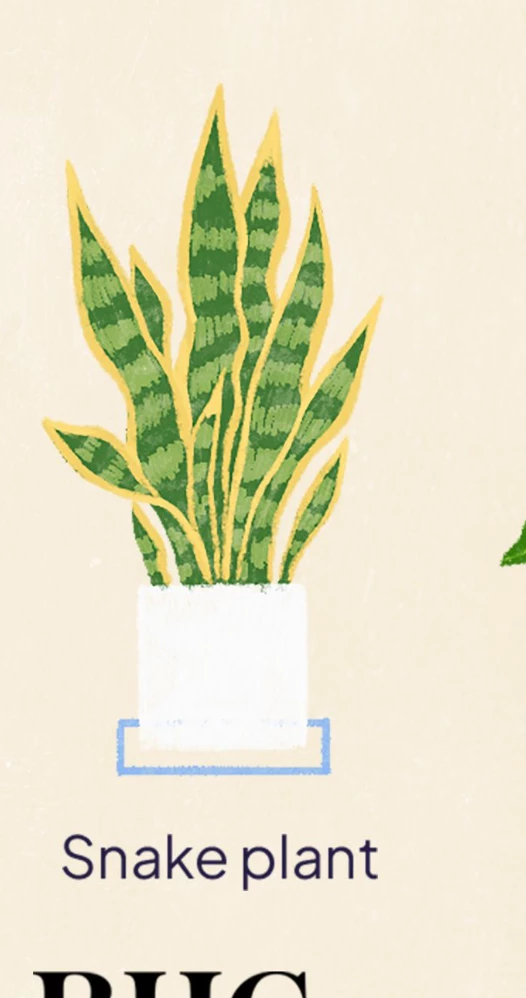
I want to add some waviness to a snake plant leaf. I know a few ways to bend shapes (anchor point tool, curvature tool, warp, distort and transform). But when I use any of these methods, the warp effects all of the objects that compose the leaf, creating an unwanted effect. The first image shows the leaf pre-warp and the leaf post-warp.  How to I get illustrator to see all of the layers as one object, so I can add a more natural looking waviness to the leaves (shown in second image, which is an example I found online)?
This topic has been closed for replies.
Correct answer Monika Gause

There's no narration in the video, that's true. The commands are typed on the bottom left, but they're a bit hard to see.


You could make a brush: https://youtu.be/lkw8-hLdTHA 

1 reply

Monika Gause
Community Expert
Community Expert
February 20, 2024

Exactly how is that built -can you show it inside the Layers panel?

Exactly which method did you use?

Inspiring
February 20, 2024

I'm pretty new with illustrator, so I'm following video tutorials at the moment. I did my best to follow this tutorail: https://www.youtube.com/watch?v=bmDz21zJtzc&t=493s&ab_channel=VarunKumar. I wasn't able to pick up on exactly everything they did, but I think I got pretty close. The tutorial doesn't show how they add waves to the leaves. 


Monika Gause
Community Expert
Community Expert
February 20, 2024

That is not a tutorial. Tutorials have explanation in them.


So what did you do to get your result? Can you upload the Illustrator file? Rename it to .pdf then you can actually upload it to the forum