

Answered
How to write on a Path with Auto-spacing in Illustrator?
What do I do if I need to spread text along an entire circle path in Illustrator, but I am not allowed to change the font size, because the brand guideline provides me with certain character rules.
When applying text on a circular (or any) path in After Effects, there is a function you can turn on called 'Force Alignment'. This tells After Effects to calculate the spaces between characters and words, so it will make sure to stretch your line of text from one end of the path to the other. And the tab key makes bigger spaces between two sentences or words to create separation for instance.
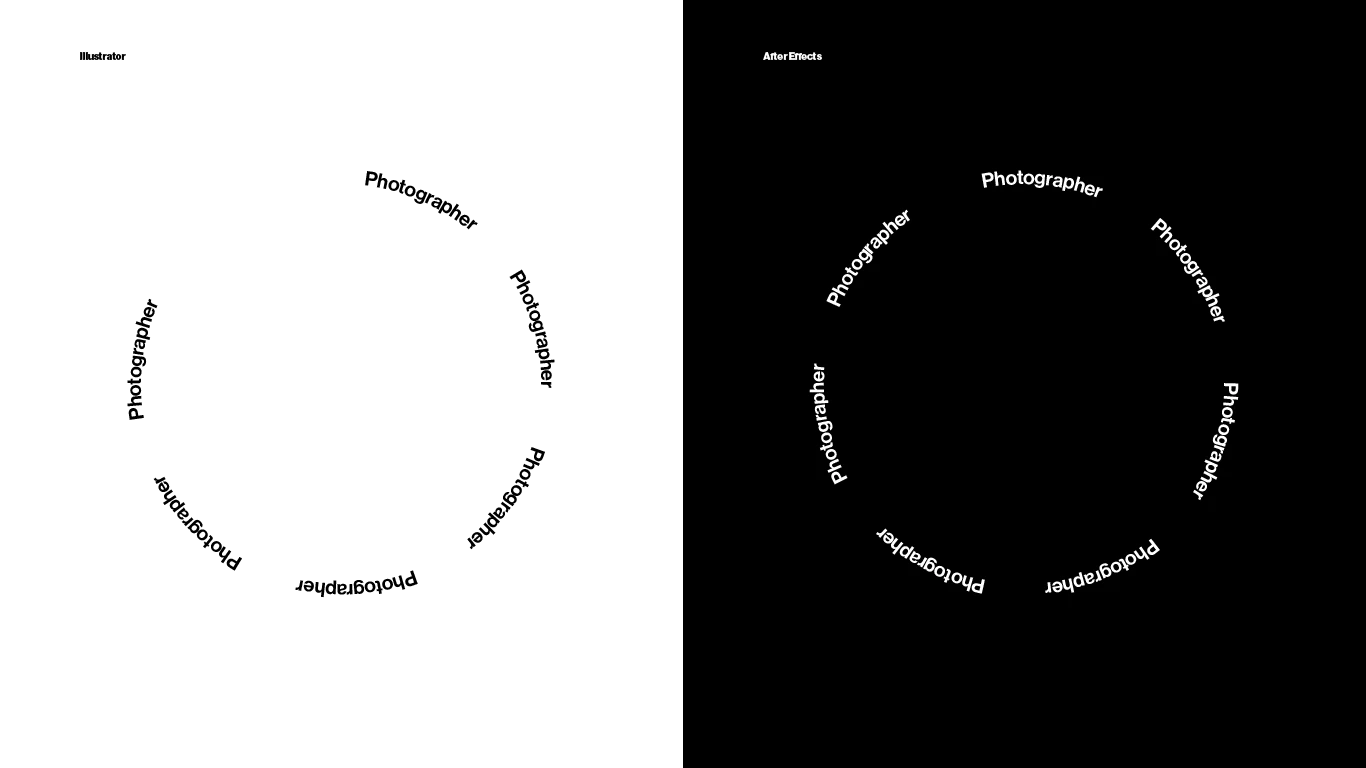
How can I apply the same practice in Illustrator?
I have a fixed font size, I place those lines that tell Illustrator where to start and end the text on the path, right next to each other. Now I want Illustrator to know how large the kerning, gaps between words, and tab spaces need to be, in order for the line to reach both ends of the circle, just like in the right example above.
{Renamed by MOD}
 AdChoices