
Participating Frequently
January 7, 2019
Question

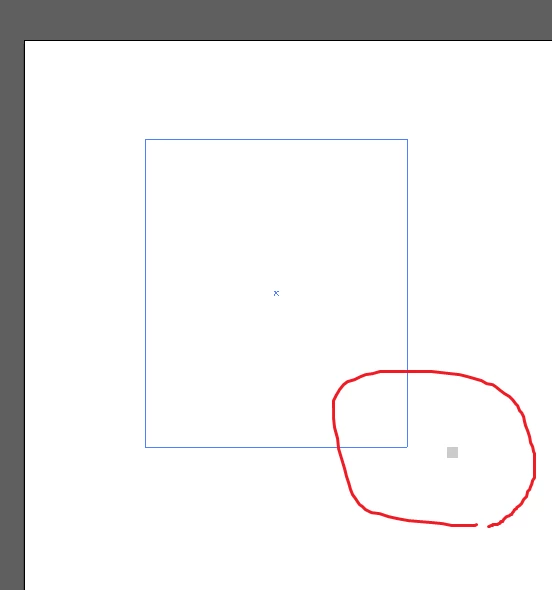
I can't see the size even if I draw the shape.
  • January 7, 2019
  • 2 replies
  • 3553 views

Hello. I have a problem.

This problem has happened ever since i purchased illustrator cc 2019

If I draw a rectangle(& everything), i cannot see its size.

Is there a problem with my computer? Or is it a programming problem?

I'd like to know if there's a solution.

This topic has been closed for replies.

2 replies

Participant
August 29, 2023

Hey there,


I believe this is the problem with the preview mode.I have same problem when I check something in CPU Preview.

Try switching preview modes:

Choose View > GPU Preview


Hope this helps

Community Expert
January 7, 2019

Hmm, this looks like an error, but just to be sure... can you check if these checkboxes are checked? Go to Edit > Preferences > Smart Guides (Windows) or Illustrator CC > Preferences > Smart Guides and make sure these are checked:

You can check if View > Smart Guides is checked...

If this doesn't work, try to reset your preferences. So, firs quit Illustrator, then restart it and immediately after clicking the Illustrator button hold Ctrl-Alt-Shift (Windows) or Cmd>option/alt>Shift (Mac).

I hope this works

Participating Frequently
January 7, 2019

Thank you for helping me.

But there was a checkmark.

The problem has not been resolved yet...

Monika Gause
Community Expert
Community Expert
January 7, 2019

I tried, but it doesn't work.


What is installed in your system?

Any additions that enhance your workflow? Particularly stuff that posts its own windows, overlays and stuff.

What else is currently running on your computer? Browsers, any mobile stuff?