Answered
I imported a vector illustration into my first vector illustration
Goodafternoon, I imported a vector illustration into my first vector illustration and now I can't get rid of the outline. I've tried erasing but nothing. Can anyone help?
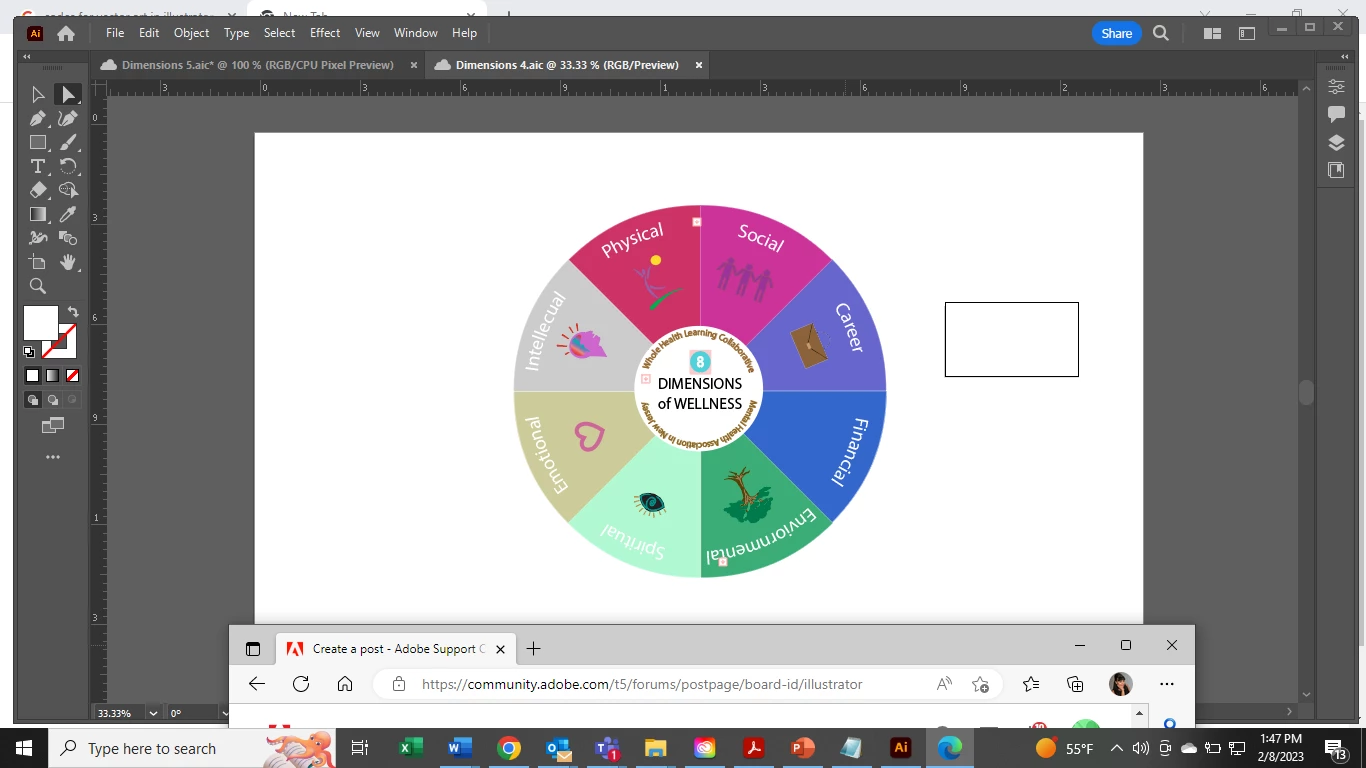

Goodafternoon, I imported a vector illustration into my first vector illustration and now I can't get rid of the outline. I've tried erasing but nothing. Can anyone help?
If you cannot copy everything, then maybe some layers or objects are locked.
In order to be able to delete that box, make sure the placed file is embedded. The try and take the direct selection tool (white arrow) and click on that black line to seldct that rectangle and then just hit delete on the keyboard.
Hi, I went ahead and just copied and pasted everything into another artboard. I had to align everything again, but it was the only thing that seemed to work. I cecked to see if anything was locked and it wasnt. I also, tried clicking on the box and it just wont budge. However, I'm good to go now. Thankyou so much! I do have another question about scaling but I'll see if there's another post about that first before asking. Thanks a again!
Already have an account? Login
Enter your E-mail address. We'll send you an e-mail with instructions to reset your password.
 AdChoices