
Participant
December 24, 2024
Question

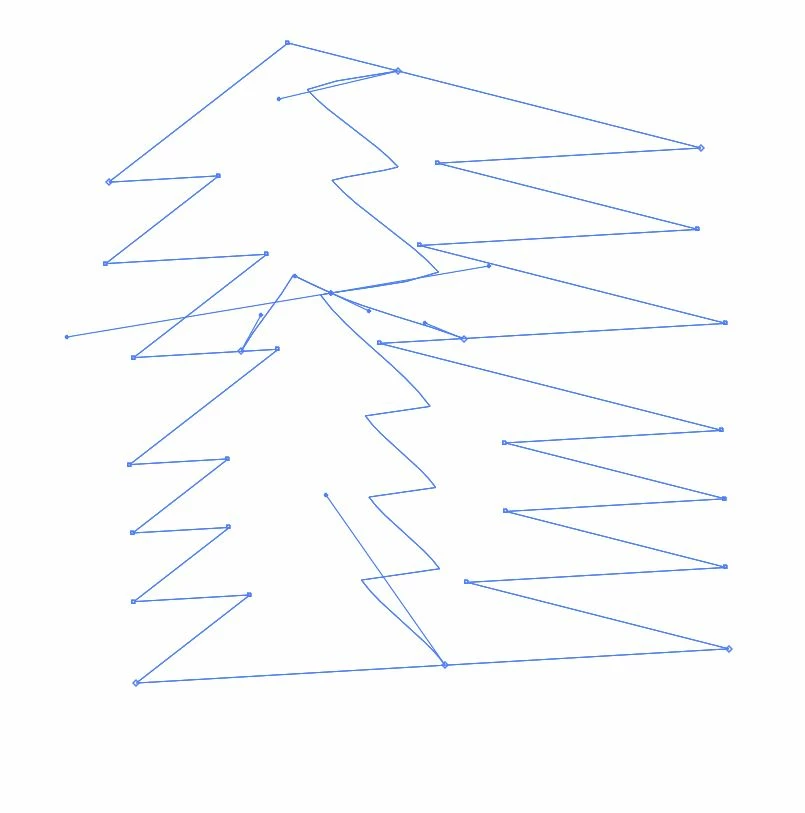
I want to use a mesh tool for the shape I made myself, but this happens. Any other ways or workaroun

  • December 24, 2024
  • 3 replies
  • 1122 views

I wanted to make a Christmas tree, so I made several triangles and combined them into one, but it didn't look fun, so I changed it a little bit. Then I pressed it to use the mesh tool, but it got out of my control. It's been 2 days since I used Illustrator. I don't know how to find a solution, no matter how much I look for it
I don't know if I want to find another way.
Is there a way for the mesh tool to be fully operational, adjust the handles etc. of the mesh tool, or create a gradient in that unusual object shape?
I want to make a gradation in that shape in the future and make a nice creation....help
This topic has been closed for replies.

3 replies

Monika Gause
Community Expert
Community Expert
December 24, 2024

Or this one. After the building process is done, you could expand it and then combine the similarly colored elements and then apply gradients: https://youtu.be/vQL-AMnSKBA

Monika Gause
Community Expert
Community Expert
December 24, 2024

Meshes are one of the most complex functions to use. Alternatively you could try freeform gradients.

Or a completely different approach:

https://youtu.be/CXdc9vjIuFc

zv0927Author
Participant
December 25, 2024

Freestyle gradient!
I just found out that there's such a function. I'll try it!

Jacob Bugge
Community Expert
Community Expert
December 24, 2024

zv,


As far as I can see you have started with a number of triangles, then united them into one large closed path, then added a few more open paths.


You may wish to try the Shape Builder or the Live Paint to get some workable areas to colour with gradients.


And then you can also try the Live Paint or Shape Builder way(s).


You can read about them here,


https://helpx.adobe.com/illustrator/using/live-paint-groups.html

https://helpx.adobe.com/illustrator/using/creating-shapes-shape-builder-tool.html
https://helpx.adobe.com/illustrator/atv/cs5-tutorials/creating-complex-art-with-the-shape-builder-tool.html

zv0927Author
Participant
December 25, 2024

Thank you, I couldn't explain it at first, but I made it exactly as you said. I put together several triangles to shape it.
Thank you for letting me know the various solutions, I'll find them one by one and try them out.
Instead of assembling a triangle, I think if you tried to shape it by drawing it with a pass, you might have had a different result
Anyway, thank you. You saved one person who wanted to give up illustrator 🙂

Monika Gause
Community Expert
Community Expert
December 25, 2024
It's not the shape of the triangles combined, it's a shape made by pen
tools. There was a mistake in the translator. Anyway, I wait for more
diverse gradation methods from illustrators to be updated

This is how meshes work: https://youtu.be/aIqGHoLPuuE