Exit
  • Global community
    • Language:
      • Deutsch
      • English
      • Español
      • Français
      • Português
  • 日本語コミュニティ
  • 한국 커뮤니티
0

Icon Design issue

New Here ,
Feb 12, 2021 Feb 12, 2021

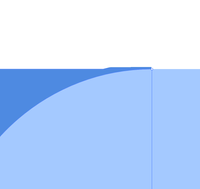
Distorted line appers when two objects are cut.I amUsing the latest version of adobe illustration.

I have attached image screen shot / Ai file as well.

Urgent solution is required. Kindly help.


Screenshot 2021-02-13 at 11.43.45.pngScreenshot 2021-02-13 at 11.44.04.png

TOPICS
Draw and design
408
Translate
Report
Community guidelines
Be kind and respectful, give credit to the original source of content, and search for duplicates before posting. Learn more
community guidelines

correct answers 1 Correct answer

Community Expert , Feb 12, 2021 Feb 12, 2021

Changing to a CPU preview fixes the display glitch. You can do this with View > View using CPU. Using the GPU preview is faster, but can have some glitches which is why the slower CPU preview is still an option. I confirmed that this SVG file displays fine in Adobe XD and Sketch. Why it's glitching in the GPU preview I'm not sure, but the file is actually OK.


I originally accidently posted from another account (Noble Desktop) which I didn't realize I was still logged in as. I'm reposting from

...
Translate
Adobe
New Here ,
Feb 12, 2021 Feb 12, 2021

Changing to a CPU preview fixes the display glitch. You can do this with View > View using CPU. Using the GPU preview is faster, but can have some glitches which is why the slower CPU preview is still an option. I confirmed that this SVG file displays fine in Adobe XD and Sketch. Why it's glitching in the GPU preview I'm not sure, but the file is actually OK.

Translate
Report
Community guidelines
Be kind and respectful, give credit to the original source of content, and search for duplicates before posting. Learn more
community guidelines
Community Expert ,
Feb 12, 2021 Feb 12, 2021

Changing to a CPU preview fixes the display glitch. You can do this with View > View using CPU. Using the GPU preview is faster, but can have some glitches which is why the slower CPU preview is still an option. I confirmed that this SVG file displays fine in Adobe XD and Sketch. Why it's glitching in the GPU preview I'm not sure, but the file is actually OK.


I originally accidently posted from another account (Noble Desktop) which I didn't realize I was still logged in as. I'm reposting from this account in case you need to follow up. 


— Adobe Certified Expert & Instructor at Noble Desktop | Web Developer, Designer, InDesign Scriptor

Translate
Report
Community guidelines
Be kind and respectful, give credit to the original source of content, and search for duplicates before posting. Learn more
community guidelines
New Here ,
Feb 12, 2021 Feb 12, 2021
LATEST

Thank you so much.You saved my day.

Translate
Report
Community guidelines
Be kind and respectful, give credit to the original source of content, and search for duplicates before posting. Learn more
community guidelines