

Illustrator 2018 Adding spaces to text between saving
One of the users that I manage reported this issue to me yesterday.
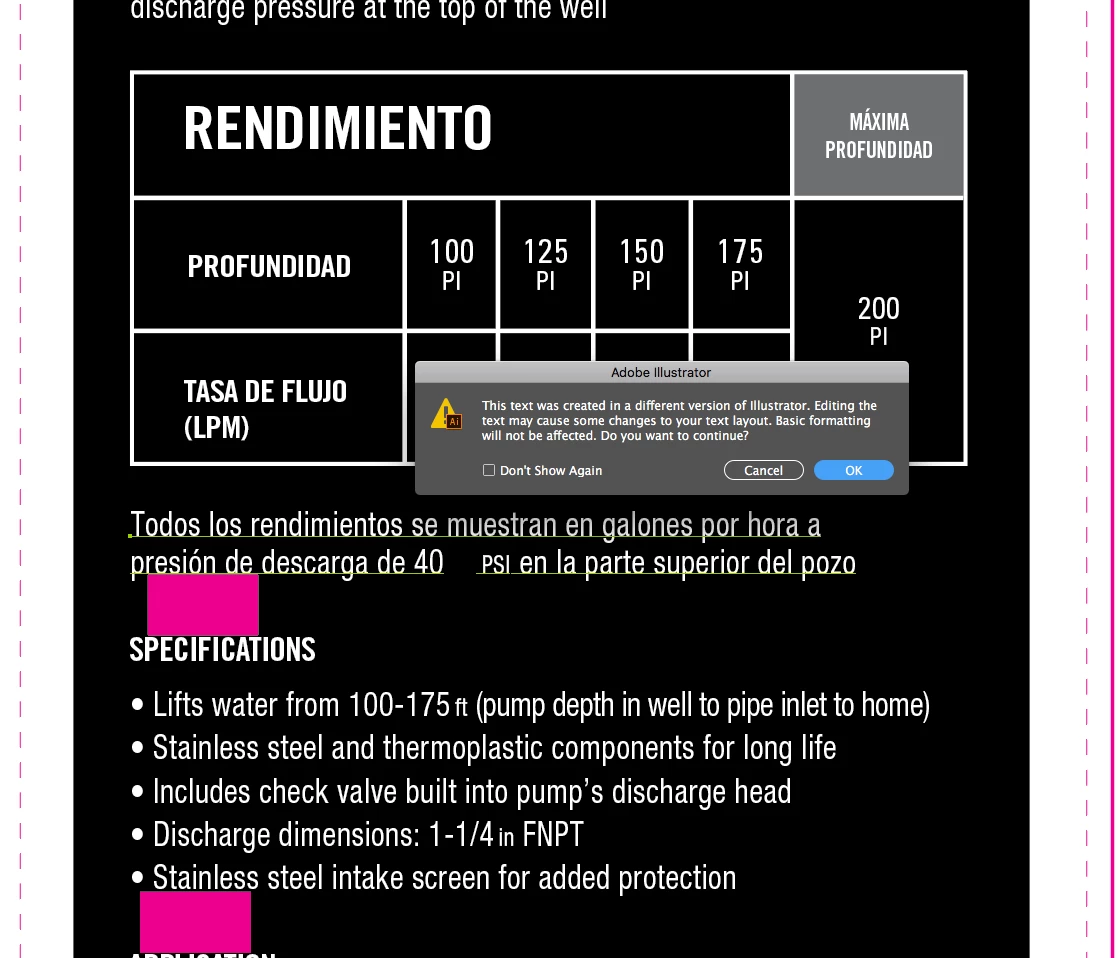
I am saving AI 2018 files and while they are still when I click back onto text it is telling me that the text was created in a different version of AI - even though I just saved it, and haven’t even closed the file. It is also adding a huge space in between text in those areas, and that space DOES save into the PDF. Once I click Update on the text it is fine.
Files just saved in the same version of AI (2018), on the same machine they were built on, are saying they were created in a different version of Illustrator when you click on a text box and it is adding extra space (see attached screenshot) that is not actually there. This is showing up in the PDFs as well and is not just a display issue.
 AdChoices