
Inspiring
August 22, 2020
Answered

Illustrator 2020 CC: how to fit picture on canvas?

  • August 22, 2020
  • 1 reply
  • 2268 views

Hi all. I am a complete Illustrator newbie, meaning this is my first attempt to use it.


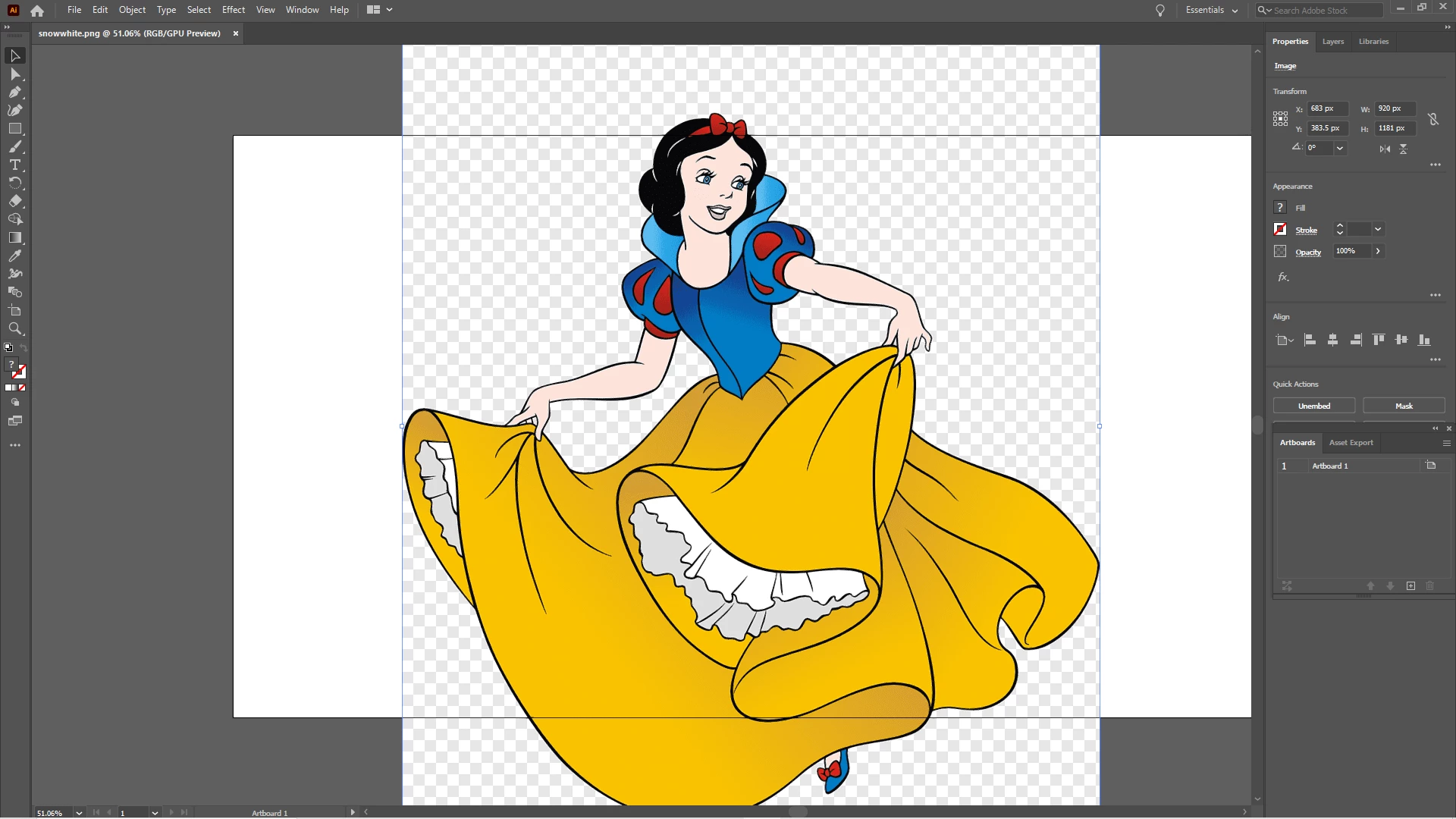
I opened up this picture, because I want to practice tracing it, but as you can see, the picture is in portrait, but the canvas is landscape.


How can I fit the picture into the canvas, or is it the other way?


Thanks in advance.
This topic has been closed for replies.
Correct answer Charu Rajput

Hi,

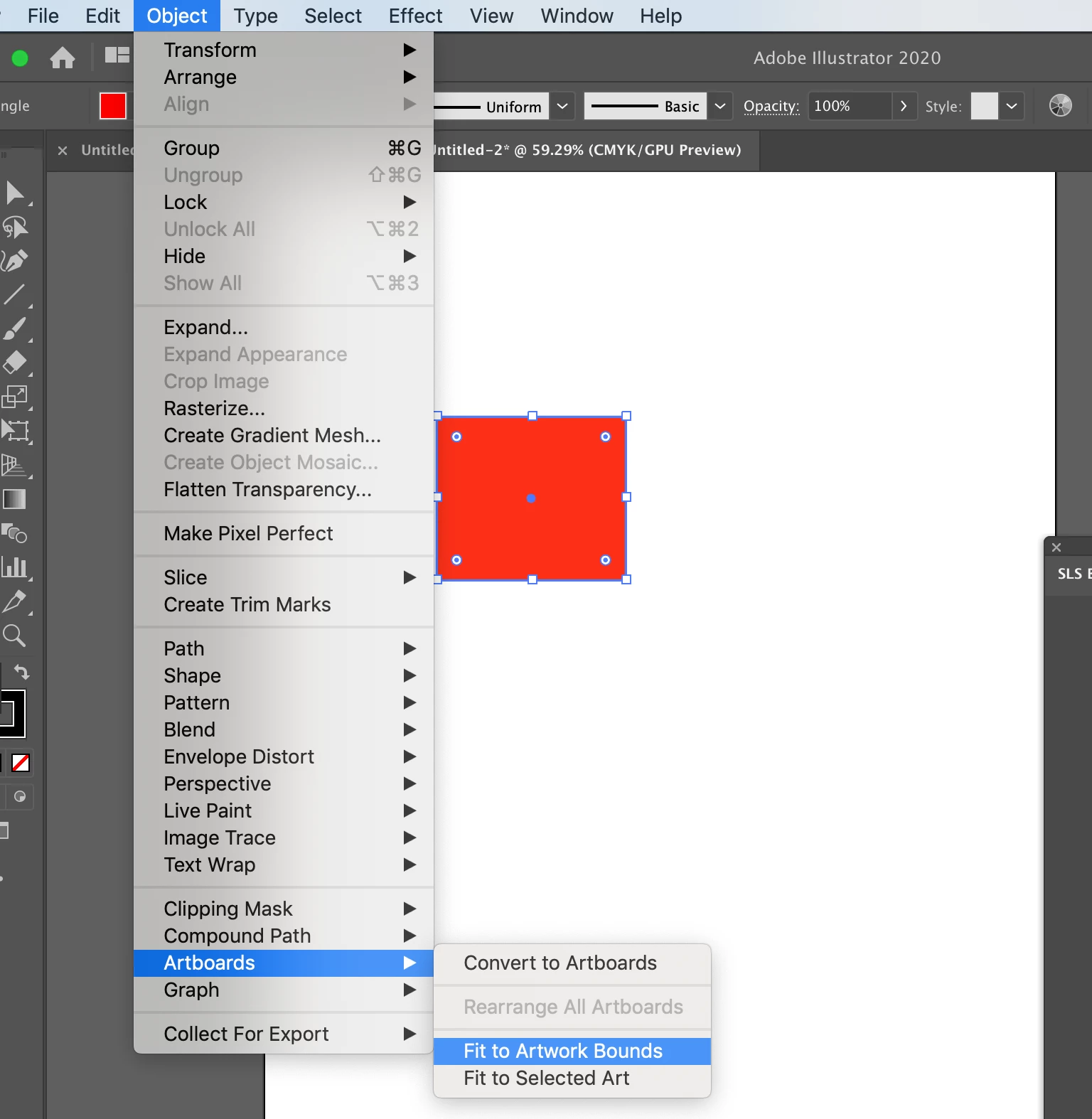
You can use option 

Object -> Artboards -> Fit to Artwork Bounds

or 

Object -> Artboards -> Fit to Selected Art (For this your art mjust be selected)

Please refer screen shot below


Let us know if this works for you. 

1 reply

Charu Rajput
Community Expert
Charu RajputCommunity ExpertCorrect answer
Community Expert
August 22, 2020

Hi,

You can use option 

Object -> Artboards -> Fit to Artwork Bounds

or 

Object -> Artboards -> Fit to Selected Art (For this your art mjust be selected)

Please refer screen shot below


Let us know if this works for you. 

Best regards