
Participant
April 23, 2020
Question

Illustrator 2020 gives extra page information in PDF file.

  • April 23, 2020
  • 4 replies
  • 1721 views

When I save a document with page information in illustrator, it gives automaticly some extra information that I don't want.


You don't see the extra info in the document name but only when you open de PDF in acrobat in the page information. Please see example below.
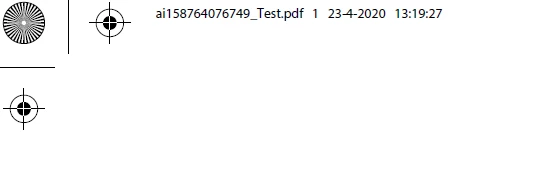


Does anyone know how I can avoid that it gives me extra information in the page information?


{Renamed by MOD}

This topic has been closed for replies.

4 replies

Known Participant
February 3, 2023

I had the same issue, but just by saving not locally.

Now I have to save in on my Desktop and then move it to My Server.

Met1
Legend
February 3, 2023

I'm not sure what you are saying / asking, or what this has to be with "Illustrator 2020 gives extra page information in PDF file"

artsmartdigital
Participant
February 3, 2023

2020 post, saving to a network drive - seems to have resolved itself with new version.

Albeit, now 2023 errors when closing the program 😞

artsmartdigital
Participant
June 10, 2020

I'm having the same problem "ai53637383939_filename.pdf" on both Illustrator for Windows and Mac 2020. Please Help Adobe 

Monika Gause
Community Expert
Community Expert
June 10, 2020

Are you saving locally or on a network?

Try and in Preferences > File Handlin g& Clipboard turn off the Optimize Saving over network as well as  Save in Background. Does that help?

Srishti Bali
Community Manager
Community Manager
May 14, 2020

Hi there, 


Thanks for reaching out. Could you please confirm which OS and version of Acrobat you using to open this PDF? Like Ton and Doug, I couldn't replicate this either. Will it be possible for you to share a sample PDF file showing this behavior? You can upload it to Creative Cloud and share the download link.
This will help us replicating this issue and report it to the product team if required.


Regards,

Srishti

Ton Frederiks
Community Expert
Community Expert
April 23, 2020

That is what you get when you check page information.

You can delete the text that you don't want in Acrobat.

Participant
April 23, 2020

Thank you for your reply!


That is very strange because first I never has this.

 You don't know if it's a new option somewhere, so that I can turn it off?

Ton Frederiks
Community Expert
Community Expert
April 23, 2020

What exactly do you not want to see?