
dv8kiwi
Inspiring
January 20, 2021
Answered

Illustrator 2021 some fonts not working and save error

  • January 20, 2021
  • 2 replies
  • 2601 views

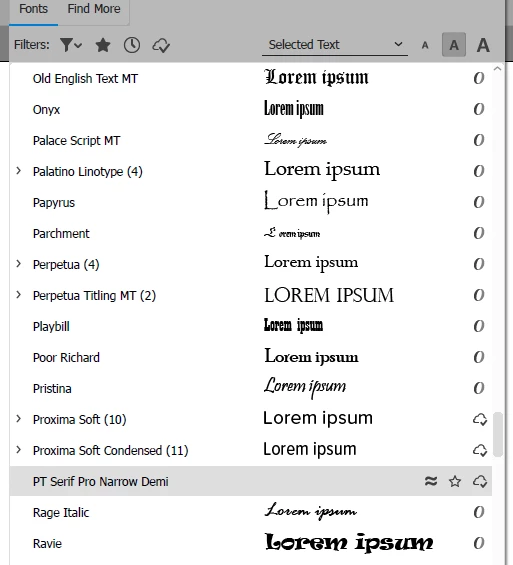
Some fonts that I activate will not show in Illustrator 2021. This includes actual CC fonts installed from Adobe Fonts, eg. PT Serif Pro Narrow.


When I choose this font for a text block, the text disappears.


In the font preview it is also not visible:


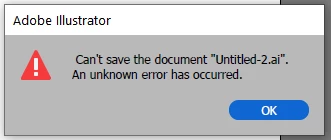
Also if I try to save a document where one of these fonts is active I get "unknown error"


I have Illustrator 2019 also installed and and none of these issues occur. Fonts and save operate normally.


I have deleted prefs and also done a complete clean install of 2021 without importing prefs and this is still a problem.


Is this a known bug?


This topic has been closed for replies.
Correct answer dv8kiwi

Fixed - I reset my OOBE (thanks MikeGondek from another thread)


Reset Your OOBE Option 3


OOBE

  • Quit the Creative Cloud desktop app 
  • Browse to the following location based on your operating system.
  • WINDOWS
  • C:\Users\<user folder>\AppData\Local\Adobe\OOBE 
  • The AppData folder is hidden in Windows by default. See Show hidden files, folders, filename extensions | Windows for instructions to access it.

2 replies

dv8kiwi
dv8kiwiAuthor
Inspiring
January 21, 2021

Thanks Mike, tested and doesn't appear to be a font conflict.


I expect if it was it wouldn't work on 2019.


This is on Windows. 

dv8kiwi
dv8kiwiAuthorCorrect answer
Inspiring
January 22, 2021

Fixed - I reset my OOBE (thanks MikeGondek from another thread)


Reset Your OOBE Option 3


OOBE

  • Quit the Creative Cloud desktop app 
  • Browse to the following location based on your operating system.
  • WINDOWS
  • C:\Users\<user folder>\AppData\Local\Adobe\OOBE 
  • The AppData folder is hidden in Windows by default. See Show hidden files, folders, filename extensions | Windows for instructions to access it.
Mike_Gondek10189183
Community Expert
Community Expert
January 21, 2021

Work for me on mac. Might be conflictng with some other font you have open. can you close down your unused fonts. 


Reset your font cache

https://winaero.com/rebuild-font-cache-windows-10/