Adobe Community

- Home
- Illustrator
- Discussions
- Re: Illustrator 2022 Keeps Crashing
- Re: Illustrator 2022 Keeps Crashing

Copy link to clipboard
Copied
I opened an existing PDF file to edit. Can only work for a few minutes before program crashes and everythng disappears.
When trying to open the file again, or just the program, it says "Adobe Illustrator just recovered from a crash." The progam then says "processing" and that lasts for 20 minutes or forever. (Even though file is only 705 KB.)
It keeps happening over and over again.
Can't even open Illustrator because it keeps trying to recover the last file.
The PDF file had an "unknown shading" error, but that appeared to go away after the first save.


 2 Correct answers


Hi All,
We are sorry for the trouble. Many users have reported this.
Deleting the .runConfig & .runConfigRobin files from the following location should improve or fix the issue entirely.
Windows:
C:\Users\\AppData\Roaming\Adobe\Adobe Illustrator 26 Settings\en_US\x64
On Windows, "AppData" is a hidden folder. Steps to see hidden files & folders on windows are here (https://bit.ly/3BXFhqb).
Mac:
/Users//Library/Preferences/Adobe Illustrator 26 Settings/en_US
On Mac, user library and .runCo
...

Hi @cupackedeath
Answer by Anshul_Saini on this thread https://community.adobe.com/t5/illustrator-discussions/illustrator-2022-keeps-crashing-constantly-v26-4-1-progress-processing-bar/m-p/13121988 would help with this problem
-Prateek
Explore related tutorials & articles
 77
Replies
77
77
Replies
77


Copy link to clipboard
Copied
I am having the same issue

Copy link to clipboard
Copied
I'm having the same issue. Anytime I try to do anything I get the Progress bar.

Copy link to clipboard
Copied
I've been having the same issue all morning. I've tried a number of different troubleshooting options from older threads but nothing has worked so far. Still getting the progress pop up no matter what action I'm doing within the program. Following for more advice.

Copy link to clipboard
Copied
Try removing .runConfig from C:\Users\<username>\AppData\Roaming\Adobe\Adobe Illustrator <version> Settings\us_US\x64 after that run AI. It works for me, but every time after turning off AI you have to repeat it, because the problem is coming back.

Copy link to clipboard
Copied
My Illustrator has been crashing all morning! When I open it up again there are no issues and then after a few minutes it crashes again. I cannot do any work 😞 Hoping Adobe comes with a fix ASAP!
Copy link to clipboard
Copied
And now I get the progress bar too! I have to manually reset.

Copy link to clipboard
Copied
Did everyone just update?
Copy link to clipboard
Copied
Yup! On Friday
Copy link to clipboard
Copied
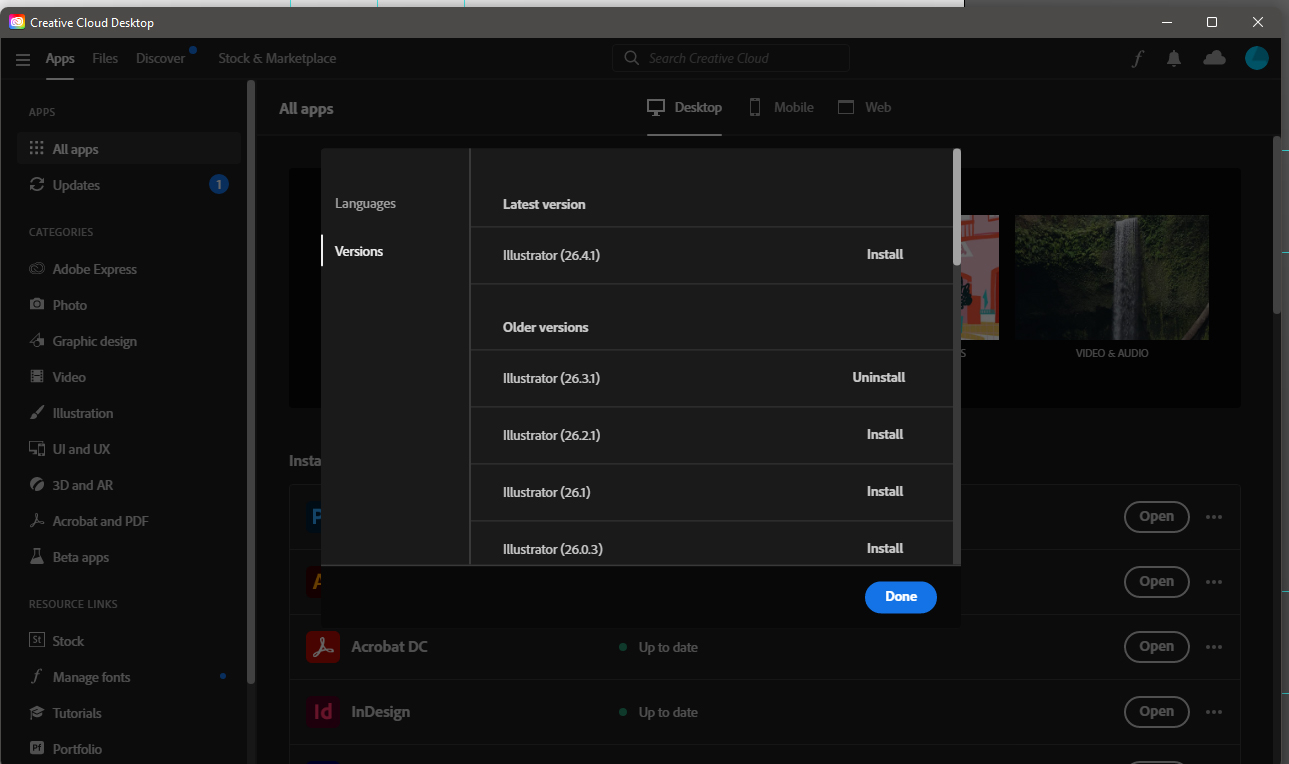
Yes it's because of the latest update, the problem is solved by going back to version 26.3.1
Copy link to clipboard
Copied
How can I go back to version 26.3.1 please?
Copy link to clipboard
Copied
Issue seems to have been solved for me! Via the live chat on Adobe I got in touch with Rohit. He access my computer remotely and solved the issue. So my reccomendation is to reach out via the chat and get them to solve the issue the same way!
Copy link to clipboard
Copied
Same issue here. Has anyone reverted back to the older version and the issues stopped?

Copy link to clipboard
Copied
Went back to 26.3.1 on my Mac Studio Monterey 12.5 and all seems to be well.
The Crashing suddenly started this morning.
Copy link to clipboard
Copied
Hi All, @Louis25566382aoa5 @Viking_PL @Maura5FF0 @designd2090758
We are sorry for the trouble. This has been reported on multiple posts by many users. We have logged a bug with the product team and will like to investigate the issue further. Would you mind sharing a few details like:
- The exact version of Windows (build no.) and Illustrator (v26.4.1)
- Is this happening with both old & new files?
- Is this happening after opening a file or performing a particular action/ using a specific tool?
- What exactly happens? Illustrator freezes and starts non-responding, or it simply crashes?
- Please share the Illustrator app dump file from the Task Manager. The steps are here (https://helpx.adobe.com/acrobat/kb/collect-logs-crash-freeze.html#:~:text=Collecting%20logs%20when%2...).
Also, @laurav32853438 recently contacted the support team and resetting Illustrator preferences resolved the issue for him. If that doesn't help, you may roll back and install the older v26.3.1.
Looking forward to your responses.
Thanks & Regards,
Anshul Saini
#Marking it Correct to highlight

Copy link to clipboard
Copied
Going back to the previous version worked.
The latest version was crashing on start-up. I can see the interface but nothing within it (look like a lo-fi design).

Copy link to clipboard
Copied
Was having the same issues and rolling back to 26.3.1 fixed it. Thanks to those that suggested it.

Copy link to clipboard
Copied
same issue here too. Anyone having a solution?
Copy link to clipboard
Copied
Copy link to clipboard
Copied
Once I did the update, anything I do Ai crashes. Have some pretty big jobs due and its crashing every 2 min. PLEASE FIX

Copy link to clipboard
Copied
Having same issue here, started yesterday. Just closes without warning or any error message, sometimes immediately after optning, sometimes after a few minutes of work. Running wondows 11 and the latest version of Ai.

Copy link to clipboard
Copied
I am having the same problem. Illustrator crashes whether it is an old file or a new file. I cannot even uninstall illustrator through the Creative Cloud app. I get the Unable to uninstall the product (Error Code 301). If I try to revert to 26.3.1 it won't let me. Please help. I have deadlines that I am missing. It is incredibly frustrating.

Copy link to clipboard
Copied
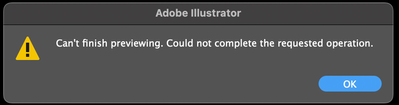
I'm unable to get any work done. I keep having issues with the latest update. I'm on Monterey 12.5, M1 Max MacBook Pro. If I try to resize the canvas, the preview fails and turns all black, then crashes.
Copy link to clipboard
Copied
Hello @curious777,
Sorry to hear about this experience. Kindly check if this is happening with other files as well. If yes, please try resetting Illustrator's preferences by following the steps shared in this article (https://helpx.adobe.com/illustrator/kb/troubleshoot-preference-issues.html) and sharing your observations.
Disclaimer: Please note that resetting preferences will remove all custom settings, and Illustrator will launch with the defaults. You may take a backup of these settings from the location mentioned in the article.
Looking forward to hearing from you.
Thanks,
Anubhav
Copy link to clipboard
Copied
It appears to be happening with files that have linked PSD files within. I have a file with several artboards and raster image links that are PSDs. Before the latest Illustrator update, the files were fine and did not give any errors. Now, it seems the same files are taxing Illustrator more and causing issues.


 AdChoices