Participating Frequently
November 17, 2023
Question

Illustrator 2023 / 2024 opens all drawing areas
  • November 17, 2023
  • 2 replies
  • 1047 views

Hello,
I have a problem with the new versions.
So far I have worked with 2021 / 2022.
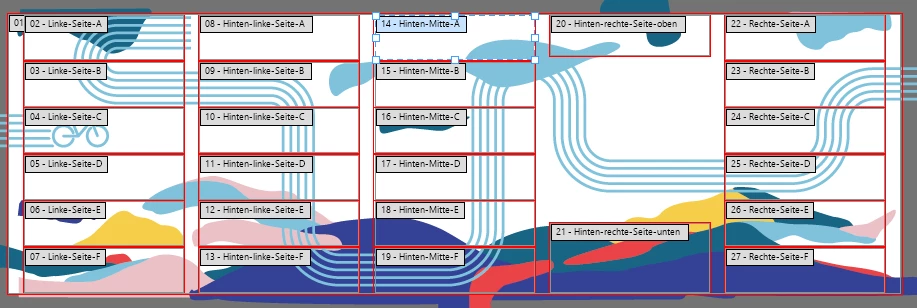
In the new versions, all drawing areas are always opened, see Image 1.
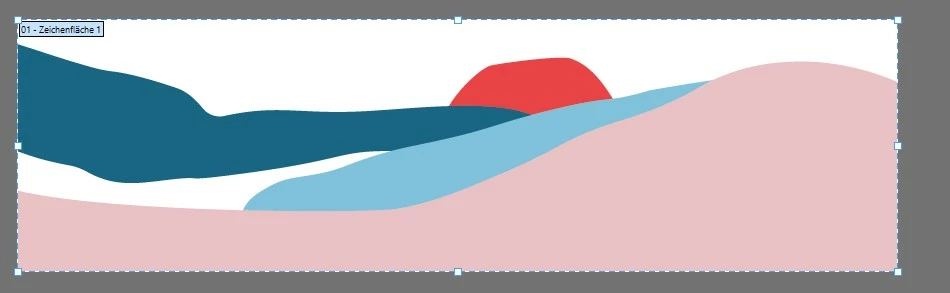
I never had this before, see image 2.
Is this a new setting or a bug in the new versions? I absolutely need the artboards to open individually, as it works in the old versions.
I hope someone can help me?
Many thanks in advance.
Antje


This topic has been closed for replies.

2 replies

Monika Gause
Community Expert
Community Expert
November 17, 2023

So you save the artboards to single files and when you open a single file, then all the artboards are in the file?


Please tell us how exactly you saved them.

Participating Frequently
November 17, 2023

Exactly. But I don't know how the individual files are saved by our customers. I only know that I didn't have this phenomenon in the older Illustrator versions, where I was only ever shown one artboard. In the new Illustrator, I am shown the entire project from our customers, not just the ones I am supposed to use.

Ton Frederiks
Community Expert
Community Expert
November 17, 2023

I am not sure I understand what your problem is.

In your image I see only one active artboard, nr 14. The other labels are visible, but not active as normal.

Participating Frequently
November 17, 2023

The other drawing areas should not be displayed at all. All artboards were actually stored individually in the PDFs. In the old versions, you can only see the individual artboards. In the new artboards you can see all of them. Are they somehow hidden in the old versions? I can't find the error. Not all artboards can be opened. Adobe Acrobat Reader even does it correctly, it only opens one artboard, not all of them. Even in the Illustrator preview, only one artboard is visible. When I open the file, I can see all of them. What could that be?

Translated with www.DeepL.com/Translator (free version)

Ton Frederiks
Community Expert
Community Expert
November 17, 2023

I hope someone else understands what you mean. If you select an artboard with the Artboard tool (Shift  O) all artboards become visible.