Exit
  • Global community
    • Language:
      • Deutsch
      • English
      • Español
      • Français
      • Português
  • 日本語コミュニティ
  • 한국 커뮤니티
5

Illustrator 2026 v30.0 | Font Browser, Color, Snapping & Artboards Enhancements, Turntable and more
Adobe Employee ,
Oct 28, 2025 Oct 28, 2025

whats-new-in-illustrator-2026-v30.gif

Hey everyone!

We’re excited to announce the release of Adobe Illustrator 2026 v30.0 (MAX) - now available via Creative Cloud Desktop! This update brings a refreshed font browser, smoother gradients with dithering and perceptual blending, enhanced snapping tools, and faster performance across the board.
You’ll also find new features like Turntable (Beta) for multi-angle views, Projects for collaboration, direct access to Firefly-generated images, and centralized generative AI tools. Plus, enjoy easier artboard management, personalized workspaces, and seamless integration with Adobe Express.


Illustrator-2026-v30.png

Update the App

Try out the latest Features and Enhancements in Illustrator 2026 v30.0.


Find, apply, and organize fonts easily

Explore fonts effortlessly with the enhanced font browser, featuring streamlined sections and new filters to help you quickly find and discover fonts from the extensive Adobe Fonts library. Plus, seamlessly organize and manage your fonts using Creative Cloud Libraries—right within the font browser.
Explore the options in the enhanced font browser and find the font you need.

Find, apply, and organize fonts easily.png

Color Enhancements in Illustrator 2026

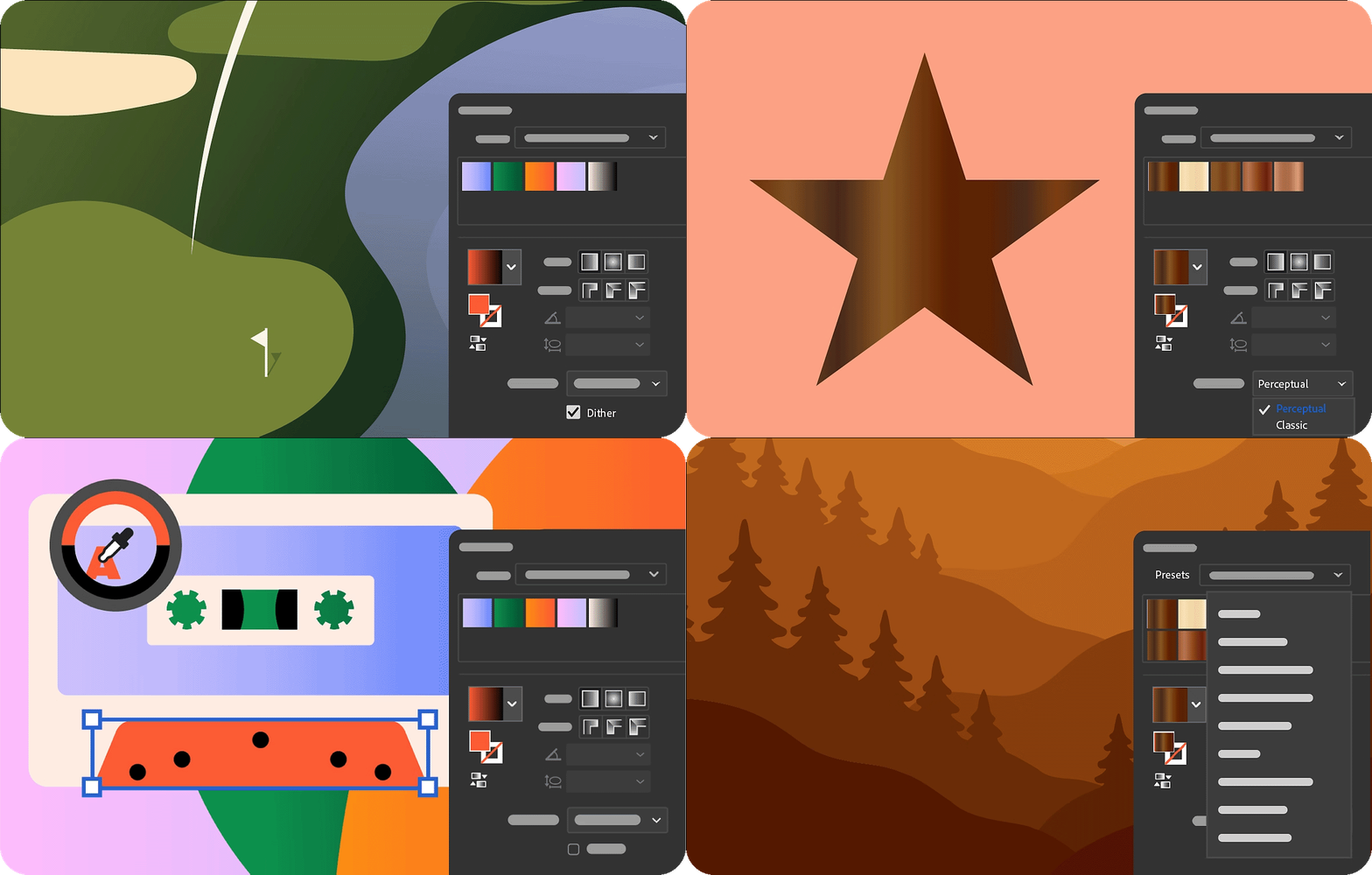
  • Achieve smoother color transitions with gradient dither.
  • Control perceptual color blending in gradients for natural transitions.
  • Preview, select, and apply colors faster with the enhanced Color Picker.
  • Apply creative, ready-to-use gradient presets.
  • Learn more about the Color Enhancements in Illustrator.
color enhancements in illustrator 2026.gif

Snapping Enhancements in Illustrator 2026

snapping enhancements in illustrator 2026.gif

Artboard Enhancements in Illustrator 2026

artboard enhancements in illustrator 2026.gif

Experience enhanced app performance

Speed up saving large files to protect your work instantly, recover documents quickly and reliably after unexpected crashes, and enjoy smoother editing when moving, scaling, rotating, or duplicating—without lag or interruptions.
Learn more about the performance enhancements.

Experience enhanced app performance.png

View 2D objects from multiple angles for new creative directions

Use Turntable in Illustrator (beta) to rotate and view your artwork from any angle for a more dynamic design perspective.
Learn how to use Turntable in Illustrator (Beta) and share your feedback.

View 2D objects from multiple angles for new creative directions.png

Organize, share, and collaborate using Projects

Create shared spaces within Projects to seamlessly organize and collaborate on files across apps like Adobe Photoshop and Adobe Express.
Learn how to organize, share, and collaborate using Projects.

Organize, share, and collaborate using Projects.png

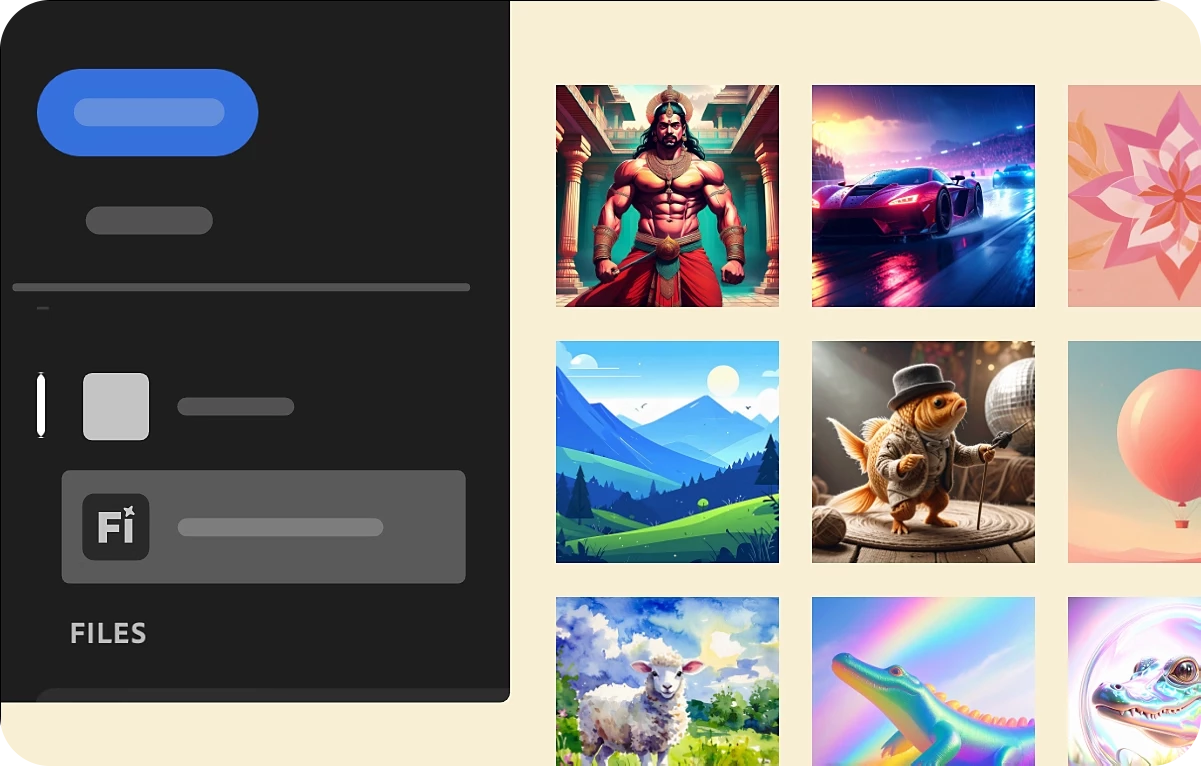
Place and refine Adobe Firefly images directly in-app

Access your Generation history directly from the Illustrator homescreen or workspace to work with raster images created on the Firefly website—no downloads or uploads needed.
Learn how to access Firefly images in Illustrator.
Place and refine Adobe Firefly images directly in-app.png

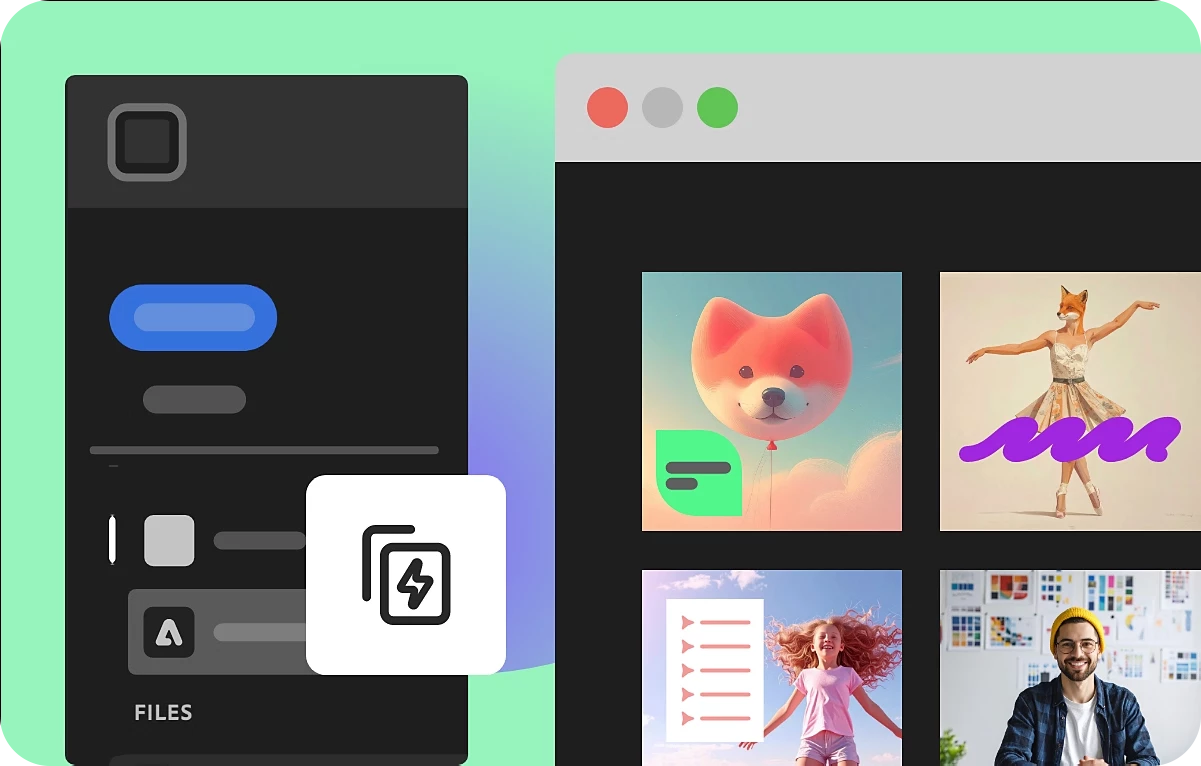
Create faster with Adobe Express templates

Browse and select the perfect template right from the Illustrator homescreen, then fine-tune it in Adobe Express.
Learn how to find and edit Adobe Express templates.
Create faster with Adobe Express templates.png

Explore Firefly models in Text to Vector Graphic for more creative control

Experiment with Firefly Vector 4 and Vector 3 models to generate scenes, subjects, and icons—then choose the one that best fits your creative vision.
Learn how to select Firefly models in Text to Vector Graphic.

Explore Firefly models in Text to Vector Graphic for more creative control.png

Access all generative AI features centrally

Access all generative AI features in one place using the Generative AI button in the toolbar or through the Object > Generative menu.

Access all generative AI features centrally.png

Other Changes

System updates: Illustrator 2026 isn't supported on macOS Monterey (version 12), Windows 11 v22H2, and v21H2 devices.

Fixed Issues: Illustrator 2026 also includes a host of bug fixes and improvements. Learn more.


We’d love to hear from you!

Try out Illustrator 2026 v30.0 and let us know your thoughts. Feel free to reach out if you have any questions or need more tips!



Picture 1.png

If this was helpful, please click the Upvote icon in the top left corner of this post. Your feedback helps us improve the experience. Thank you!


Have questions? Click 'Reply' below to ask.

Click 'Follow' below to bookmark this post for easy reference.

TOPICS
Draw and design , How-to , Performance , Print and publish , Tools , Type
7.3K
Translate
Report
Community guidelines
Be kind and respectful, give credit to the original source of content, and search for duplicates before posting. Learn more
community guidelines
Adobe
Contributor ,
Oct 28, 2025 Oct 28, 2025

Has anyone experienced the font substitution issue with this version? Are there any other problems that people are noticing? Updating to a new version of Illustrator has been fraught with peril in the last year. I just can't afford another fiasco impacting our business. I'm looking forward to any reports from souls braver than I.

Translate
Report
Community guidelines
Be kind and respectful, give credit to the original source of content, and search for duplicates before posting. Learn more
community guidelines
Adobe Employee ,
Oct 28, 2025 Oct 28, 2025

Hi @jodyradzik,


Thanks for reaching out and sharing your concern. So far, there haven't been any widespread reports of font substitution or similar issues in version 30.0.

If you'd like to test the new version safely, you can keep your current one installed and add v30.0 alongside it. Just open the Creative Cloud Desktop App, go to Apps > Illustrator > More actions (three dots) > Other versions, and select Install 30.0. This will let you compare both versions without affecting your existing setup.

Once you've had a chance to try it, please share your observations, so I can assist you further.


Looking forward to your update.

Abhishek

Translate
Report
Community guidelines
Be kind and respectful, give credit to the original source of content, and search for duplicates before posting. Learn more
community guidelines
Contributor ,
Oct 28, 2025 Oct 28, 2025

I've taken your advice and installed the new version alongside the version I could trust. I'm happy to report that the font substitution no longer appears to occur. Also, noting that the third-party plug-ins I rely on seem to be working as well. I'll keep using this new version until something fails. I hope that doesn't happen, but recent history suggests that it probably will. Fingers are crossed I'm wrong about that.

Translate
Report
Community guidelines
Be kind and respectful, give credit to the original source of content, and search for duplicates before posting. Learn more
community guidelines
New Here ,
Nov 02, 2025 Nov 02, 2025

Please take a look at this video — it shows how frustrating this issue is. I understand you’re trying to improve things, but unfortunately, each update seems to make it worse. - https://www.loom.com/share/b46211a300c740fdb599ec38a0a03756

Right now, I can’t even change the gradient in my packaging design because Illustrator crashes every single time. That basically makes the app unusable.

I’m seriously considering stopping all future updates because every time, something new breaks. The previous update already had a huge problem with text boxes, simply trying to resize one would make the program crash.

I really don’t understand how these basic functions are still unstable after so many releases. Please, have a look at the Loom video and let me know how something like this is still acceptable for users who are paying for your software.

Translate
Report
Community guidelines
Be kind and respectful, give credit to the original source of content, and search for duplicates before posting. Learn more
community guidelines
Community Expert ,
Nov 03, 2025 Nov 03, 2025

Instead of that aweful music, some explanation would have been helpful about the file. What's in it, what you are doing, etc. 


PLease tell us about the computer specifications.

Also: did you reset the preferences? Reboot the computer?

Translate
Report
Community guidelines
Be kind and respectful, give credit to the original source of content, and search for duplicates before posting. Learn more
community guidelines
New Here ,
Nov 03, 2025 Nov 03, 2025

Hi there, thanks for getting back to me.

If you focus on the video, you can actually see exactly what im doing, its pretty clear what’s happening there. Here are the details you asked for:

  • Device: Apple M3 Max

  • Memory: 36 GB

  • macOS: Sonoma 14.3 (not updating yet to avoid additional system glitches)

And yes, i’ve already reset preferences and rebooted the computer.

The issue occurs when i try to change a color in the new gradient panel. The moment I eyedrop a color onto a specific point, Illustrator freezes and becomes completely unresponsive. I’m not doing anything advanced here, just changing a single color point in the gradien, and it crashes every time

Translate
Report
Community guidelines
Be kind and respectful, give credit to the original source of content, and search for duplicates before posting. Learn more
community guidelines
Community Expert ,
Nov 03, 2025 Nov 03, 2025

What kinds of objects are there stacked on top of each other?

Does the same also happen with simpler objects: such as picking color from a rectangle onto another one?

You are picking the color from the same object you are applying the gradient to, right?

Translate
Report
Community guidelines
Be kind and respectful, give credit to the original source of content, and search for duplicates before posting. Learn more
community guidelines
Adobe Employee ,
Nov 03, 2025 Nov 03, 2025

Hello @ohlalaa,

I'm sorry to hear about your experience. I tried replicating this behavior on my end but could not. Would you mind trying the suggestions shared in this help article (https://helpx.adobe.com/illustrator/kb/fix-crash-on-launch-issues.html) and checking if it helps? Also, kindly submit the crash report using your Adobe email address and share it here for quick tracking. Steps are shared here: (https://helpx.adobe.com/illustrator/kb/crash-next-steps.html).


Looking forward to hearing from you.

Anubhav

Translate
Report
Community guidelines
Be kind and respectful, give credit to the original source of content, and search for duplicates before posting. Learn more
community guidelines
Community Beginner ,
Oct 29, 2025 Oct 29, 2025

version "30" of Illustrator, and still no ability to assign a keyboard command to Relink, and still no ability to have inline graphics. Both things which would improve productivity exponentially.


InDesign has been able to do these things for 20+ years (at least, inline graphics have been there since 2.0, not sure when the placed file management was updated to make that work better.


Super frustrating that these items continue to be overlooked on each release.

Translate
Report
Community guidelines
Be kind and respectful, give credit to the original source of content, and search for duplicates before posting. Learn more
community guidelines
Participant ,
Oct 29, 2025 Oct 29, 2025

Astute Graphics, which are super plugins for Illustrator, are 50 times ahead in terms of vector design technology. And some technologies that are native to the program have been copied from AG. Yes, it's frustrating that we pay a subscription for this.

Translate
Report
Community guidelines
Be kind and respectful, give credit to the original source of content, and search for duplicates before posting. Learn more
community guidelines
Adobe Employee ,
Oct 29, 2025 Oct 29, 2025

Hello @Toulosifer,

I understand that this functionality is important to you, and I apologize for its unavailability at this time. Would you mind creating a UserVoice for this feature request (https://illustrator.uservoice.com/) and adding your comments there? Doing this will help us prioritize this request, and you will be notified of any updates.

Please don't hesitate to contact us if you have any further questions or require assistance. We'd be happy to help.
Anubhav

Translate
Report
Community guidelines
Be kind and respectful, give credit to the original source of content, and search for duplicates before posting. Learn more
community guidelines
Community Beginner ,
Oct 29, 2025 Oct 29, 2025

I've done so, 5 years ago, on a post that has 24 upvotes. Not sure what else can be done...


https://illustrator.uservoice.com/forums/333657-illustrator-desktop-feature-requests/suggestions/408...

Translate
Report
Community guidelines
Be kind and respectful, give credit to the original source of content, and search for duplicates before posting. Learn more
community guidelines
Community Beginner ,
Oct 29, 2025 Oct 29, 2025

So frustrated this morning with the software glitches in ID and AI. I have text within my graphics and it's not visible. I can clearly see it in the layers panel and yesterday, when I created the file and exported a jpg, they were there. Now they're gone (but not gone). Screenshot 2025-10-29 at 9.11.37 AM.png

Translate
Report
Community guidelines
Be kind and respectful, give credit to the original source of content, and search for duplicates before posting. Learn more
community guidelines
Adobe Employee ,
Oct 29, 2025 Oct 29, 2025

Hello @Kelly31501123y9li,

I'm sorry to hear about your experience. Could you share more details like the exact version of the OS/Illustrator installed, if you encounter this problem with all files, and a link to a sample file you're having trouble with, so we can better assist you?

Looking forward to hearing from you.

Anubhav

Translate
Report
Community guidelines
Be kind and respectful, give credit to the original source of content, and search for duplicates before posting. Learn more
community guidelines
Community Beginner ,
Oct 30, 2025 Oct 30, 2025

There are problems with masked images with this new update. The image is not visible and makes my work really difficult. Somethimes the images appears if I clicked inside of clipping mask but soon it disappears too. Sometimes images are visible and sometimes not. The masked image is inside of clipping mask.

Please don't launch so miserables updates.

Translate
Report
Community guidelines
Be kind and respectful, give credit to the original source of content, and search for duplicates before posting. Learn more
community guidelines
Adobe Employee ,
Nov 03, 2025 Nov 03, 2025

Hello @mikko-s,

I'm sorry to hear about your experience. Could you confirm the exact version of the OS/Illustrator installed, a screen recording of your exact workflow and a link to a sample file, so I can try and replicate this on my end.

Looking forward to hearing from you.

Anubhav

Translate
Report
Community guidelines
Be kind and respectful, give credit to the original source of content, and search for duplicates before posting. Learn more
community guidelines
Community Beginner ,
Nov 06, 2025 Nov 06, 2025

Hello,

I uninstall the 2026 versin and re-install it and now this seems to work. Mystic problem. I'll add screenshots and share the files if this problem appears again.

Translate
Report
Community guidelines
Be kind and respectful, give credit to the original source of content, and search for duplicates before posting. Learn more
community guidelines
Participant ,
Oct 30, 2025 Oct 30, 2025

I'm experiencing some lag issues. Win11, 32MB RAM, NVidia A2000. Simple zoom in a couple of time with the mouse wheel and have to wait 5 seconds for it to catch up.

Translate
Report
Community guidelines
Be kind and respectful, give credit to the original source of content, and search for duplicates before posting. Learn more
community guidelines
Participant ,
Oct 31, 2025 Oct 31, 2025

Ok, today no lag.

Translate
Report
Community guidelines
Be kind and respectful, give credit to the original source of content, and search for duplicates before posting. Learn more
community guidelines
New Here ,
Nov 05, 2025 Nov 05, 2025

i got the same issue after updating to V30.0

before zoom in/out with the mouse was super fast and smooth and now it ages and the PC freezes nearly...

seems like the GPU is no longer used correctly.

when switching the setting in the open projekt to  "view --> show with CPU" it runs much smoother.

Translate
Report
Community guidelines
Be kind and respectful, give credit to the original source of content, and search for duplicates before posting. Learn more
community guidelines
Community Beginner ,
Oct 31, 2025 Oct 31, 2025

Having incredibly annoying lag every time I pan around a canvas or zoom in and out. Making workflow FRUSTRATING to say the least. Never had this issue before.

Translate
Report
Community guidelines
Be kind and respectful, give credit to the original source of content, and search for duplicates before posting. Learn more
community guidelines
Adobe Employee ,
Nov 03, 2025 Nov 03, 2025

Hello @AndyLCB,

I'm sorry to hear about your experience. Would you mind confirming the exact version of the OS/Illustrator installed and a small screen recording of the problem, so we can better assist you?

Also, try the suggestions shared in this help article (https://helpx.adobe.com/illustrator/kb/optimize-illustrator-performance.html) and share your observations.

Looking forward to hearing from you.

Anubhav 

Translate
Report
Community guidelines
Be kind and respectful, give credit to the original source of content, and search for duplicates before posting. Learn more
community guidelines
Participant ,
Oct 31, 2025 Oct 31, 2025

What happen to the info at the top of the window showing the x,y,w,h boxes and such. Now have to use the Transform Panel?

Translate
Report
Community guidelines
Be kind and respectful, give credit to the original source of content, and search for duplicates before posting. Learn more
community guidelines
Community Expert ,
Oct 31, 2025 Oct 31, 2025

There is a limited amount of space to display items in the Control panel.

Click on the 3 lines on the right to turn off what you do not need.

Translate
Report
Community guidelines
Be kind and respectful, give credit to the original source of content, and search for duplicates before posting. Learn more
community guidelines