
Participant
March 2, 2021
Answered

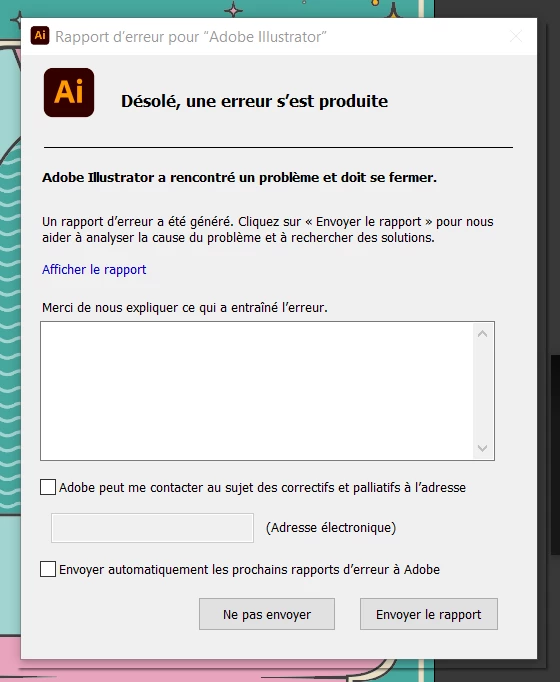
illustrator 25.2 crashes when I save my project or export

  • March 2, 2021
  • 3 replies
  • 468 views

Hello everybody, 

I have a problem with my illustrator, i did a project for school and everything went well till yesterday, when i opened my project i couldn't save it if i did changes or else, illustrator crashed when i tried to save it, same if i tried to export my work it would crash.

I tried to copied it and paste it in a new project and same couldn't save it, 

I tried to desinstall and reinstall the software, didn't make any changes, tried to go back to the previous version and same thing.

I shared my work with some friend and they could open it, make changes and save it. So my work is ok it's my illustrator that have a problem but i can't figure what problem it is.

Please help it's a project for school due tomorrow i'm in panic !!!!
 

This topic has been closed for replies.
Correct answer Ashutosh_Mishra

Hi there,


Sorry to hear about your experience. Please try troubleshooting steps suggested on this community post(https://community.adobe.com/t5/illustrator/resolve-slow-performance-and-unexpected-behaviors-in-illustrator/td-p/11561981) & let us know if you still have the similar concern.


Looking forward to your response.


Regards,

Ashutosh

3 replies

Ashutosh_Mishra
Ashutosh_MishraCorrect answer
Inspiring
March 6, 2021

Hi there,


Sorry to hear about your experience. Please try troubleshooting steps suggested on this community post(https://community.adobe.com/t5/illustrator/resolve-slow-performance-and-unexpected-behaviors-in-illustrator/td-p/11561981) & let us know if you still have the similar concern.


Looking forward to your response.


Regards,

Ashutosh

Monika Gause
Community Expert
Community Expert
March 2, 2021

Does this also happen when save on the local disk?

Lisa5E95Author
Participant
March 2, 2021

Hi, yes :((


italosan
Community Expert
Community Expert
March 2, 2021

Hi, where did you save your project (cloud, computer, external media)? Are you having the same problem with other files too?

Lisa5E95Author
Participant
March 2, 2021

My project is saved on my OneDrive Cloud, i am having trouble when i try to copy and paste my elements on a new project but when i open a totally random school file it works fine i can save changes, exports it...etc

But my friends are not having trouble this exact project for school so i don't really understand what's going on ://

italosan
Community Expert
Community Expert
March 2, 2021

Hi, try saving your files to Creative Cloud or other media and see if the problem persists.