
alfwalker
Participant
August 24, 2021
해결됨

Illustrator 25.4.1 glitches/ flashes when zoomed past 2400% running on macOS Big Sur M1 Macbook Pro

  • August 24, 2021
  • 2 답변들
  • 1323 조회

Running OSX Big Sur / M1 chip MacBook Pro... have upgraded to the latest Illustrator release (25.4.1) –

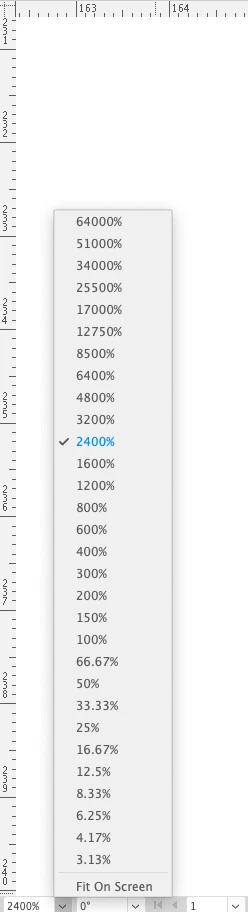
In an active project – when I go to the Zoom preview function in the bottom left of the document window (see attachmed screenshot) – there is a list of preset zoom amounts. If I choose anything over 2400% – the preview corrupts, can't see the work except when I move the mouse over the drawing... the preview 'flashes' on and off... really frustrating...


{Renamed by MOD}
이 주제는 답변이 닫혔습니다.
최고의 답변: Anshul_Saini

Hi there,


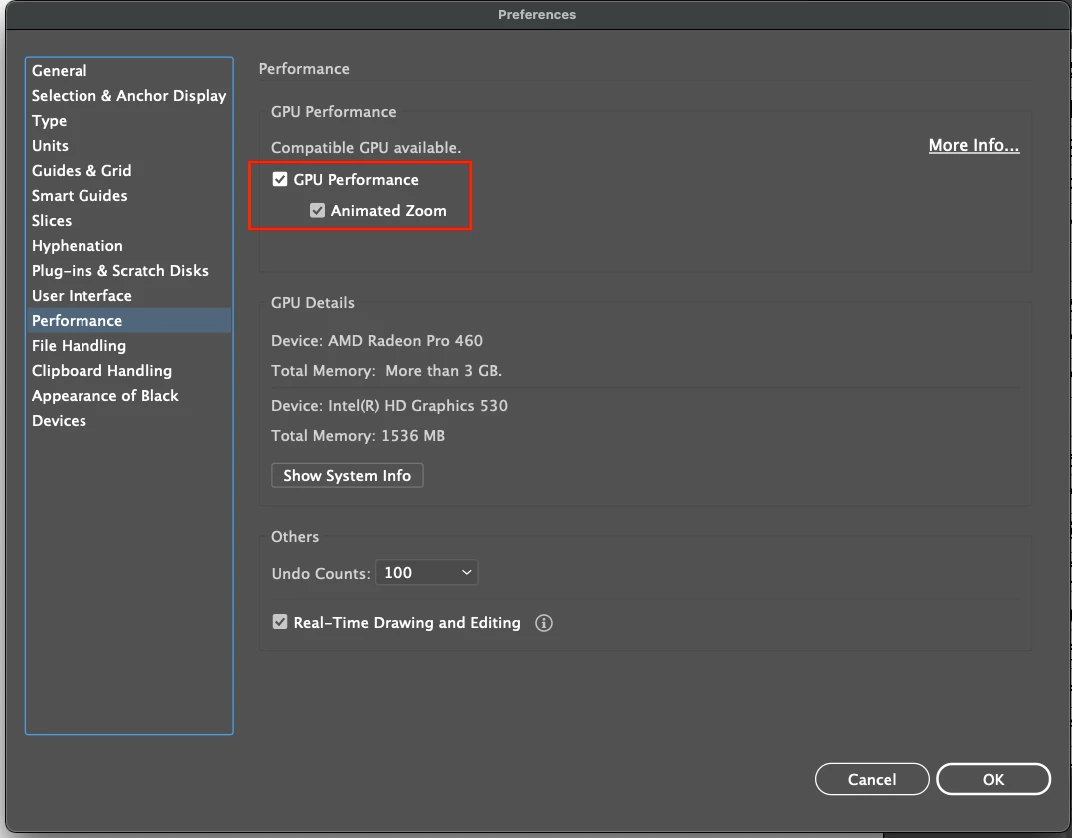
Sorry about the trouble you are facing. I would suggest you try toggling on/off the GPU Performance from Illustrator preferences and see how it goes. Also, could you please check if GPU is turned off when you choose zoom preview over 2400%?


Regards,

Anshul Saini

2 답변

alfwalker
alfwalker작성자
Participant
August 31, 2021

Hi Anshul,

GPU Performance was turned OFF – so I have turned it on – will see how it goes...

Thanks,

Alf

Anshul_Saini
Community Manager
Community Manager
September 4, 2021

Thank you for checking that. I would like to know if turning the GPU on resolves the issue and how the app performs then?


Regards,

Anshul Saini

alfwalker
alfwalker작성자
Participant
September 5, 2021

So – just an update – I am now running Illustrator with GPU Performance turned ON – but Animated Zoom turned off (I don't like this feature – so I turn it off). This appears to have solved the issue.

Anshul_Saini
Community Manager
Community Manager
August 24, 2021

Hi there,


Sorry about the trouble you are facing. I would suggest you try toggling on/off the GPU Performance from Illustrator preferences and see how it goes. Also, could you please check if GPU is turned off when you choose zoom preview over 2400%?


Regards,

Anshul Saini