
Participating Frequently
January 31, 2022
Question

Illustrator 26.0.3 CPU preview mode issue

  • January 31, 2022
  • 2 replies
  • 1850 views

After updating to Illustrator 26.0.3 the CPU preview is having issues. If I zoom to 800% or more, the screen goes blank. Also, the selected items selection color turns white. GPU preview works fine but i've had issues with blends as well as edges of pieces not ligning up. I didnt have those issues if I used CPU preview but now that its having issues, the old issues are back.


Please help, thanks.

Aaron


My specs are as follows:

OS Monterey 12.1

iMac 27" 2019

3GHz 6-Core Intel Core i5

32gb 2667 Mhz DDR4

Radeon Pro 570X 4GB


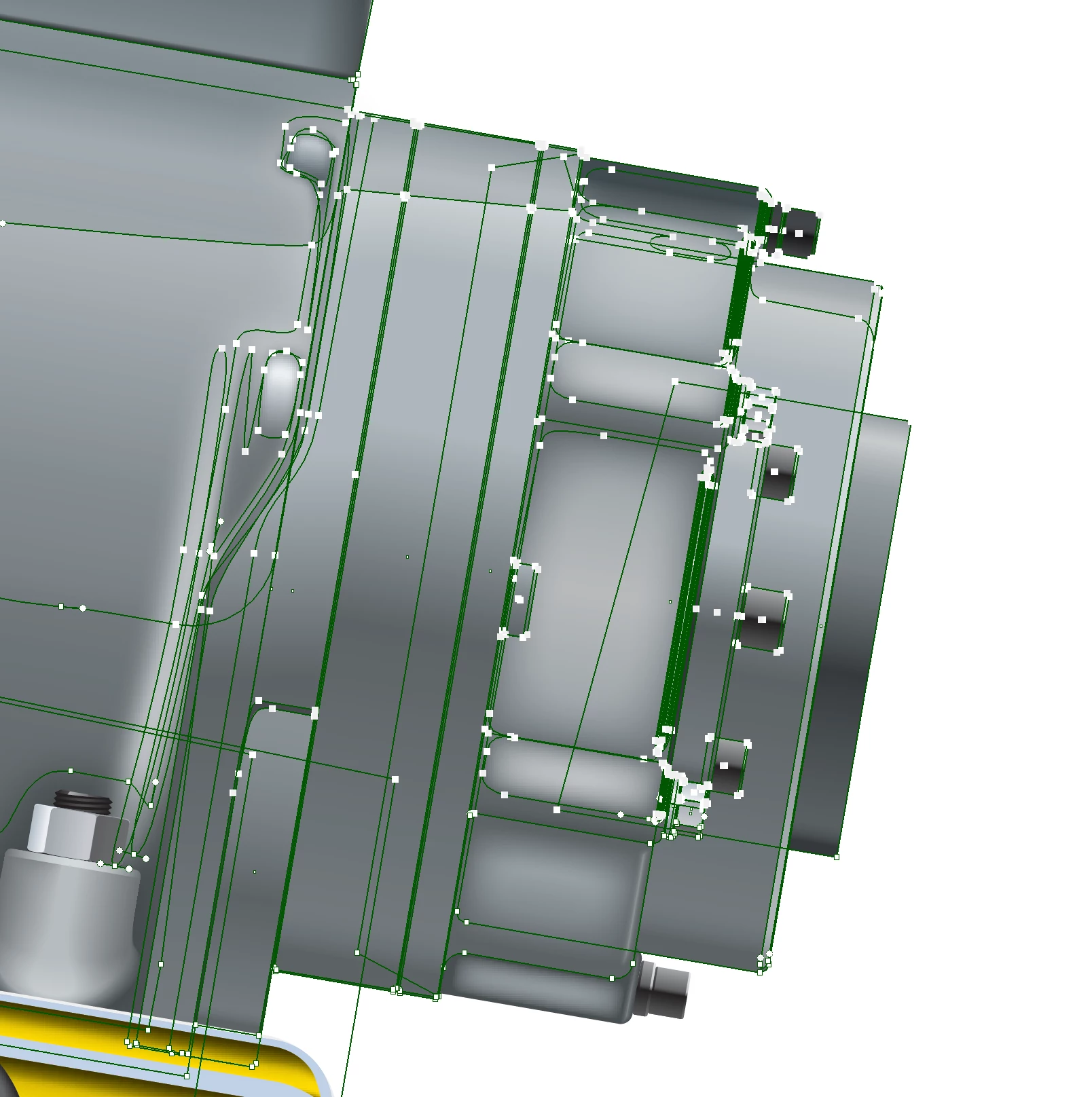
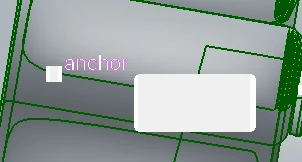
Picture of piece zoomed in 600%. Notice selected items selection color has turned white when it should be green or magenta
 

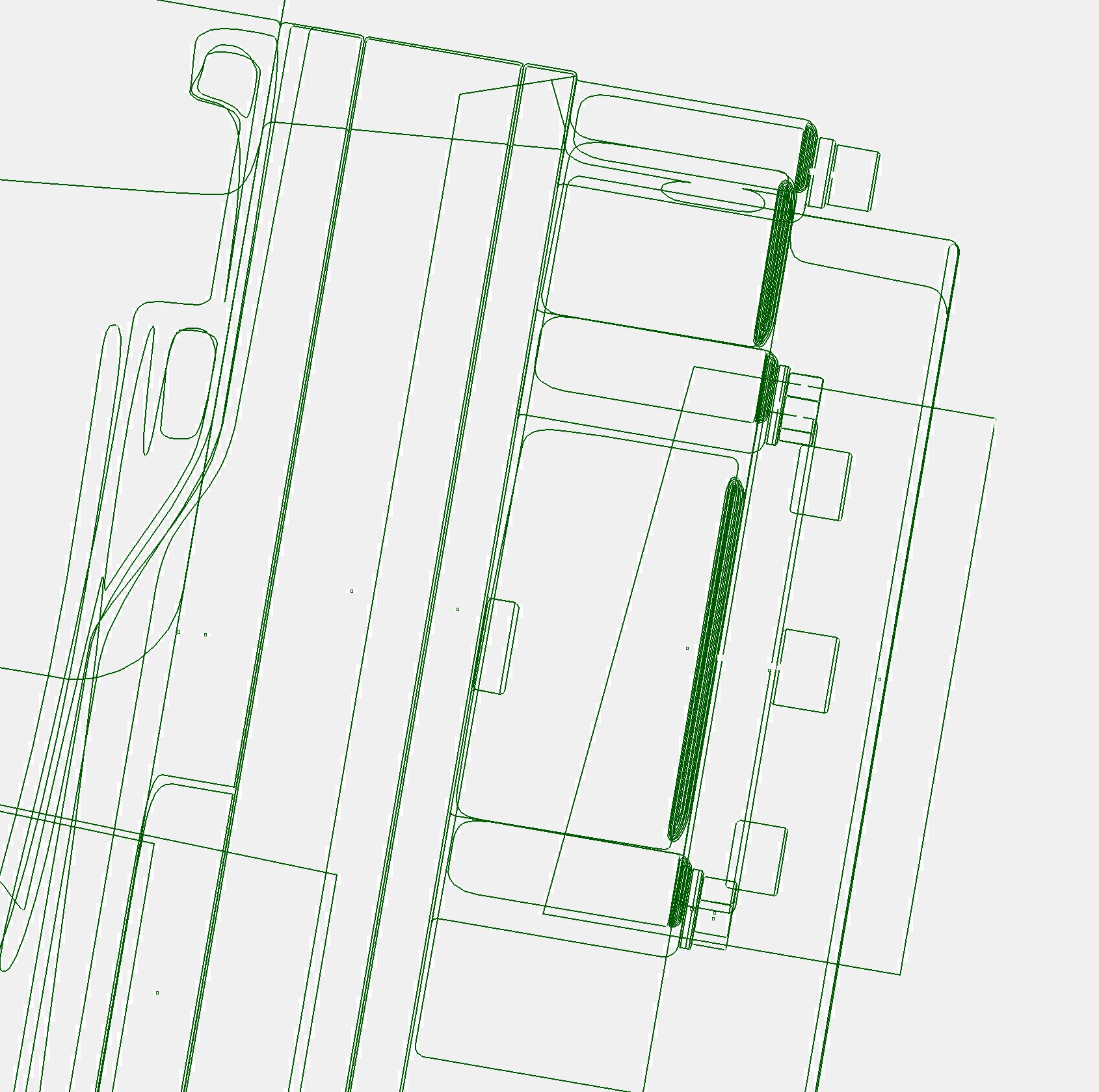
Now zoomed in 800%. Note image dissapears as well as strange low resolution white lines under green selection lines: 
 

This topic has been closed for replies.

2 replies

ABG-ennisAuthor
Participating Frequently
February 8, 2022

Just checking back in. Problems are still not solved.

Anshul_Saini
Community Manager
Community Manager
February 8, 2022

Hi @ABG-ennis,


Sorry for the delayed response. I am checking this with the product team. Please allow me some time to check with them. I will get back to you once I get a response from them. We appreciate your patience & time.


Regards,

Anshul Saini 

ABG-ennisAuthor
Participating Frequently
February 28, 2022

Following up with more info. Since last we talked, I've done a clean instal of my OS. Completely wiped my hard drive and reinstalled all software. The problems are still there. I've also tested the same issues in Illustrator on my PC at home. It has a bit stronger graphics card as well as twice the ram and a better processor. The problems still happen. Also wanted to ad that my preferences are set pretty basic and the only piece of software that interacts with illustrator is Extensus Suitcase Fusion. It is my font management software and has a font activation pluggin. 

Anshul_Saini
Community Manager
Community Manager
January 31, 2022

Hi there,


We are sorry for the trouble. I would request you to please share a few more details like:

  • Is this happening in some specific files or all?
  • Would it be possible for you to share a sample document with us? You can upload it to the Creative Cloud (https://helpx.adobe.com/in/creative-cloud/help/share.html) and share the download link.
  • Are there any recent changes made to your system? For example, any antivirus, system updates, plugins, or web extensions installed recently.
  • Screenshot of “About This Mac.” (both Overview and Displays tab)
  • Are you using an external monitor(s)? If yes, with which port and cable combination it is connected.
  • What is the screen resolution of your display(s)?


Also, if possible, please share a small video demonstrating the issue. I will forward it to the product team.


I will be looking forward to your response.


Thanks & Regards,

Anshul Saini

ABG-ennisAuthor
Participating Frequently
February 1, 2022

• This is happening in all files.

•. Here is a sample document: https://ennis.sharefile.com/d-seeea213cbeba4b928e0a38b5bea783a7

• The issue with CPU preview started when I updated to Illustrator 26.0.3. Previous to that I could not use GPU preview because blends used as dropshadows would not show up properly and objects would not line up properly. I've noticed that the blends issue has been resolved with the lates update but the issue with objects not lining up is still present. I use Extensus Suitcase for font management and they have a auto activation pluggin that is updated when Adobe does major updates. I turned off the plugin and the issues still remain. There are no other updates,plugins or extensions.

• Overview and Display screen shots:

• No external monitors

• Screen resolution 5120 x 2880

• Unfortunately my work environment is noisy so I can't make a video. I'll attache more screen shots if that helps.


-Here is a screen shot showing how items, when selected, have a white color overleying the selection color. The corner nodes should not be white. "Anchor" text should be magenta color. The information popout next to "anchor" has the copy changed to white instead of black which makes it disappear. 


- Here is a screenshot that shows how the objects disappear when you zoom in. Theres also white low resolution lines underneath the blue selection lines:


- Here is a screenshot of objects not lining up when using GPU preview. In this example, I made a star. Then I made a random organic shape and placed it on top of the star. I then copied the organic shape and pasted it directly underneath the existing organic shape. I then took the bottom organic shap and cut it out of the star. This screenshot shows the organic shape and star don't line up when they should. If I go to CPU preview the objects line up properly. This issue becomes more noticable as you zoom in.

ABG-ennisAuthor
Participating Frequently
February 4, 2022

Are your pathfinder options (found in the flyout menu) set to the defaults? Do you have any 3rd party plugins that affect the OS or Illustrator?


The Pathfinder settings were helpful. The default is set to .0283. I set it to .001 and now the CPU preview is working properly. However the GPU is still having the issue. See pictures below:


The only third party plug in I'm using is the Extensis Suitcase font activation plugin. However, this issue still happens when the plugin is deactivated.