Inspiring
May 12, 2022
Answered

Illustrator 26.2.1 Windows 10 Slow Performance

  • May 12, 2022
  • 3 replies
  • 2790 views

I attached a video, check it and provide a suggestion to fix it if possible. The color is supposed to change instantly but it is lagging a lot.

.

My config is-

CPU: AMD Ryzen 7 3700X

RAM : Corsair Vengence 16 GB 3200 MHz x 2 = 32 GB

GPU : Zotac GeForce GTX 1660Ti (Non-AMP)

HDD : Seagate Barracuda 4 TB

SSD : Gigabyte M.2 256 GB

OS: Win 10 Pro 64-bit


[Renamed by Mod]

This topic has been closed for replies.
Correct answer Shay5EC7

@Anubhav M  I cleaned all apps, and deleted all the folders as you asked but still the same problem. I have a hunch but not sure if that is causing the issue or not. I'll be talking to Asus and updating to the latest BIOS. This is part of leaving no stone unturned, let's see what happens. I'll post an update.
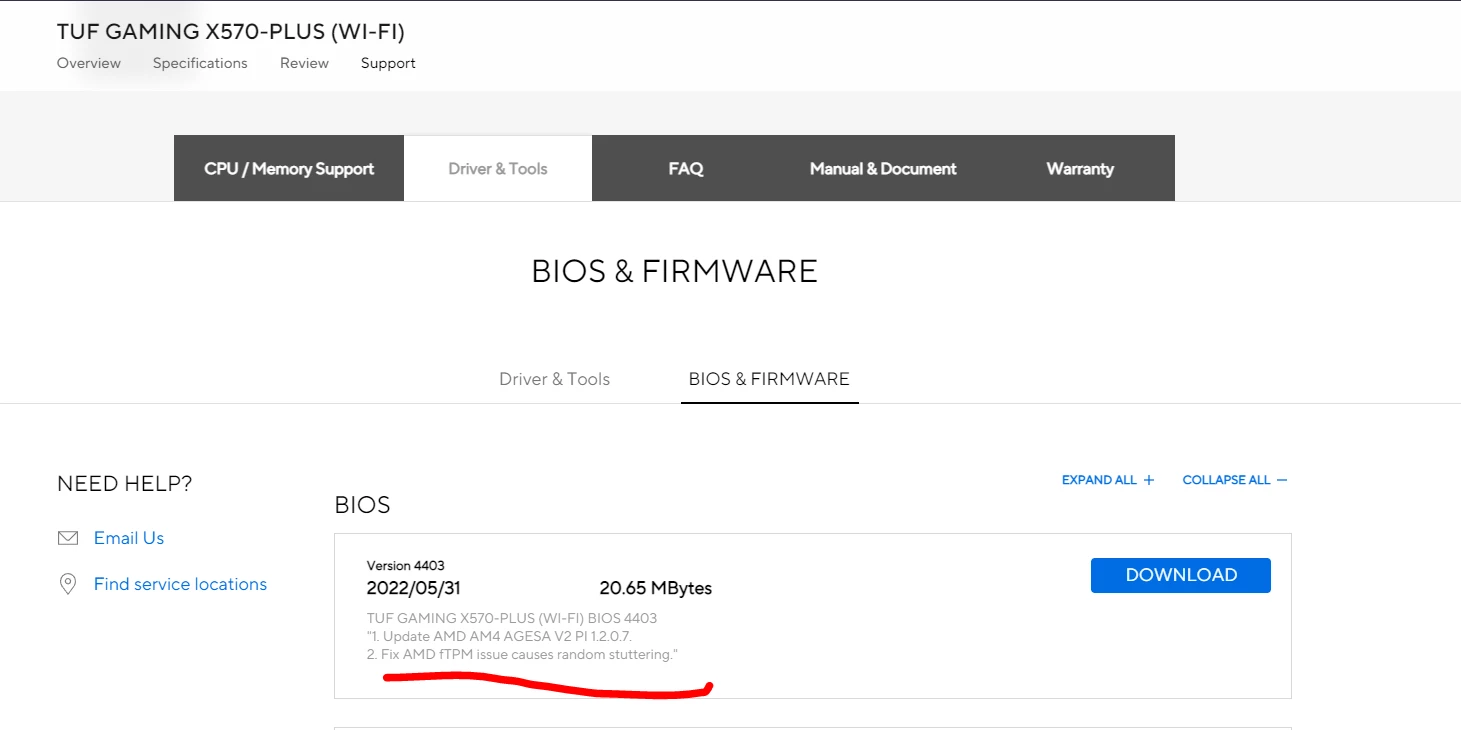
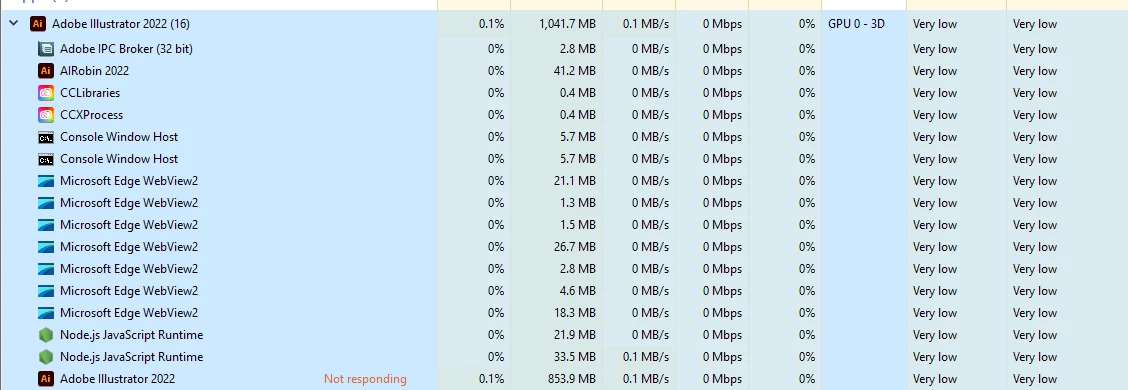


So, I updated my BIOS. I don't wanna rush to a conclusion, but after the update, things have improved by a large margin but the lag still remains not as bad as it used to be. When I experienced the lag again, this time, 1/10 clicks, I decided to go to the task manager and see if anything unusual going on and I found one task named Adobe Illustrator in "Not Responding". Could that be the issue? Before if I clicked to change color, 5/10 times it would lag, now it lags 1/10 times. This is tested immediately after updating to the latest BIOS as I am writing this reply so still not 100% sure if ftpm was causing the lag or not. @Anubhav M 

3 replies

Anshul_Saini
Community Manager
Community Manager
May 24, 2022

Hi @Shay5EC7,


Sorry to hear about your experience. I would recommend you update Ai to the v26.3.1 released recently. Also, please update GPU drivers for your graphics card released yesterday.

Nvidia Studio Driver

Game Ready Driver 


Let us know if that helps!


Regards,

Anshul Saini

Shay5EC7Author
Inspiring
May 26, 2022

@Anshul_Saini  Hi, thanks for replying. I updated my gpu driver like you said, earlier, I was using 512.77 and now currently using 512.95. I wanna inform you just in case that, I use NvidiaCleanstall to install drivers to leave out the things that I don't need. I am attaching a video to show you how I install drivers and what parts I leave out if that helps with the diagnosis. I am also using the latest version of AI as you said. Since the problem occurred on every version I tried so far so I think there is a problem on my end but I can't seem to figure out what is causing this issue.

Shay5EC7Author
Inspiring
May 28, 2022

Hello @Shay5EC7,


Sorry to hear that. Kindly check if it is acting this way under a different admin account and check if it helps.

Also, try resetting Illustrator's preferences by following the steps shared in this article (https://helpx.adobe.com/illustrator/using/setting-preferences.html) and sharing your observations.
Disclaimer: Please note that resetting preferences will remove all custom settings, and Illustrator will launch with the defaults. You may take a backup of these settings from the location mentioned in the article.


Looking forward to your response.


Thanks,

Anubhav


@Anubhav M  I changed into the Administrator account by unlocking it. To my surprise, the lag was reduced by a large margin. If the lag was 100% before then, to the new account, the lag is now about 10%. If I change the color 20 times, it lagged about 3 times, whereas it used to be about 7-8 times on average. However, although this change of account has addressed the problem a bit, I cannot use it as a permanent solution though. Creating another user account and settings things like my main account will be a hassle. Since none of my friends have gone through this, there must be a permanent solution. This problem is likely caused not by adobe but by windows, and it is probably clashing with Illustrator (my assumption). Is there any way to figure out what is causing it and how to fix it?

Shay5EC7Author
Inspiring
May 20, 2022

EDIT: I tried some previous versions 2019-21, all had the same problem on my end. Some of my friends run 2019 and 2020, but none faced this issue as far as I know. My video drivers are up to date. Can't seem to figure out what might be causing this.

barbara_a7746676
Community Expert
Community Expert
May 12, 2022

I can't duplicate the issue.

Could be an issue with the mouse?

Shay5EC7Author
Inspiring
May 12, 2022

nope, the mouse is fine, I tried on my friend's computer via teamviewer which runs CC 2020, no issues there.