
fj400
Participant
January 23, 2024
Question

Illustrator 27.1 to 28.1 New Document window display error

  • January 23, 2024
  • 1 reply
  • 454 views

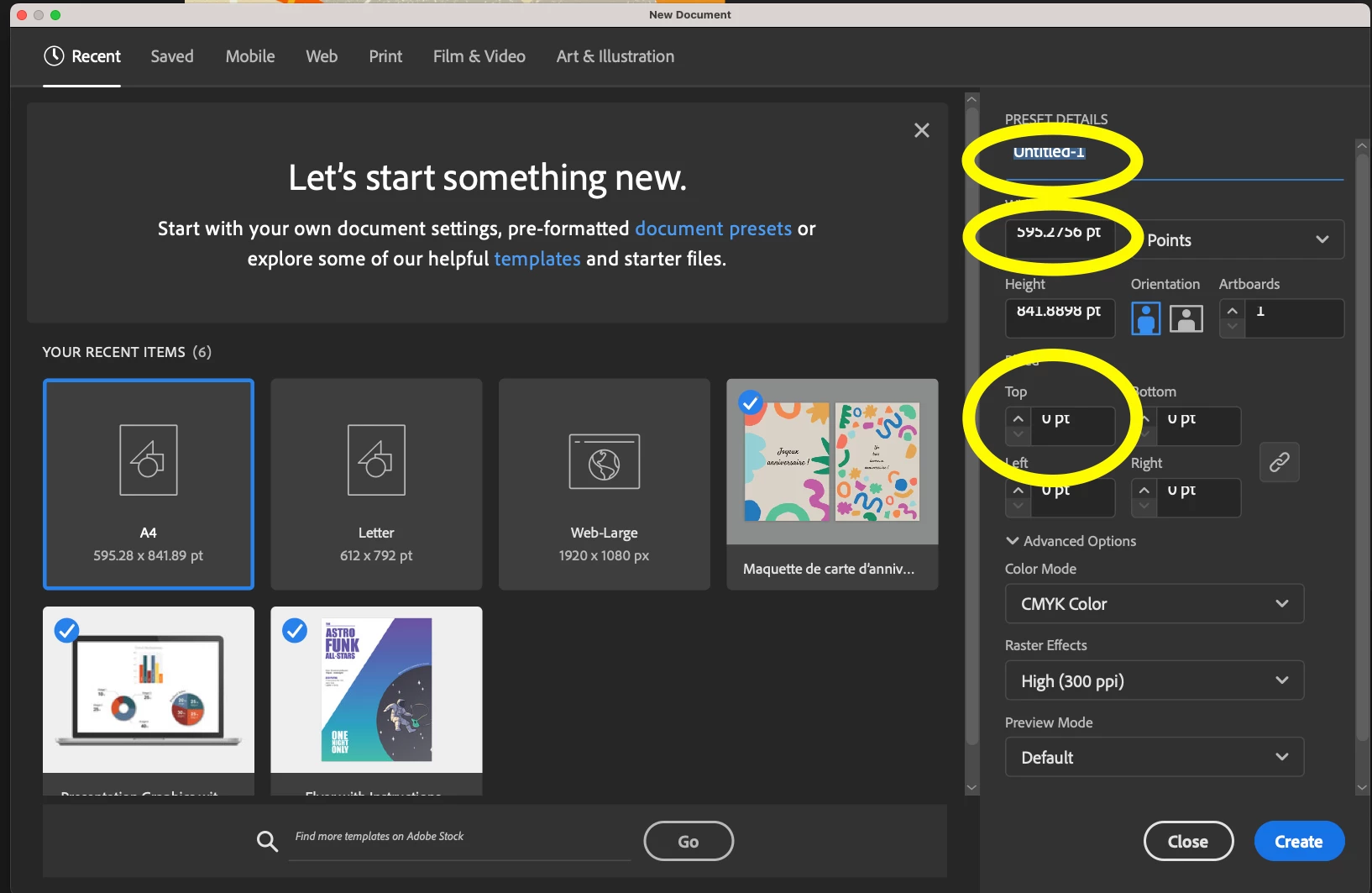
Recently, I have an Illustrator update to v 28.1. The new document window displays an error when I create a new file. The text boxes only show half of the text, as the screenshot shows. I thought it was the update error, and I tried to install older versions, 27.9 and 27.1, but I still got the same issue.
 

This topic has been closed for replies.

1 reply

Monika Gause
Community Expert
Community Expert
January 23, 2024

Did you set up your monitor with enlargement options? 

In the system settings.

fj400
fj400Author
Participant
January 27, 2024

Hi,

I tried to change the resolution of the display. Only the 1920x1080 can show the text fully. 2560x1440 and 3840x2160 will cut off the text.


Anubhav M
Community Manager
Community Manager
February 16, 2024

The OS version that I am using now is 13.4.1. I am unsure if anyone has the same issue when using this version.

Feel free to share it if you are facing the same issue.


Hello @fj400,

Thanks for sharing the details. Would you mind trying the following steps to check if they help:
- Close all Adobe applications.
- Rename the UXP folder to UXP.old from the following locations:
(Windows) Navigate to C:\Program Files\Common Files\Adobe\UXP
(macOS) Navigate to Macintosh HD/Library/Application Support/Adobe/UXP

- Relaunch Illustrator

Also, create a new admin account on your computer (https://adobe.ly/3T0kHxp), try launching Illustrator under that account, and share your observations.

Looking forward to hearing from you.


Thanks,

Anubhav