
Participant
March 6, 2023
Answered

Illustrator 27.3.1 no longer gives toggle to save to computer you can only save to cloud

  • March 6, 2023
  • 3 replies
  • 1216 views

I need to be able to save to my computer NOT to the cloud. How do I get my files to save to comptuer if when going to the Preferences the toggle to say save to computer is no longer available?
This topic has been closed for replies.
Correct answer Mike_Gondek10189183

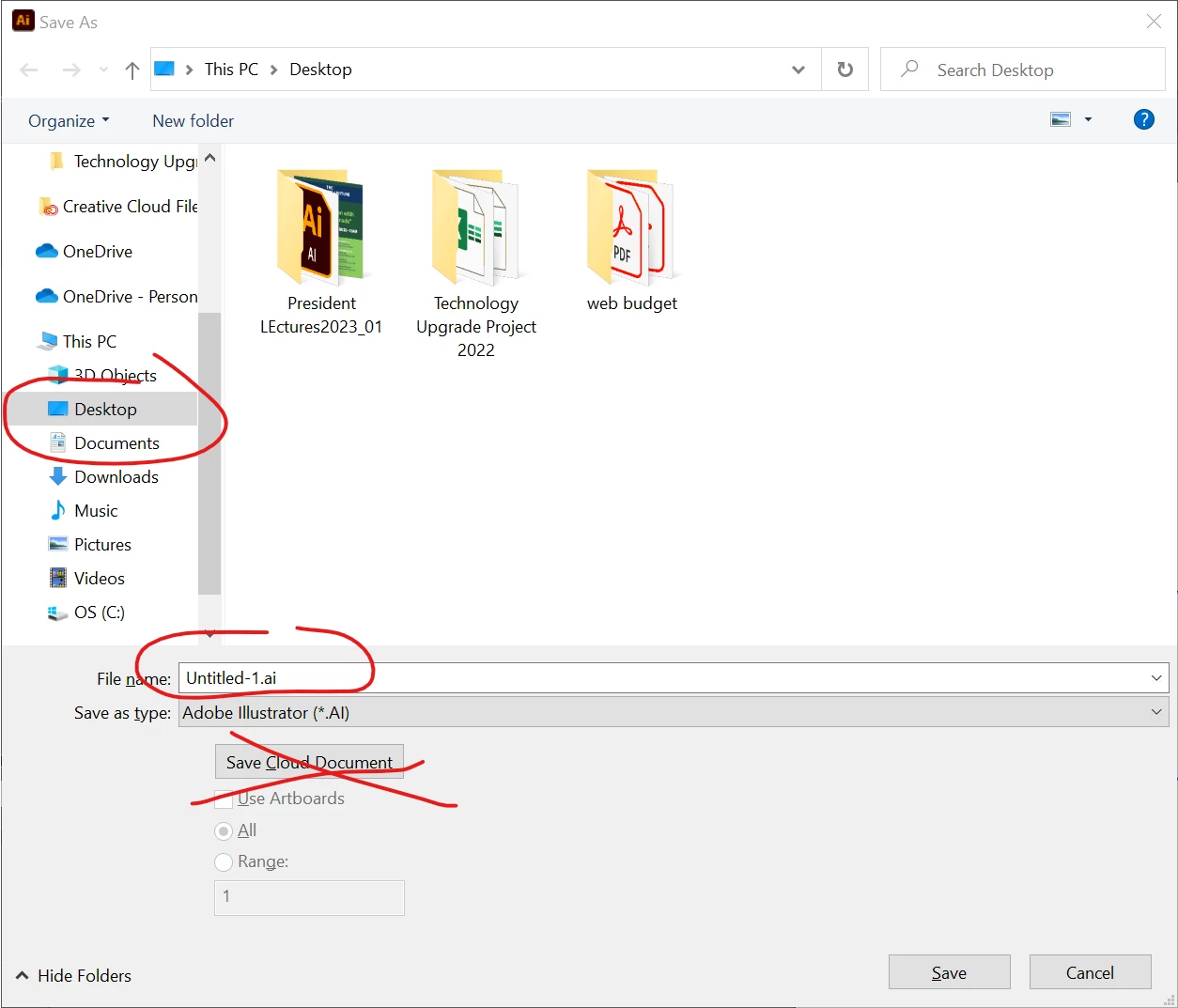
I just updated to 27.3.1 on win 10 and am not finding that. Would be disappointing if that was true. What OS? Below is what my options look like.


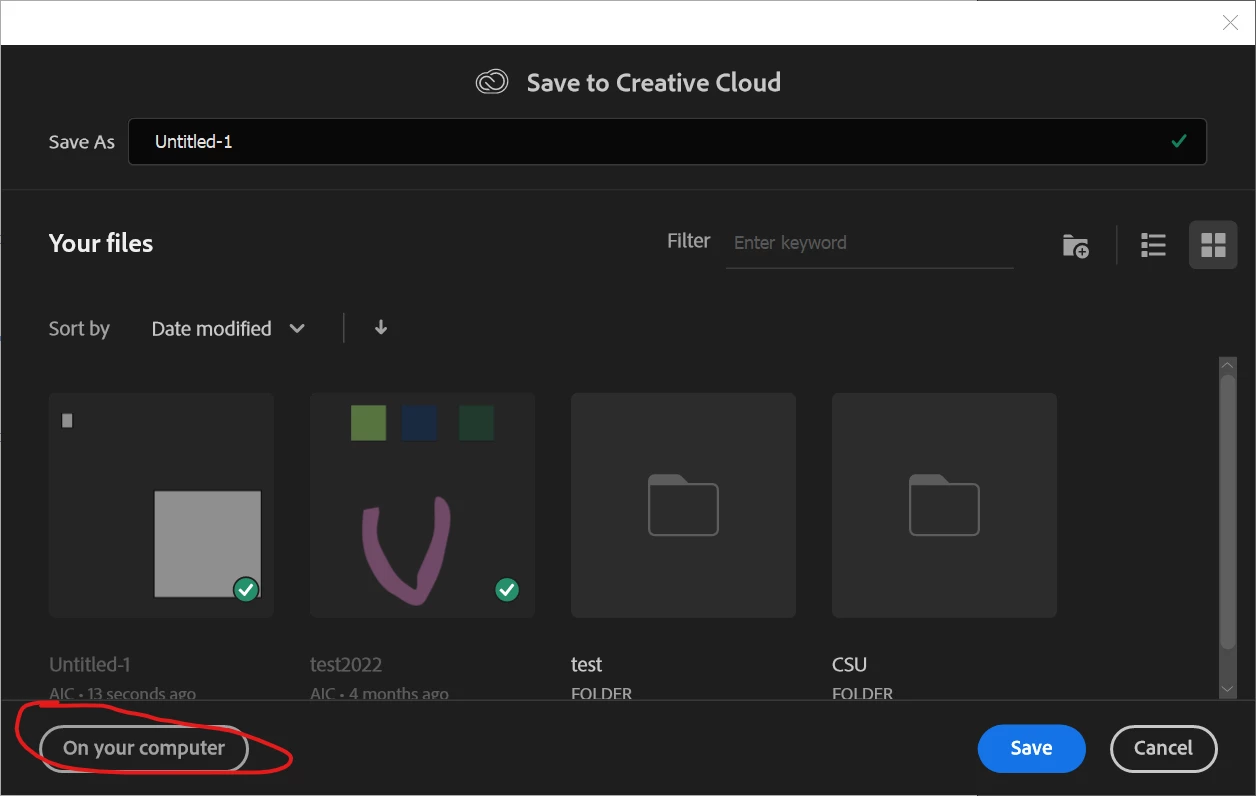
If you made amistake and clicked on save to cloud, you can do a save as and click this to save back to your computer.


3 replies

Participant
March 8, 2023

Same problem here, and my recents only come up as the few cloud assets I have and not my comp ones. Very disappointing. 

Mike_Gondek10189183
Community Expert
Mike_Gondek10189183Community ExpertCorrect answer
Community Expert
March 6, 2023

I just updated to 27.3.1 on win 10 and am not finding that. Would be disappointing if that was true. What OS? Below is what my options look like.


If you made amistake and clicked on save to cloud, you can do a save as and click this to save back to your computer.


Participant
March 6, 2023

Just an fyi to anyone else that no longer can go to their preferences/file handling and set Illustrtor to save to computer and not to cloud after they upgraded to Illustrator 27.3.1. If when you are wanting to save file, go to save as and when window opens at the bottom next to where it says Format: Adobe Illustrator there is another button that says Save Cloud Document, click on that and it will open a window that will give you the option at bottom left to save to your computer. This should help until Adobe gives us back the option to set preference to save to computer.