spirospol
Participant
February 27, 2025
Answered

Illustrator 3D Inflate bug

  • February 27, 2025
  • 1 reply
  • 491 views

Hi all

Today I am having trouble with Illustrator 3D. When in Inflate mode, Illustrator won't let me change Y and Z axis in Custom Rotation. It will chane along these axes if I choose Isometric left, right etc. It worked fine yesterday. Anyone else having the same issue? Could this be a RAM issue maybe (although I don't have any message popping up)?
 

Correct answer Monika Gause

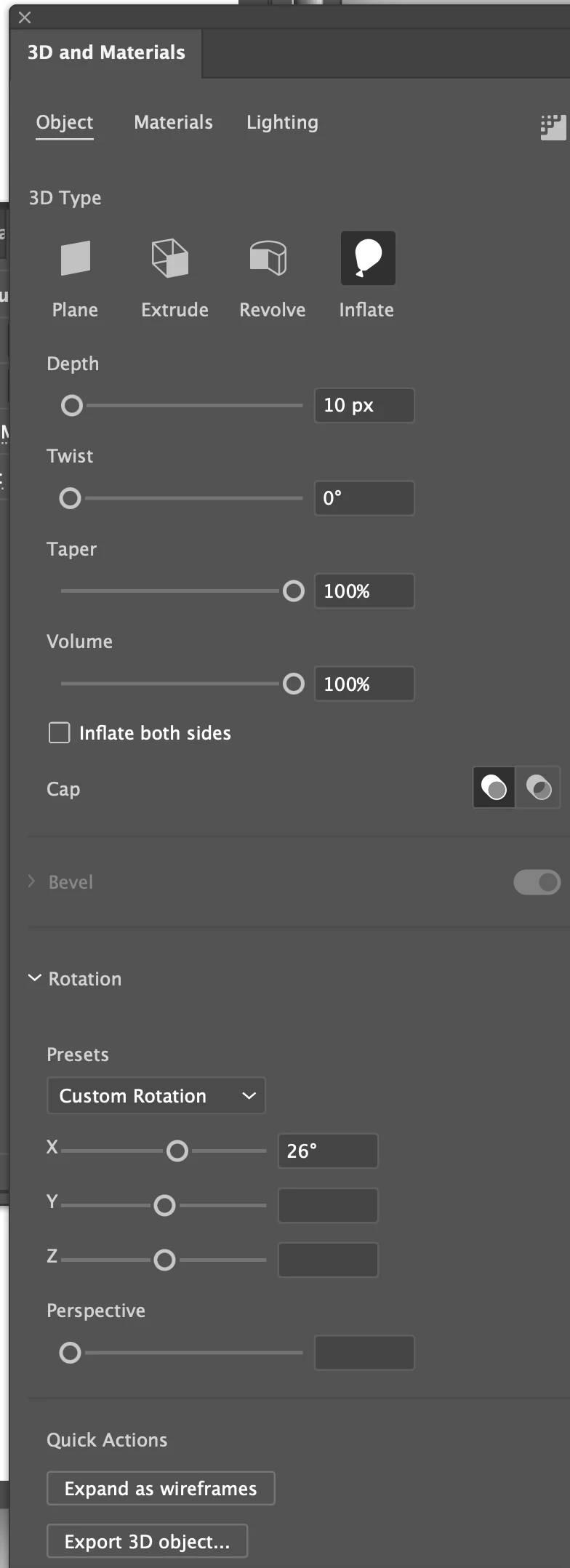
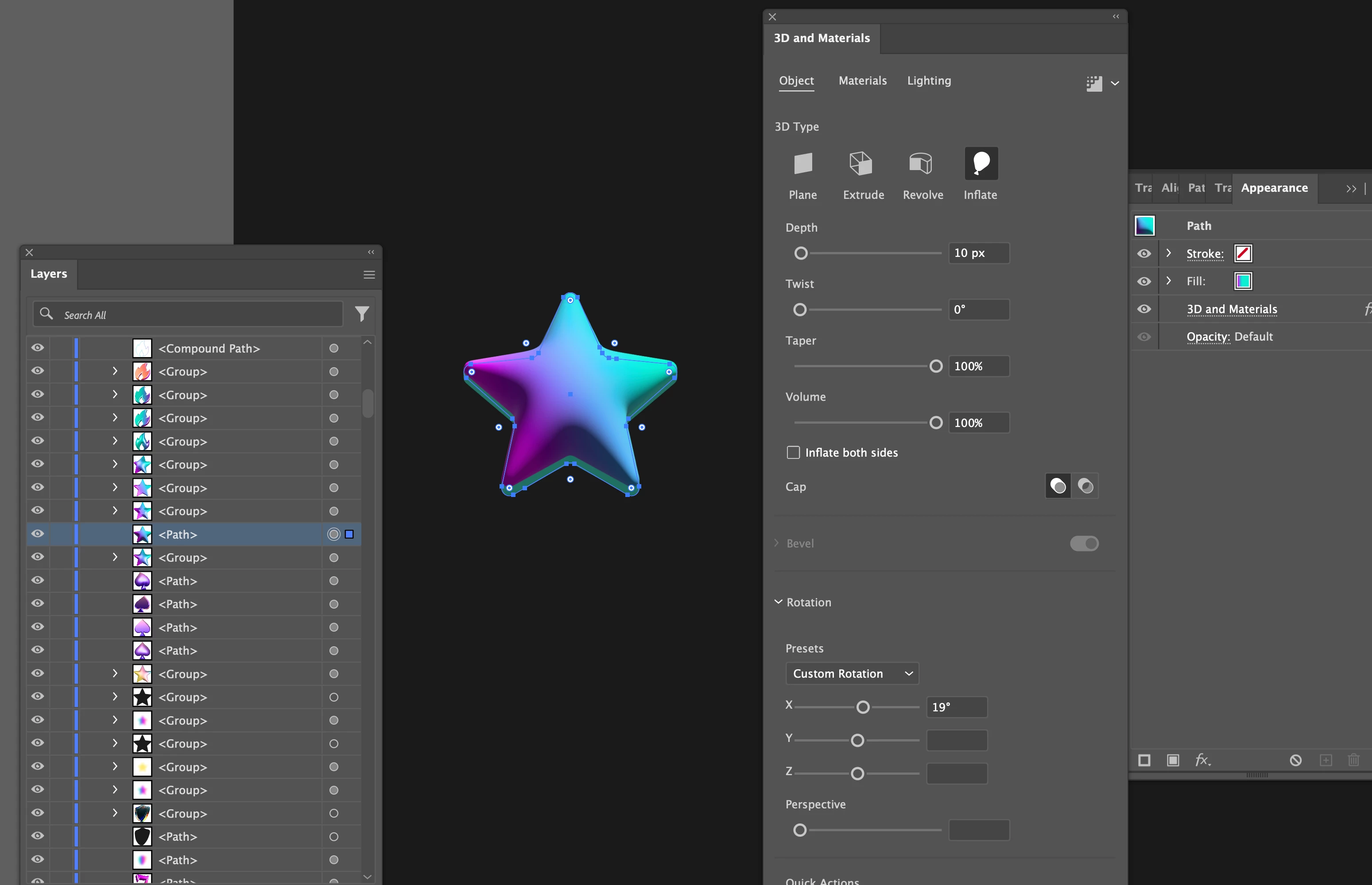
Here it is. As you can see in screenshot 1, the Y and Z axes tab is empty. I can't move them nor enter a number. But as you see in screenshot 2, it gets rotated when I enter Isometric top in Presets. But numbers still don't appear.


I see. I've just been able to recreate the issue. What you can try is click on one of the other buttons (extrude, rotate ...) and then back to inflate. 


1 reply

Monika Gause
Community Expert
Community Expert
February 27, 2025

Is it one object (or one group)? Or is it multiple objects?

spirospol
spirospolAuthor
Participant
February 27, 2025

It's one object. Actually, it's with every object I try to work in Inflate mode.

Monika Gause
Community Expert
Community Expert
February 27, 2025

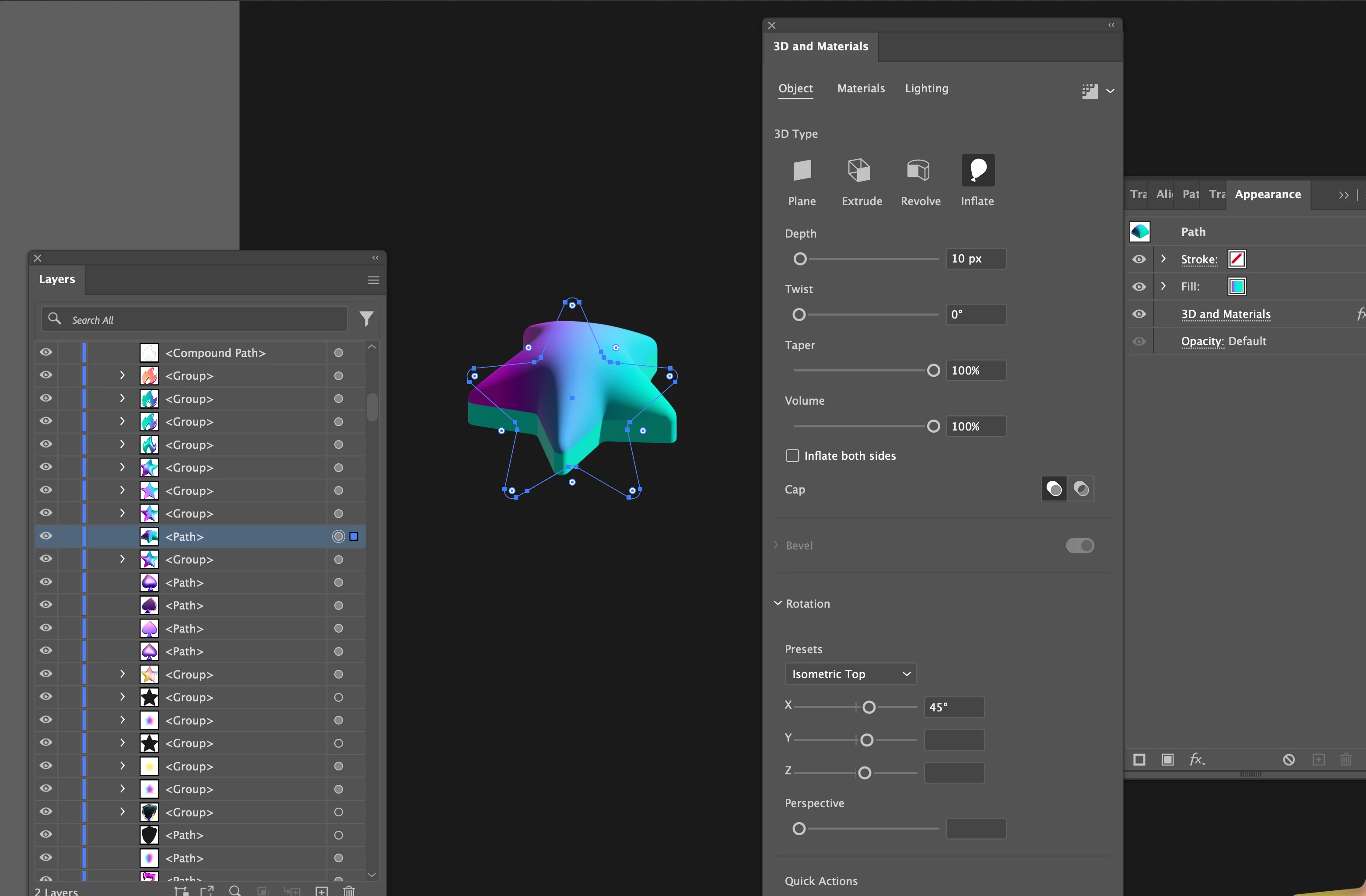
Please show a screenshot that includes the selected object, the layers panel (layer open) and the Appearance panel (Window > Appearance)