Answered
Illustrator 3d Render artifacts
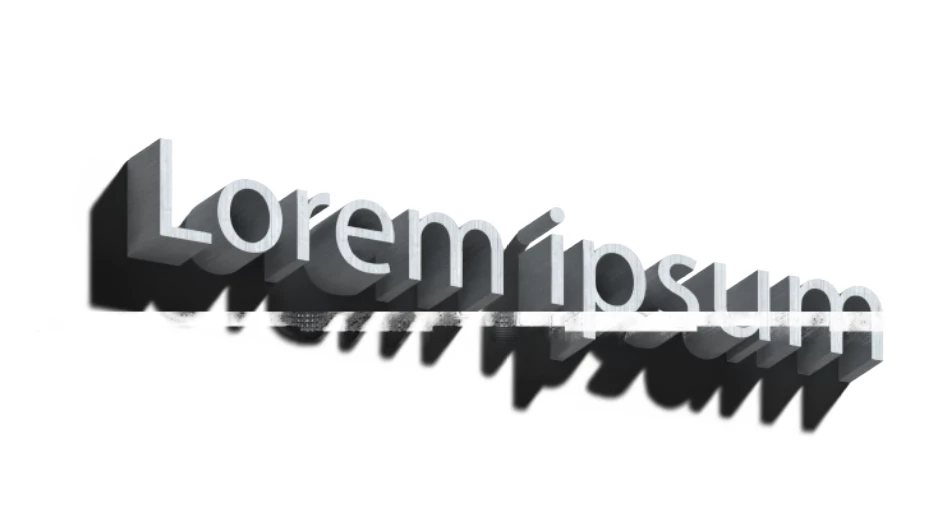
I dont know whats happening here, when I try to render anything, these lines/artifcats show up, they appear when I export the image aswell. Does someone have any idea what might be causing this issue?

I dont know whats happening here, when I try to render anything, these lines/artifcats show up, they appear when I export the image aswell. Does someone have any idea what might be causing this issue?
Yes, I already cleared my preferences a few times since this started happening. And Yes, I did update my GPU drivers recently aswell. I use Adobe Dimension too, and it works perfectly fine, no artifacts, no visual bugs, nothing... Seems like a Illustrator specific issue.
Hello, I ran into the same problem, and it turned out that it was related to nvidia drivers, these artifacts began to appear after updating the driver from version 512.95 to the next version. Artifacts appear when the noise reduction function is enabled. But if you install the driver version 512.95, then no artifacts will appear.
Already have an account? Login
Enter your E-mail address. We'll send you an e-mail with instructions to reset your password.
 AdChoices