angelag34736355
Participant
October 26, 2020
Answered

Illustrator Action, move, copy and paste not working correctly

  • October 26, 2020
  • 2 replies
  • 5537 views

Hello, I am attempting to create what I had thought was an easy action for some graphic design work im doing on the side (It is my first time with actions). Basically take logos and have them placed in a template of of 5 by 7 spheres. So I created a new action, copied the logo 5 times and placed them in their correct spot. Then I copied the row of 5 and made 7 copies of that row, then placed them in there correct spot. and hit stop. Basically just alot of moving, copy and pasting. However when I bring in another logo and attempt to use the action to place the new logos down using the action it doesnt move them or copy them correctly at all, I have no idea why it would do this, as there appears to be no obvious pattern of its moving and pasting??

I have attached an image of the result if anyone has any idea why this is happening it would be extremely appreciated!
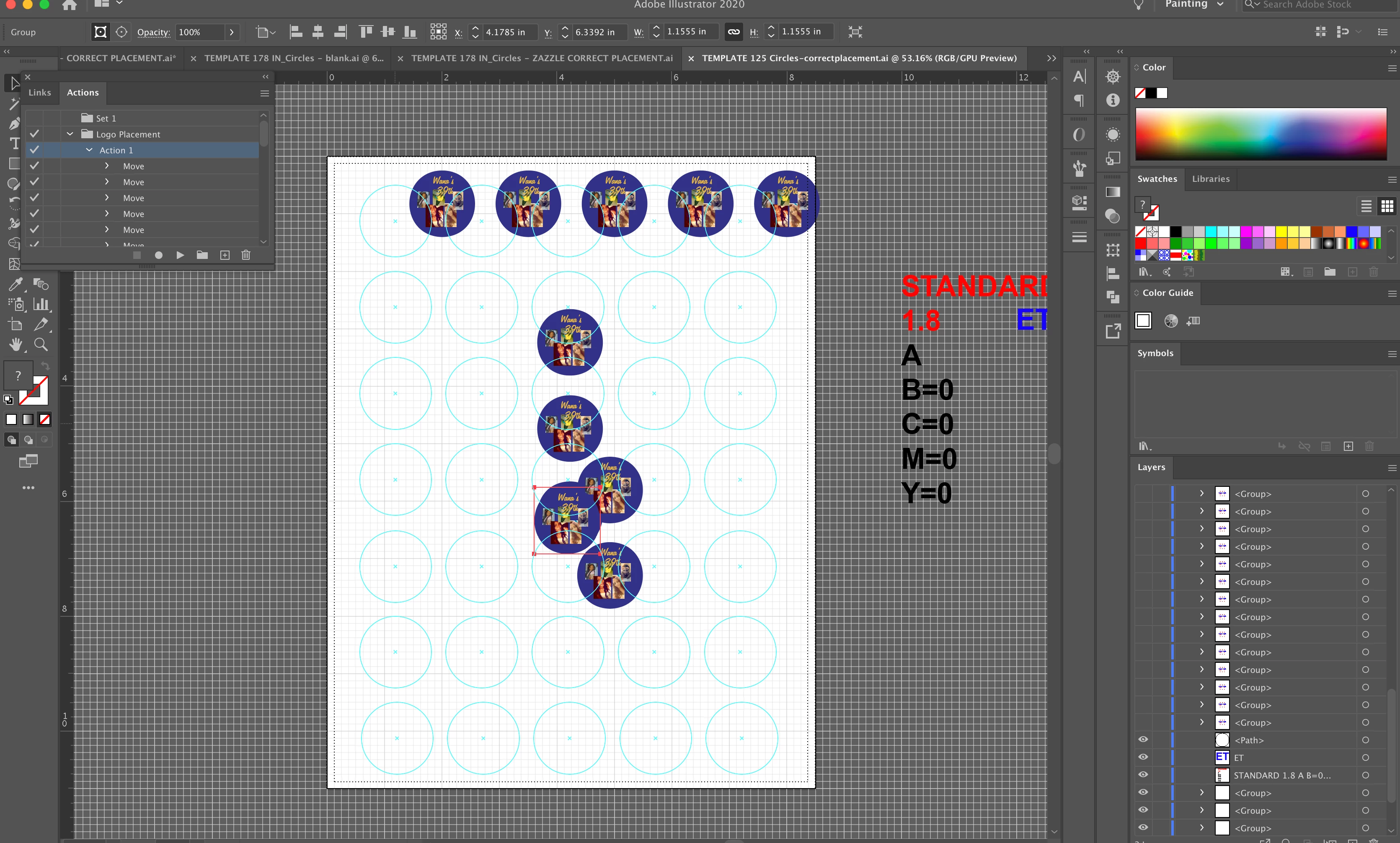


[ attachment inserted as inline image by moderator ]
This topic has been closed for replies.
Correct answer Ton Frederiks

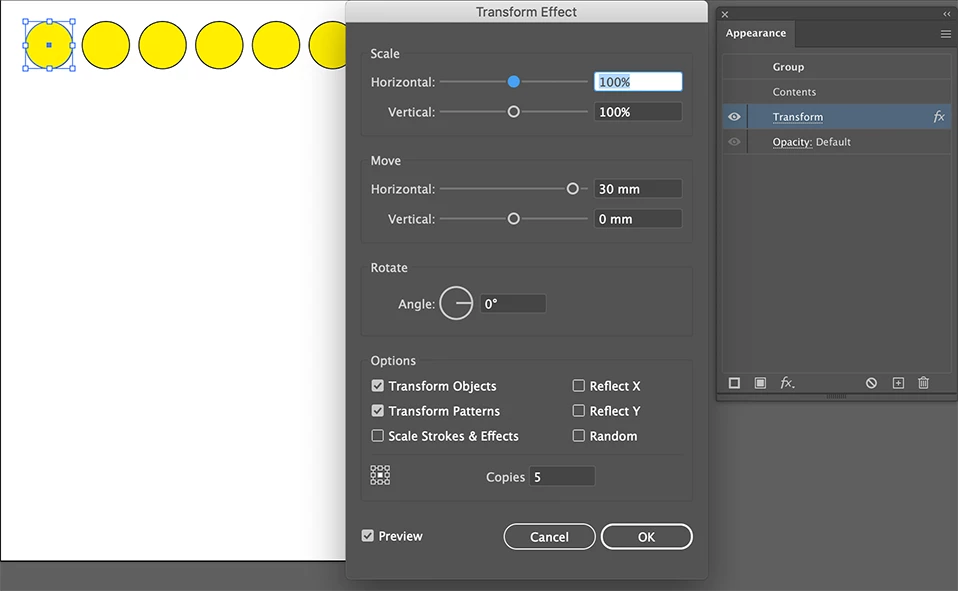
Hope this clarifies it.

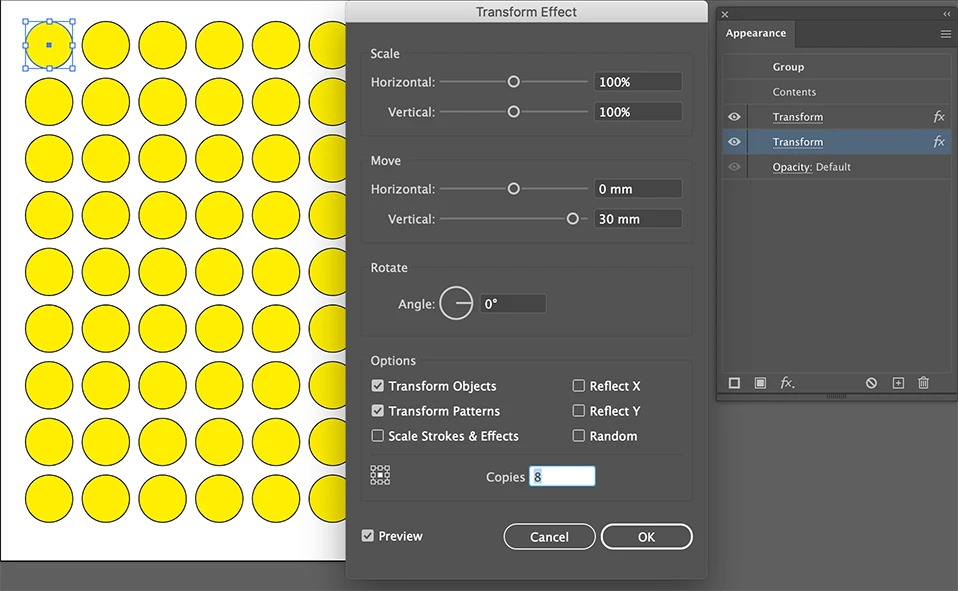
Apply the Transform effect horizontal

Apply a second Transform effect vertical

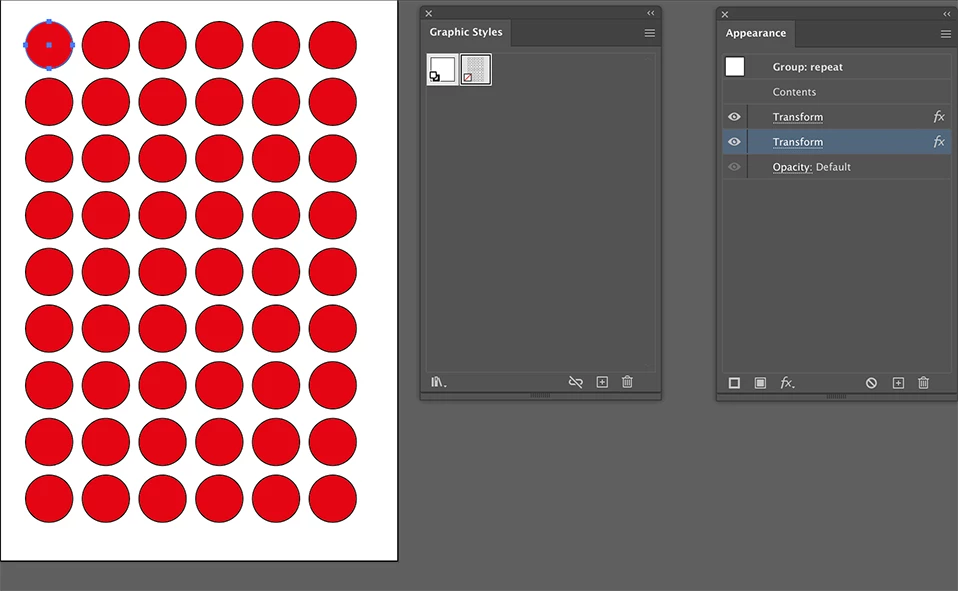
While still selected, create a Graphic Style, which can be applied to other objects.

When done, you can choose Object > Expand Appearance (if necessary)

2 replies

Ton Frederiks
Community Expert
Community Expert
October 26, 2020

Maybe I misunderstand what you are trying to accomplish, but if it is duplicating in a grid, you could try an effect in the Appearance panel: Effect > Distort & Transform > Transform

Set the number of copies horizontal.

Add another instance of the effect for the vertical copies.

Create a graphic style of the result and apply it to other groups/objects.

angelag34736355
Participant
October 26, 2020

Hello, this is for the owner of a baking company, what she wanted me to do is basically attempt to find a quicker way to place the logos within the guides rather than manually doing it. As well as she wanted an action that she could use to repeat the placement process with any of the hundreds of logos she needs to print. What do you mean by adding another "instance of the effect? As well as a creating a graphic style of the result? I am unfortunately an animator, and hardly ever use illustrator for anything.    Thank you!

Kurt Gold
Community Expert
Community Expert
October 26, 2020

Which version of Illustrator are you using?


Also, can you perhaps share the action file (.aia) and additionally an Illustrator file (.ai) that does not work as expected if you are running the action?

angelag34736355
Participant
October 26, 2020

Hello, I am using the newest update 2020 Vers 24.3, I apologize im not quite sure how to share the .aia or the .ai as it just has an insert link option?