Participant
January 23, 2021
Answered

Illustrator automatically changing RGB values

  • January 23, 2021
  • 3 replies
  • 2066 views

I´m working on a large document on AI and while I´m working on it the values ofthe RGB colors keep changing. I already had tu manually reset 45 pages of colouring. Each vector, type, etc. continue changing. It has happened 2 times already and it keeps changing the colours. 
This topic has been closed for replies.
Correct answer solfranceschin

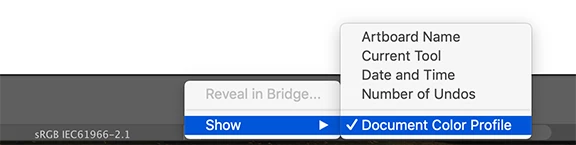
Can you check one other thing, the document color profile?


Hi Ton!

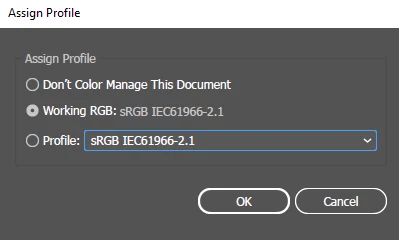
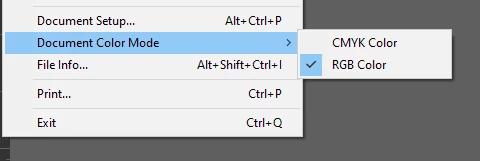
Here are the Color Profile and Color Mode. 


I´ve been working now in the 25.0 version, changed all the colour, saved, copied, saved, etc. and the colour are now stable. It seems there was some kind of bug in the last version of AI. 

I´ll keep you posted if there are any more changes!

Thank you all so much!


3 replies

Ton Frederiks
Community Expert
Community Expert
January 24, 2021

Good to hear that works now. There have been similar posts about colors changing automatically during the years, without unfortunately a clear cause (and solution).

Monika Gause
Community Expert
Community Expert
January 23, 2021

Which document color mode is it? Must be RGB.

How is color management set up?

Which version and system is it?

Participant
January 23, 2021

Thank you lambiloon and Monika for your quick response. I had the latest version 25.1, but last night after lambiloon suggestion I uninstalled it and intalled instead 25.0.


Color Mode: RGB


Color Settings: 

To the left how the colours started, to the right how they have changed:

Its a 65 page document, filled with graphs. And every time a save it, the colour values change. As it is I will have to change the entire document colours manually, I´m just hoping I can solve the issue so I just have to do it once.


Ton Frederiks
Community Expert
Community Expert
January 23, 2021

Can you check one other thing, the document color profile?

lambiloon
Community Expert
Community Expert
January 23, 2021

Hi there are some bugs in 2021 version i suggest you 2020 adobe illustrator for a stable work....regards

Ali Sajjad / Graphic Design Trainer / Freelancer / Adobe Certified Professional