
Participant
January 2, 2024
Answered

Illustrator blending mode (multiply) problem

  • January 2, 2024
  • 4 replies
  • 2969 views

HI all,


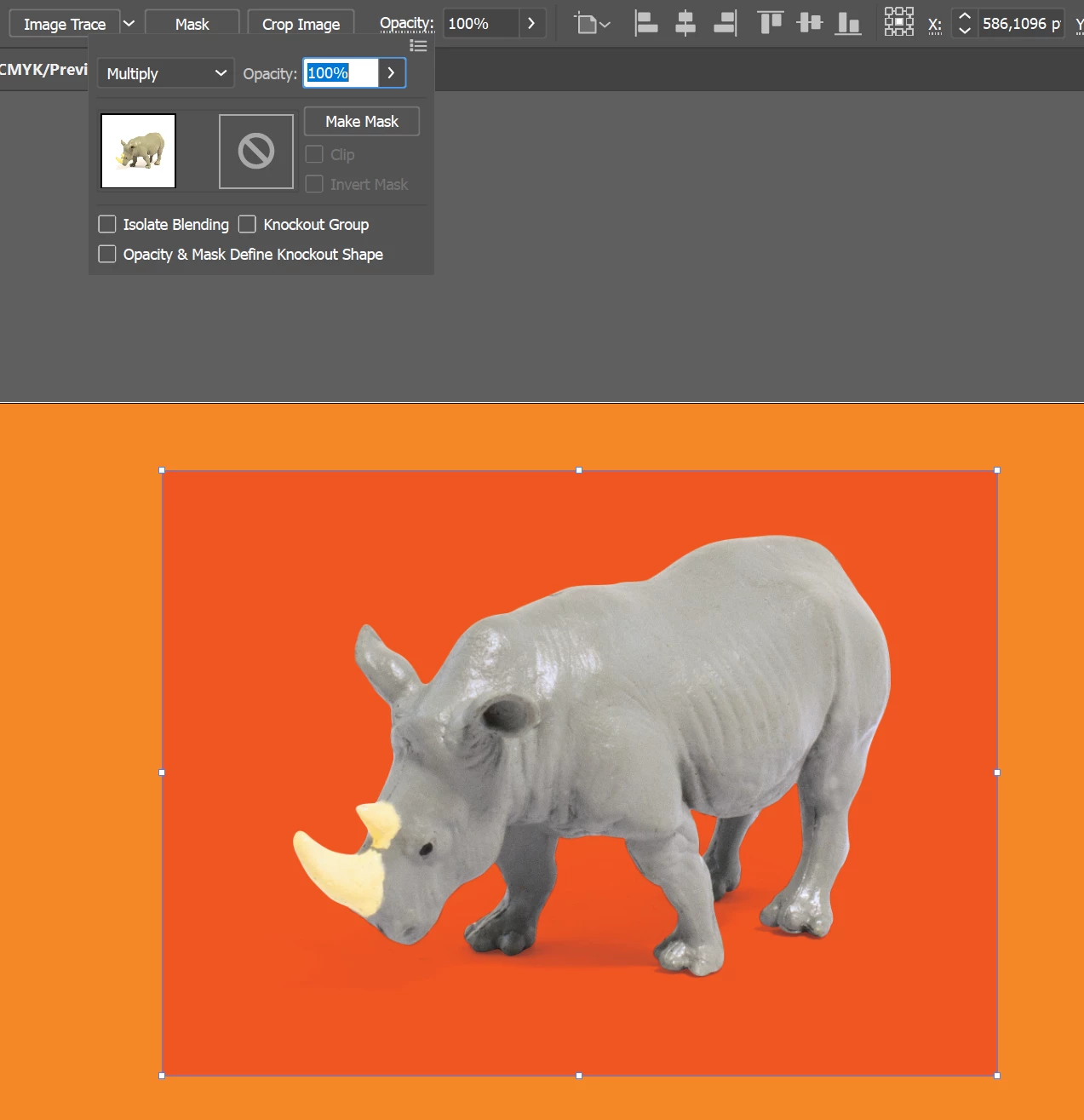
i have a problem with illustrator multiply blending mode. All of the sudden, all the images that has multiply blending mode is displayed with (in this case red) coloured background. Anyone knows why? It happened with all the files, not only new files, but even the ones that was created earlier and didn't had this problem.

Its two raster images on top of each other (first one without background, and second one with white background) to create a realistic shadow.
 

Correct answer defaultfrbv4gjl8o35

Just noticed the same issue, quite annoying because it effects some of my work in progress...

4 replies

Doug A Roberts
Community Expert
Community Expert
January 19, 2024

This should be fixed in the next release.

Participant
January 4, 2024

I'm experiencing the same thing. As a temporary fix, set your image blend mode to Normal, then collect the image in a new layer and set the LAYER to Multiply. That's worked for me.

Participating Frequently
January 5, 2024

Yep that works for me, cheers! I didn't even know that you could apply filters to layers. Not really a layers guy, to be honest 🙂

Participating Frequently
January 20, 2024

How did you do this? I am having the same trouble. I cannot see where to apply a filter to a layer though.


defaultfrbv4gjl8o35Correct answer
Participating Frequently
January 3, 2024

Just noticed the same issue, quite annoying because it effects some of my work in progress...

Inspiring
January 4, 2024

Yeah for now just go back to 2023. It works correctly on that version. 

Participating Frequently
January 5, 2024

Yeah cheers, I'll consider doing that. It's a bit tricky because I'm operating the app on a locked down work device, so our IT team have to roll back, deploy updates etc.

Monika Gause
Community Expert
Community Expert
January 2, 2024

That background is really pure white?

You embedded the image. Does the same happen when you don't?

Participant
January 2, 2024

When I unembed the image, it works fine. That would be the solution, but all the old files (sometimes when i need old files printed again, i have to send the same files as before) has this problem. And with new files that would be the problem for some of the printing houses. The main question is, why is this happening? 🙂

Monika Gause
Community Expert
Community Expert
January 2, 2024

It's a bug.

There are already bug reports about it, so we can only hope that it gets solved soon.