
Participant
May 2, 2017
Question

Illustrator [CANT] error and plugin problem

  • May 2, 2017
  • 5 replies
  • 6120 views

I can no longer run any creative cloud apps on one of our workgroup laptops running windows 10. They had been running fine, then one day Illustrator came up with a message that said it wasn't configured to run on a pc. After trying to reinstall Illustrator and no success, I used the CC Cleaner tool and then did a clean install. This is the message I get:
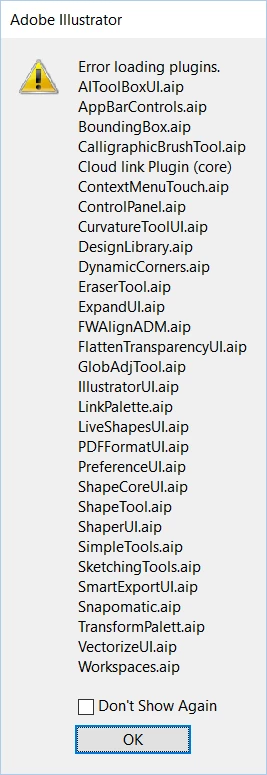
Then this one:
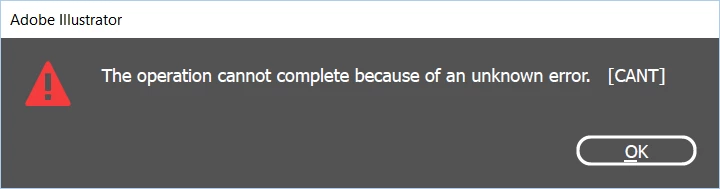
Then this one:
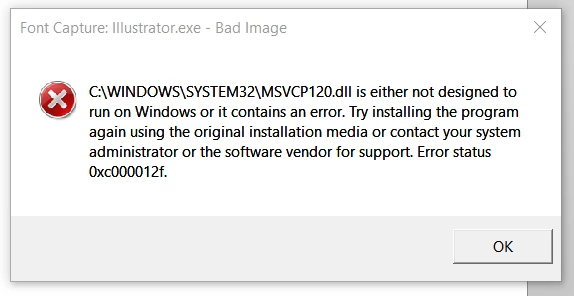
That didn't work so I repeated the cleaner tool and deleted all preferences and all Adobe app folders in each user's folder and reinstalled.

No matter what I do I get these messages when trying to run illustrator. I have an identical laptop that seems to be working fine.

Does anyone have any suggestions?

This topic has been closed for replies.

5 replies

karenk8077070
Participant
December 9, 2017

I just bought the Microsoft Surface and bought the Adobe Suite. Illustrator worked the first day but now I get the same plugin error. Photoshop works though. Haven't tried other programs. I know my Adobe programs but don't know anything about getting this fixed. I need advice too.

Raghuveer_Singh
Community Manager
Community Manager
December 10, 2017

Hi Karen & All,

Sorry to hear this.

Can you mail me at the id:

rbhunwal ATTHERATE adobe DOT com

The above id is without spaces. Please do mention the forum thread link also in that mail.

Thanks,

Raghuveer

Illustrator Team

Participant
December 3, 2017

tengo el mismo problema en mi pc de escritorio y tengo bastante informacion no quiero formatearla, ayuda por favor !!!

Participant
December 3, 2017

Participant
May 10, 2017

i have the same problem from few days ago.

pgevansAuthor
Participant
May 10, 2017

I gave up after days of no success. I reset my laptop back to factory settings and things work fine now. Not a solution, but the only thing I could think of.

Participant
May 11, 2017

Yes, Same thing I did. the error happen to me after a window update, even I uninstall the update, illustrator still not working. after few times of trying, I did reset my laptop too to get it work.

Ray Yorkshire
Participating Frequently
May 2, 2017

...Swatchlibs.aip".

if you uninstall it the swatches just won't work, as it's not in the preferences, it's pointing to the plugin folder itself.

You could try running Microsoft inbuilt System File Checker tool to make sure it is not a windows fault

https://support.microsoft.com/en-us/help/929833/use-the-system-file-checker-tool-to-repair-missing-or-corrupted-system-f…

pgevansAuthor
Participant
May 2, 2017

I couldn't uninstall swatches, so I uninstalled everything Adobe and got rid of all the preferences. When I reinstalled (after running the cleaner tool) I got the same series of errors.

I tried the file checker and got a clean bill of health.

pgevansAuthor
Participant
May 2, 2017

Just to add more info...

I can run in safe mode and I get this message:

It says to uninstall the plugin, but I can't get to preferences when running in safe mode. The only thing I can get to is that message.