


dwd0tcom
Participating Frequently
June 16, 2020
Question

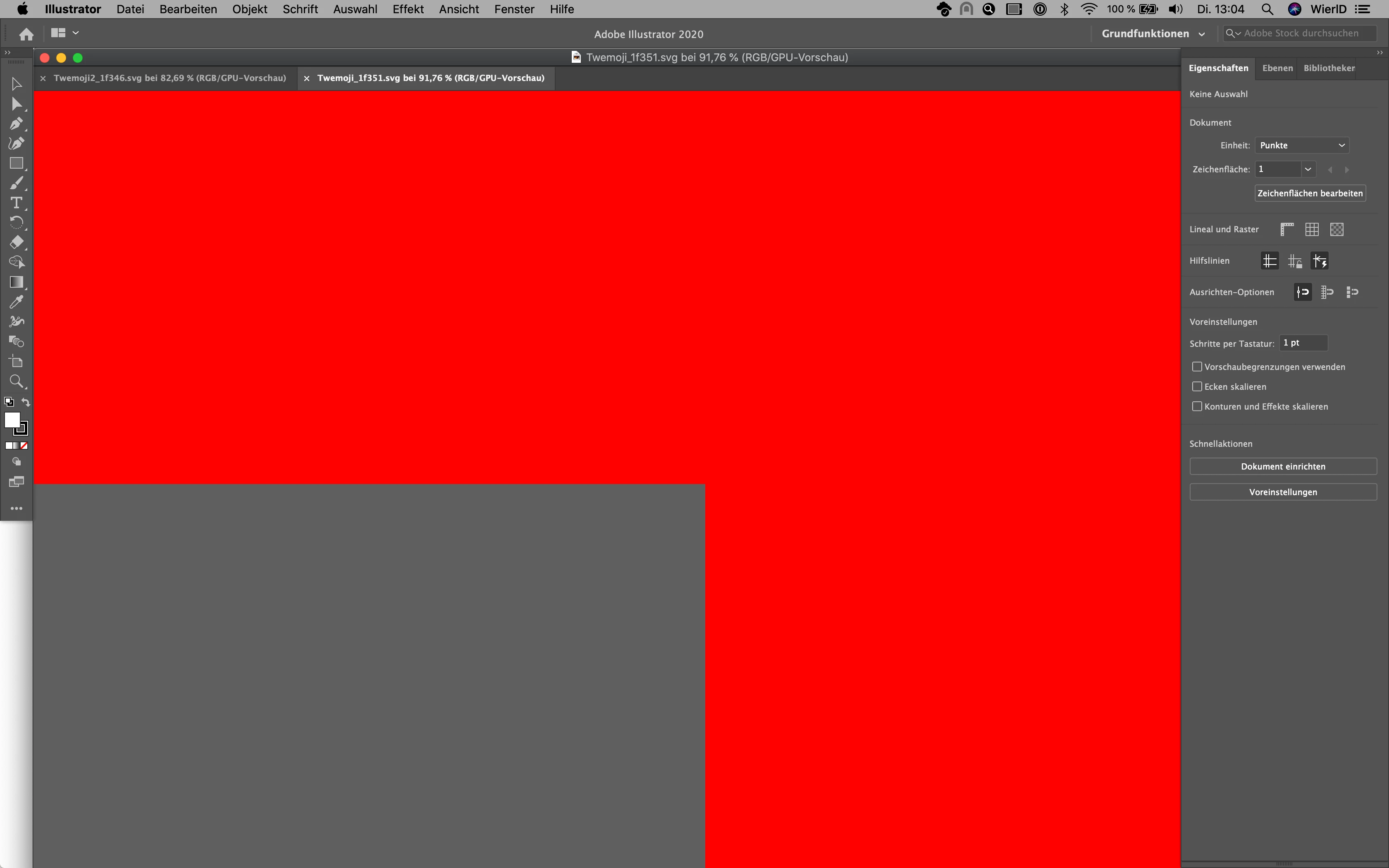
Illustrator causing red screen

  • June 16, 2020
  • 2 replies
  • 984 views

When I open some files, Illustrator gives me this weird red screen. I just chatted with the support and the solution was to create a new user account. This is not a solution!


So things I've tried: 
Everything mentioned in this thread: https://community.adobe.com/t5/illustrator/red-screen-in-illustrator/m-p/9803913?page=2


Updated to the latest Illustrator verison (24.2), also deleted Illustrator and reinstalled it, still the same issue. It's pretty annoying and I can't work like this. 
 

This topic has been closed for replies.

2 replies

dwd0tcom
dwd0tcomAuthor
Participating Frequently
July 6, 2020

I still got no answer. Why do I pay for this? Thanks Adobe.

Doug A Roberts
Community Expert
Community Expert
July 6, 2020

You mentioned that you contacted support and they told you to create a new user account. Did you try this? Did it affect the problem?

It may not be a satisfactory solution for you, but it may point in the right direction.

dwd0tcom
dwd0tcomAuthor
Participating Frequently
July 7, 2020

Yes I created a new user account and the problem seems to be gone. But this is really not a correct solution, this is a workaround. I would love to know what causes the issue and how to avoid this or fix this. 


Monika Gause
Community Expert
Community Expert
June 16, 2020

So turning off the GPU acceleration didn't solve it for you?

There might be other clues here: https://illustrator.uservoice.com/forums/601447-illustrator-bugs/suggestions/33618274-illustrator-documents-open-to-a-red-black-screen

dwd0tcom
dwd0tcomAuthor
Participating Frequently
June 16, 2020

It did but using Illustrator without the GPU acceleration is not the way I want to use it