

Answered
Illustrator CC 2017: Blend Tool does not blend two paths properly
Dear Community,
I recently upgraded to Illustrator CC 2017 at work and my blend tool does not work properly anymore.
Every time I try to blend two paths I end up with several edgy, crooked gradation-paths between them.
They stay that way when expand them into seperate paths.
I tried different settings, but it didn't change a thing, downgrading to CC 2015 did not fix the problem either.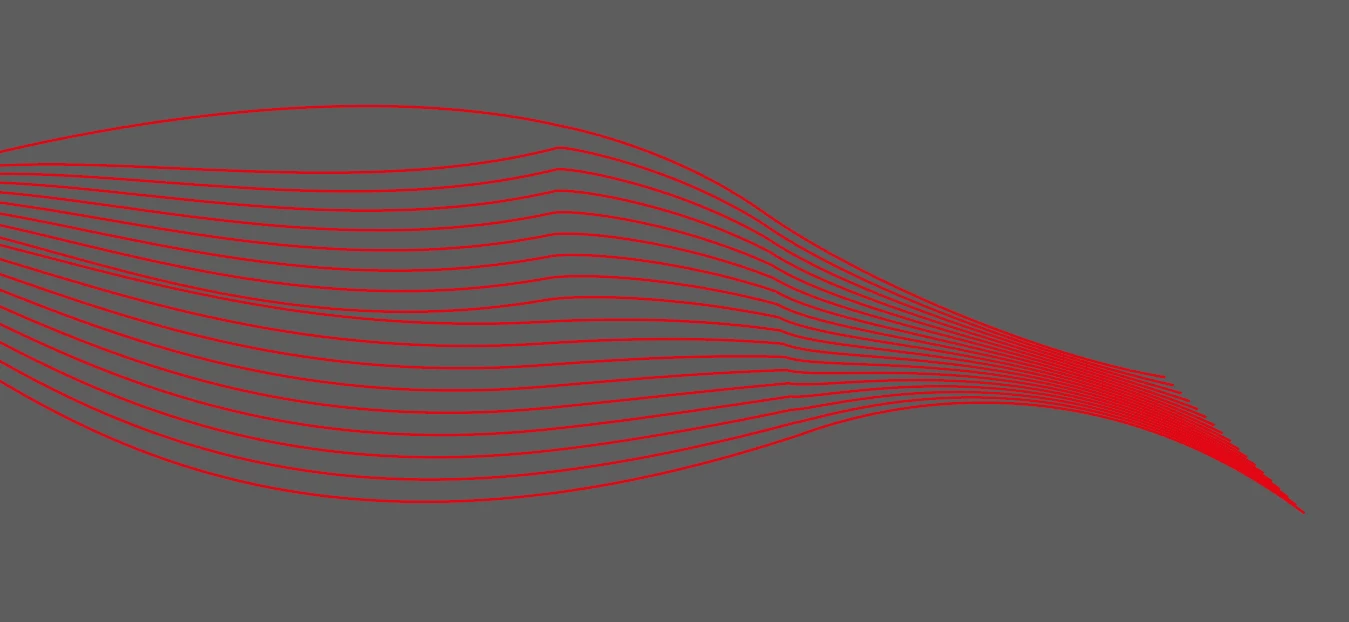
Hope someone can help me, because I desperately need that tool to work right now 
Thanks and regards,
Saskia

 AdChoices