

Answered
Illustrator CC 2018 in macOS High Sierra Save 'Adobe PDF' presets/.joboptions scrambled, unsorted, mixed up
Since the Illustrator CC got updated to 2018 in macOS High Sierra, whenever saving as Adobe PDF, the PDF print settings/job options got all scrambled/mixed up in the 'Save Adobe PDF' dialog. See example:
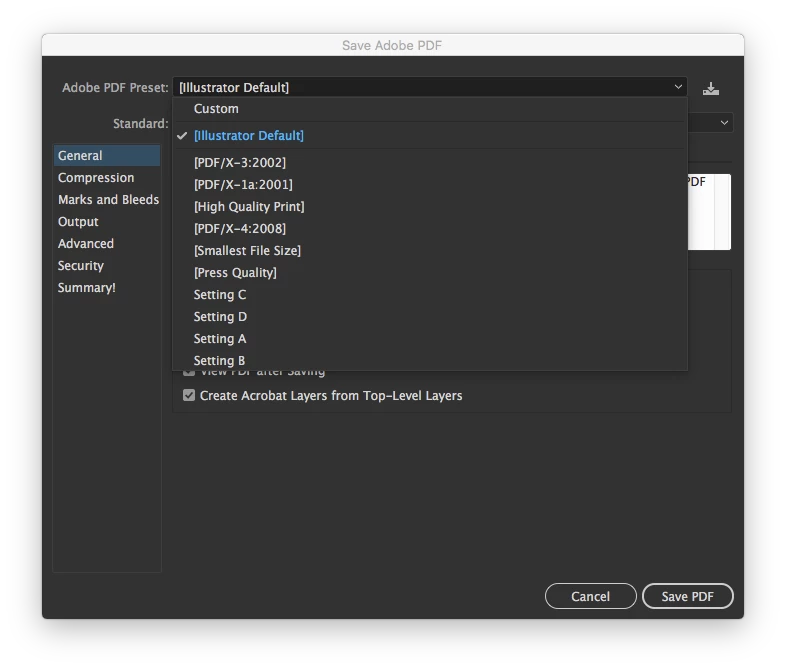
These should be sorted alphabetically, but as you can see they're all mixed up. A couple of colleagues are also experiencing this. Is there any way to workaround/fix this issue? See related thread from InDesign - could a startup JSX fix this issue?
Sort (or rearrange) Print Presets
Thanks!
 AdChoices