wenwen95
Participant
January 1, 2018
Answered

Illustrator CC 2018/Nothing shows after drawing something

  • January 1, 2018
  • 2 replies
  • 1713 views

1. Adobe Illustrator CC 2018

2. After drawing something, nothing turns up

3. Show something that i draw

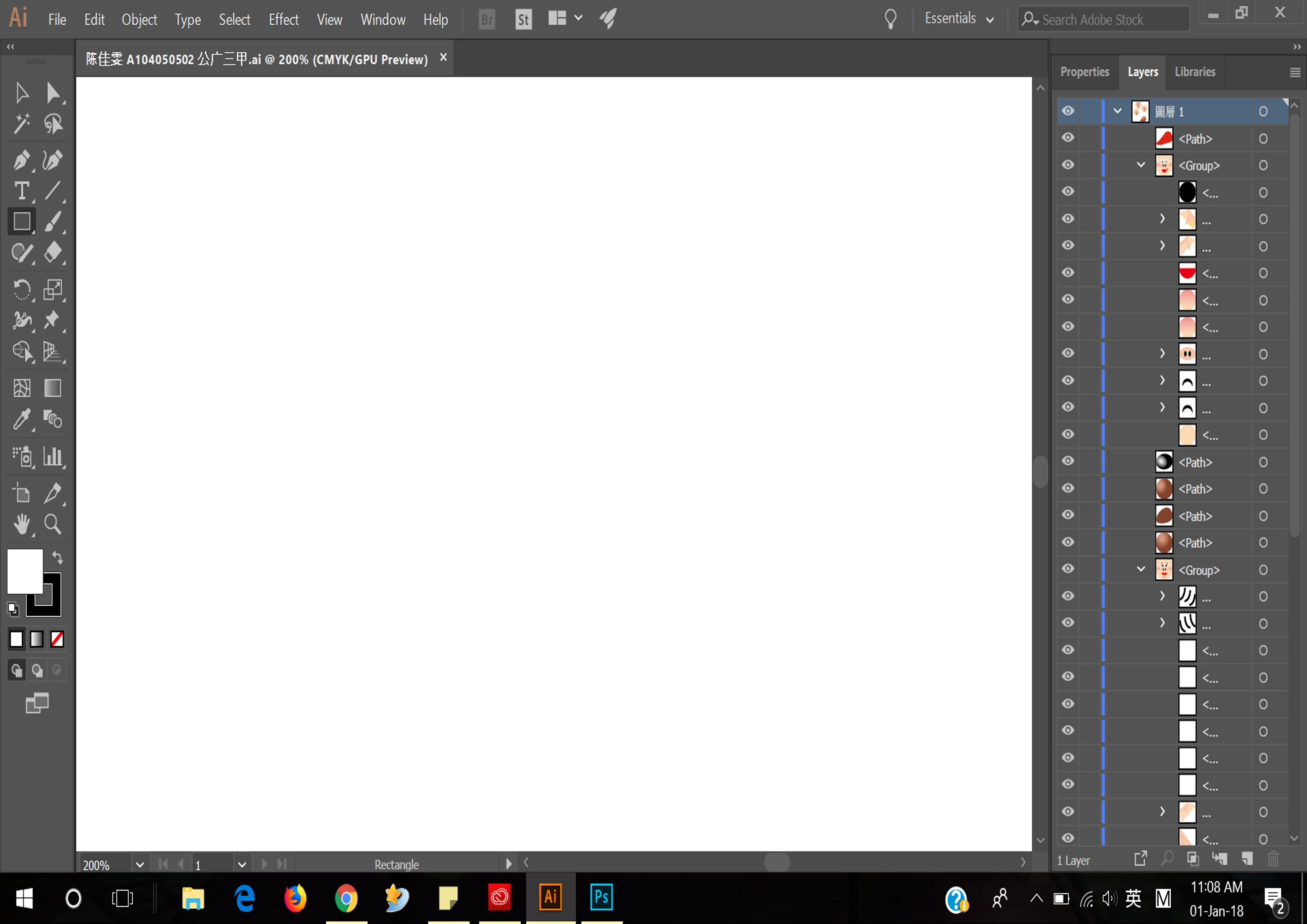
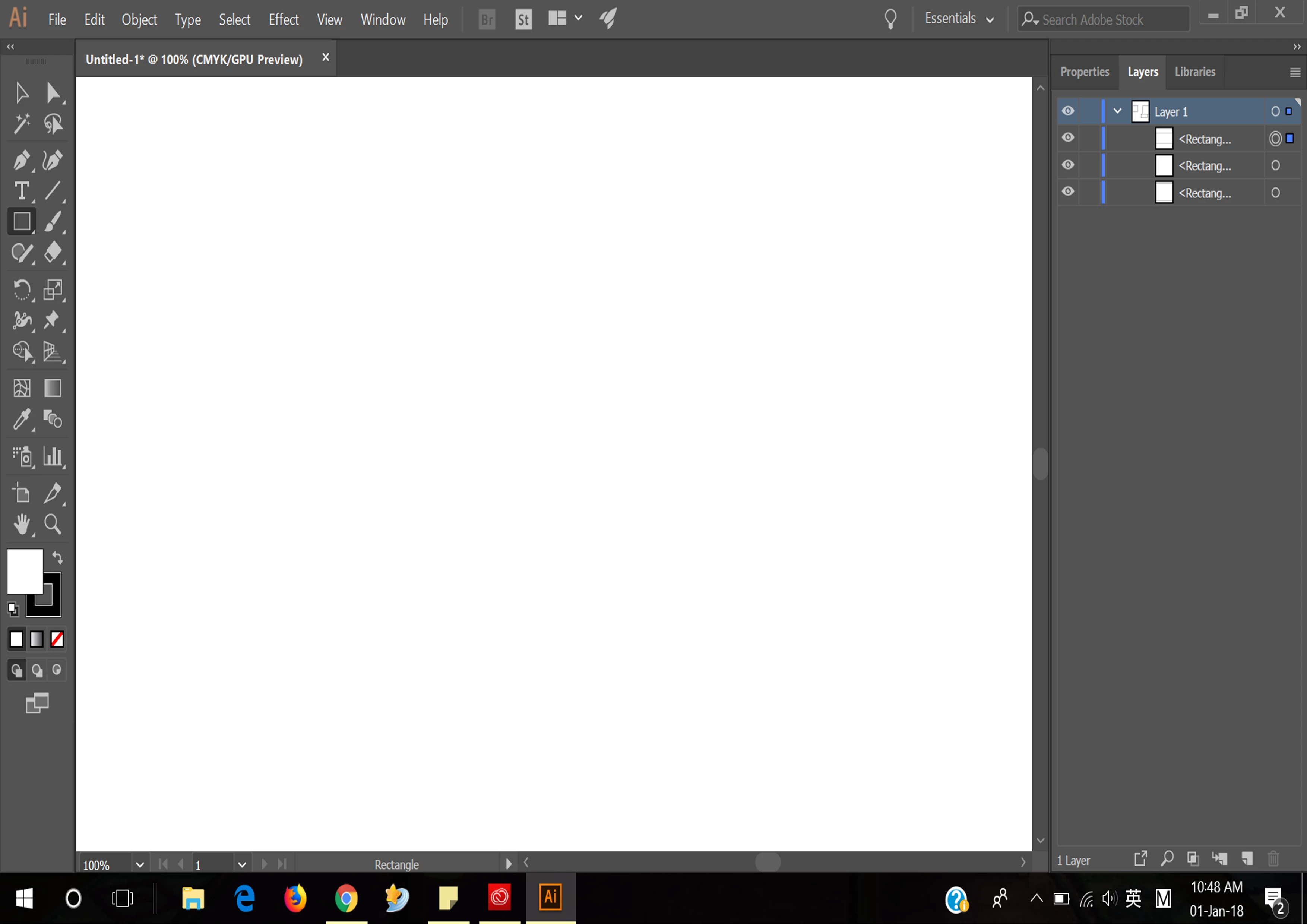
4. From the first attached file, as you can see , i drew three rectangles and the Layers part did show three rectangle layer but nothing showed on the illustrator.

5. The second file is after i opened a ai file, Layers did show all layers but nothing happened on the illustrator.

Hope there is any solution to solve this issue.

Thanks!

*Please help me, i need your assistance
Illustrator

This topic has been closed for replies.
Correct answer Larry G. Schneider

Does it change if you use Preview>Preview on CPU?

2 replies

Bill Silbert
Community Expert
Community Expert
January 1, 2018

You can try turning off GPU Performance. Click on the rocketship in Illustrator's top menu bar to access it.

If that does not work try trashing your preferences.

To do so:

You can try the quick way of resetting on a PC which is to hold down Ctrl + Alt + Shift when launching Illustrator and respond affirmatively when asked if you want to reset. There have been some recent reports that the window asking if you want to reset is not popping up but that the prefs are being reset anyway. If this works great but if it doesn’t you may have to manually delete them.

To do so:

On Windows 7 and above the preference files are hidden. To find them go to the Control Panel and open Folder Options and then click the View tab. Then select “Show hidden files and folders” or “Show hidden files, folders or drive options” in Advanced Settings. Then delete (or rename) the folder at the end of this path: C:\Users\[User Name]\AppData\Roaming\Adobe\Adobe Illustrator [version number]\ Settings\<Language>. Make sure that Illustrator is closed when you do this. When you relaunch the program it will create  new preference files and the program will be at its default settings.

The advantage of manually deleting preference files is that after you’ve reset up the program (make sure that no document window is open) to your liking, you can create copies of your personalized “mint” preference files (make sure that you quit the program before copying them—that finalizes your customization) and use them in the future to replace any corrupt versions you may need to delete.

adityac
Participant
February 12, 2018

Turning off GPU worked for me. Thank you very much.

Larry G. Schneider
Community Expert
Larry G. SchneiderCommunity ExpertCorrect answer
Community Expert
January 1, 2018

Does it change if you use Preview>Preview on CPU?